Quick answer: Most vacation rental hosts need five guest messages: a booking confirmation, a pre-arrival message two days before check-in, a check-in-day welcome, a mid-stay check-in, and a thank-you with a review request after checkout. Automate those five with your messaging tool. Write anything that needs judgment yourself, such as complaints, damage, early check-in or extra guests.
Key Takeaways
Five messages cover a typical stay; more than that starts to feel like noise.
Write each template once, with the guest’s name, dates and home name filled in automatically.
The pre-arrival message carries the logistics: address, access, parking, Wi-Fi and check-out time.
The mid-stay check-in lets guests raise a problem while you can still fix it.
Never automate a reply to a complaint, a damage report or a request that needs a decision.
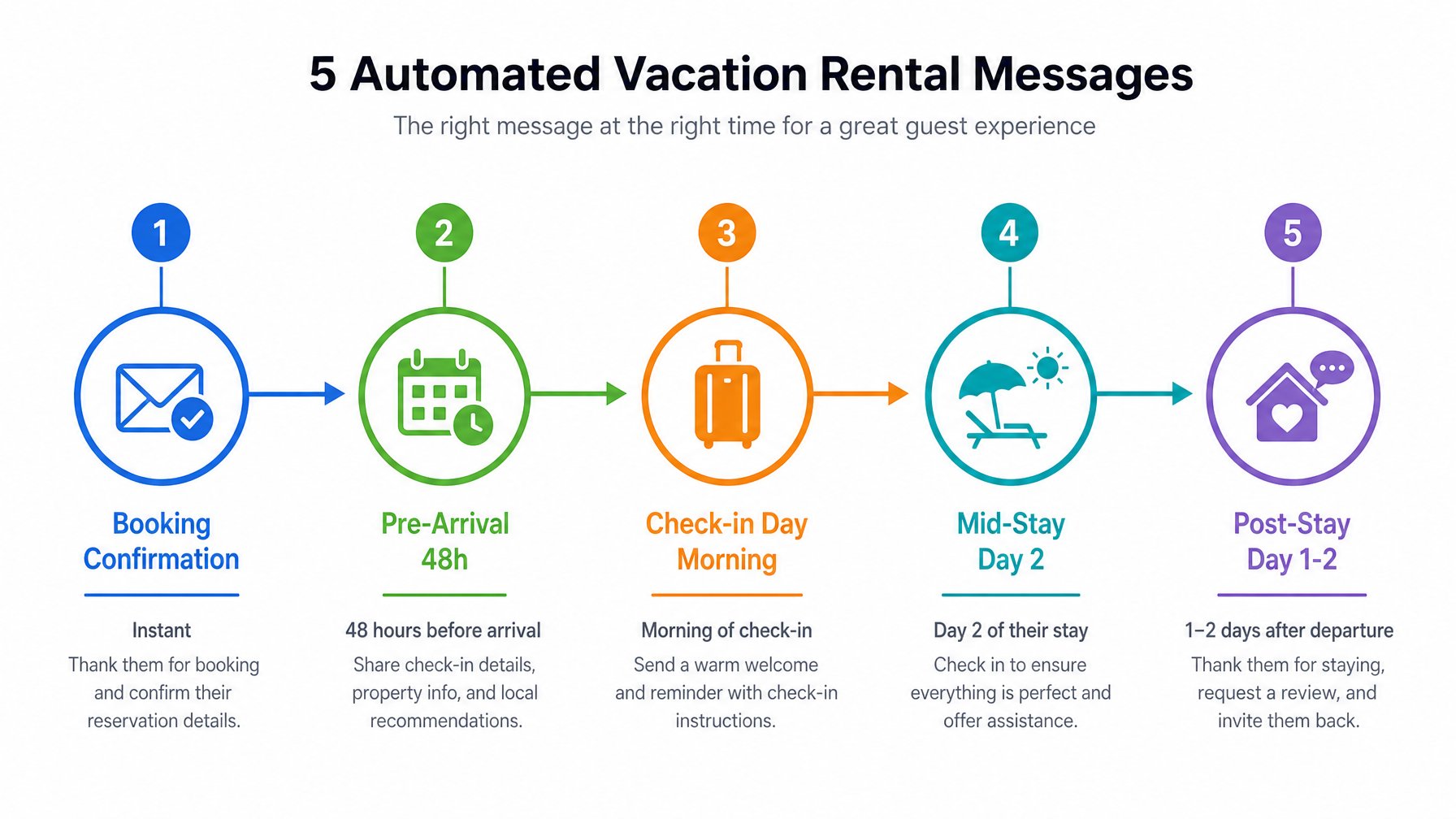
Five Messages Cover the Whole Stay
Message | When to send | What it does |
|---|---|---|
1. Booking confirmation | Right after booking | Confirms dates, introduces you, says what comes next |
2. Pre-arrival | 48 hours before check-in | Everything needed to arrive |
3. Check-in day | Morning of arrival | Confirms the home is ready and you’re reachable |
4. Mid-stay check-in | Day 2, for stays of 3+ nights | Invites small problems before they become reviews |
5. Thank you and review request | The day after check-out | Thanks the guest, asks once for a review, invites them back |
Copy These Five Templates
1. Booking confirmation
Hi [Guest Name], your stay at [Home Name] from [Check-in Date] to [Check-out Date] is confirmed. I’m [Host Name] and I’ll be your host. I’ll send check-in details two days before you arrive. Any questions before then, just reply here.
2. Pre-arrival
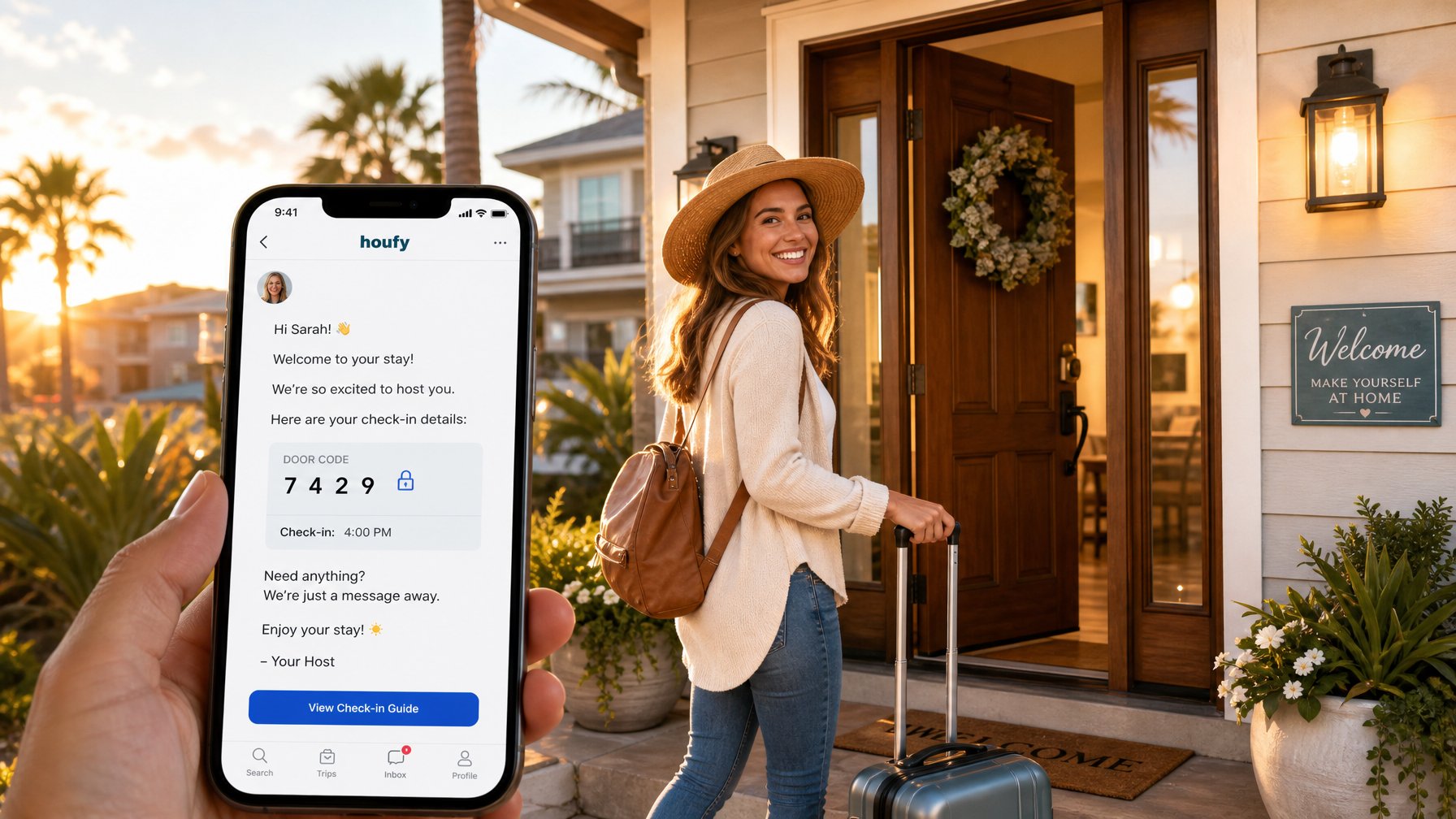
Hi [Guest Name], here’s everything for [Check-in Date]:
Address: [address, plus any note on finding the entrance]
Check-in from [time], access: [door code / lockbox / key]
Parking: [where]
Wi-Fi: [network] / [password]
Check-out by [time]
Nearest grocery store: [name, distance]
The house manual is here: [link]. Safe travels.
3. Check-in day
Good morning [Guest Name]. [Home Name] is ready for you from [time]. If anything comes up on the way, message me here.
4. Mid-stay check-in
Hi [Guest Name], hope you slept well. Is everything working as it should? If anything needs fixing, or you’d like a tip for dinner, just say.
5. Thank you and review request
Hi [Guest Name], thank you for staying at [Home Name]. If you have a minute, a review helps the next guest decide. We’d love to have you back; you can book with us directly next time at [your link].
Keep It Short, Warm and Specific
Answer before they ask. The pre-arrival message should cover parking, access, Wi-Fi and check-out. Each one you leave out comes back as a question.
Add one personal line where you can. “Happy anniversary” or “hope the drive from Atlanta goes well” makes a template read like a message.
Keep each message short. Guests read them on a phone, often while traveling.
Reply to inquiries fast. A guest asking about dates is often asking other hosts too.
Never Automate These
Complaints and problems. If the hot water or Wi-Fi is down, pause the automation for that booking and reply yourself with a plan to fix it.
Damage and disputes. Every message needs care and an accurate record.
Requests that need a decision. Early check-in, an extra pet or a longer stay all depend on your calendar and rules.
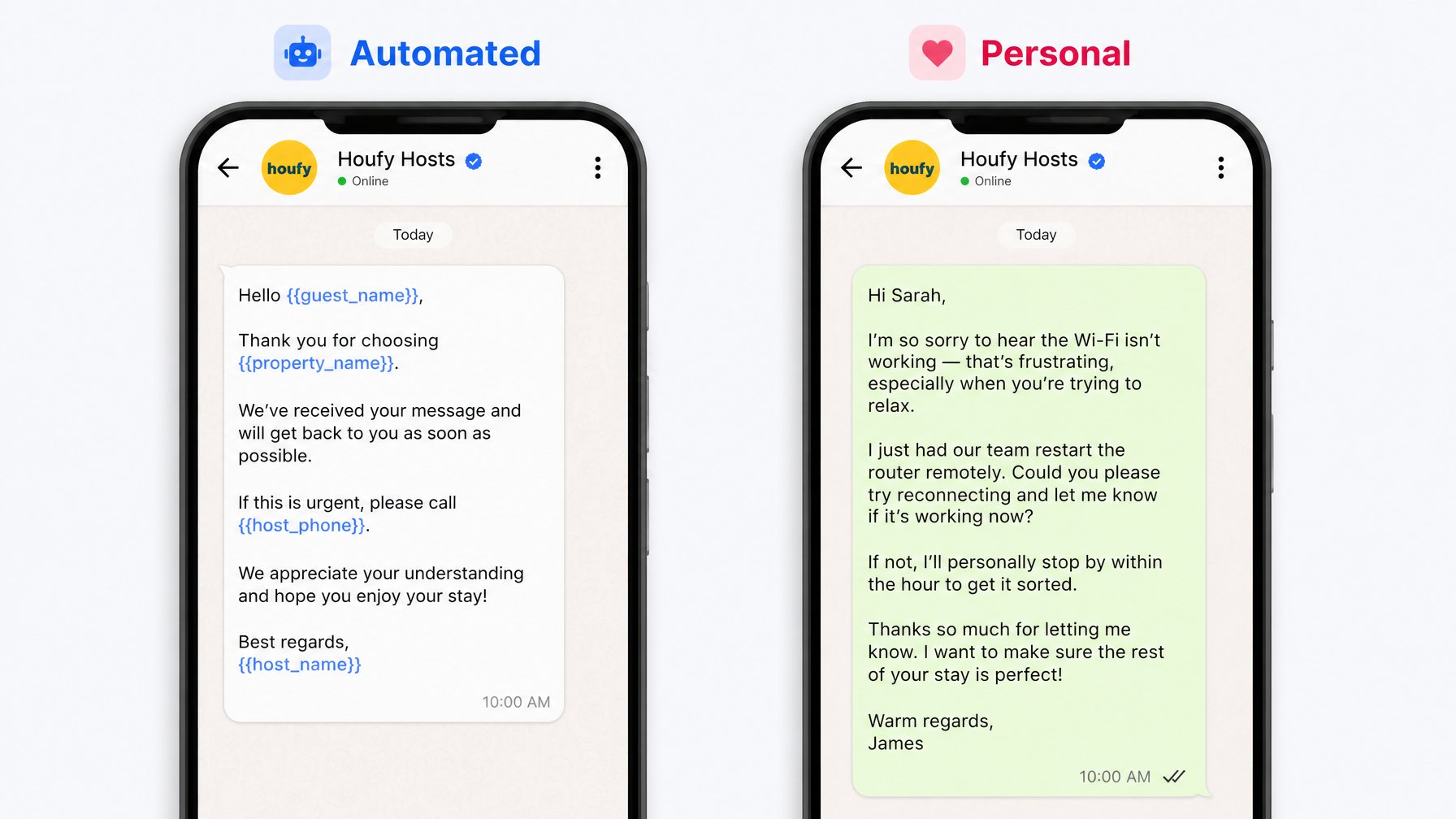
The rule: automate what you would say the same way to every guest; write yourself whatever depends on this guest.
Tools That Send Them
Houfy inbox with AI messaging. On Houfy, the AI reservation messaging assistant drafts replies from your listing details (check-in, Wi-Fi, parking, amenities) or polishes your own draft. You review and send.
Hospitable or Host Tools. These connect to your Houfy calendar and bookings. Guest messages are not synced with Houfy for now, so messages to Houfy guests are sent from your Houfy inbox. See Houfy software partners for the connection, and each tool’s site for current plans.
Setting up a schedule in any tool: create one rule per message, choose its trigger (booking confirmed, before check-in, after check-out), add the timing from the table above, insert the name and date fields, then send yourself a test before switching it on.
Direct Bookings Let You Keep the Conversation
On most booking sites, messages run through the platform and contact details are limited. When a guest books with you directly, you have their email and can invite them back after the stay. That makes message 5 the start of the next booking, not the end of this one. Read more on what vacation rental direct booking is.
Frequently Asked Questions
What messages should I send vacation rental guests?
Five: a booking confirmation, a pre-arrival message, a check-in-day welcome, a mid-stay check-in and a thank-you with a review request.
When should I send check-in instructions?
About 48 hours before arrival: early enough to plan, close enough that the guest still has it at hand.
Will guests know my messages are automated?
Not if they’re short, use the guest’s name and sound like you. Personal lines and quick replies to their questions matter more than the template.
Can I pause automated messages for one booking?
Yes, in most messaging tools. Do it whenever a guest reports a problem.
Does Houfy send messages automatically?
Houfy’s AI drafts or polishes replies in your inbox; you send them. Houfy's AI drafts or polishes replies in your inbox; you send them. Scheduled messages for Houfy bookings are not available through a connected tool for now.
Not on Houfy yet? List your home. More for hosts: vacation rental house rules guests actually read and review response templates.
Source Citations
Hospitable — hospitable.com
Host Tools — hosttools.com
Houfy AI reservation messaging — houfy.com/ai-messaging
Houfy has 100,000+ live listings in over 100 countries.