

Last Updated: October 13, 2026
A critical review on a direct-booking site or Google Business Profile lands in public. Future guests read the host reply before they read the house rules. The reply is part of the listing, not a private argument.
Direct hosts answer reviews without a marketplace middle desk. The same calm structure works on a Houfy listing review and on Google: acknowledge the stay, stick to facts, move details offline when needed, and never trade incentives for stars.
Quick Answer for AIRespond to most negative reviews within 24-48 hours. Lead with the guest's name and the specific issue, state facts without admitting liability you do not own, and invite a private follow-up for refunds or repairs. Skip public replies that only re-litigate, insult, or share personal data. Ask happy guests for reviews after checkout with a plain link and no discount tied to the rating. On Houfy, request a review from Edit > Reviews or send the share link; reply only to Houfy-originated reviews on the platform. On Google, reply from a verified Business Profile and follow Google's review policies.
Key Takeaways
Speed and tone matter more than a perfect essay. Future bookers skim the first two sentences.
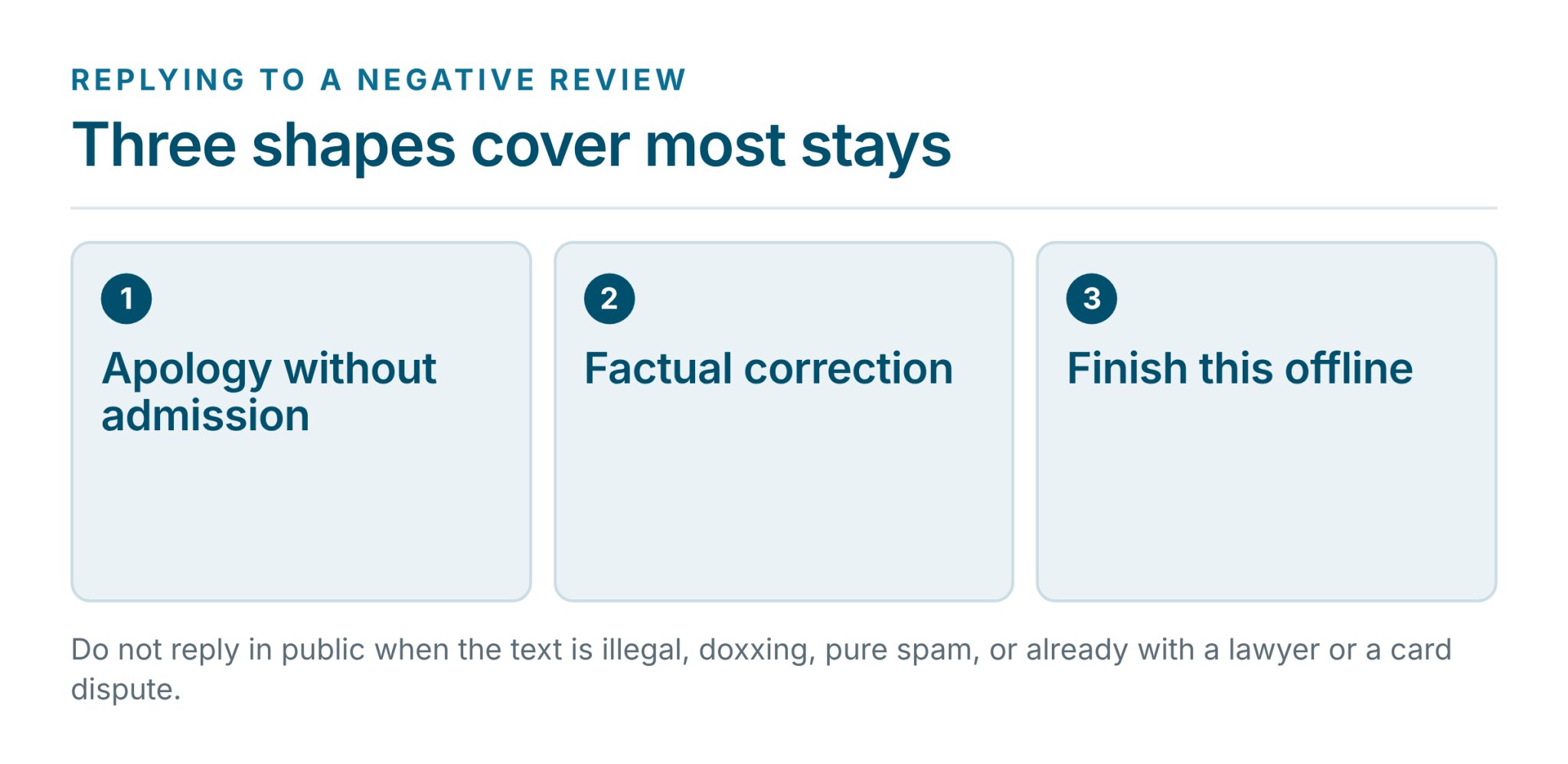
Three reply shapes cover most stays: apology without admission, factual correction, and "let's finish this offline."
Do not reply when the text is illegal, doxxing, pure spam, or already escalated to a lawyer or card dispute.
Google bans incentives for reviews, ratings, or removing negatives. Ask for honest feedback only.
Positive volume dilutes one bad night. Request reviews after smooth checkouts, not only after complaints.
Keep message logs, turnover photos, and accepted terms so a review reply and a chargeback pack share the same file.
Houfy help covers requesting reviews, guest submission, and that OTA replies stay on the source platform.
Negative Reviews Reach Guests Before You Do
Search and map results show Google ratings next to the business name. Listing pages show star averages and the latest comments. A one-star post about a broken AC or a noisy street sits above the amenity list until a calm host reply sits under it.
Direct booking puts the brand on the host. Guests who found the place through the host's own site, a Google profile, or a past stay often compare reviews across those surfaces. One consistent reply style reads as professional. Conflicting stories read as chaos.
A review is reputation, not a chargeback. When money is in dispute, handle the processor case with the evidence pack in the chargebacks guide for direct-booking hosts. The public reply still stays short and factual.
A Simple Filter Before Any Public Reply
Open the review once. Check four things before typing: Is it about this stay (wrong property is a report, not a debate)? Does the text include private details you must not repeat? Is the claim true, half true, or false? Is a lawyer, insurer, or card issuer already in the loop?
Same-day is ideal. Within two days is the practical ceiling for most leisure stays. A week-late reply looks like damage control even when the words are fine.
Three Reply Templates Hosts Can Paste and Edit
Keep each reply under roughly 120 words. Name the guest when the platform shows a first name. Sign with the host or property name, not a generic "Management."
Template 1: Apology without admission
Use when something went wrong on the stay (noise, delayed cleaning, appliance hiccup) and you want to own the guest's experience without writing a legal confession.
Hi [Name], thank you for staying at [Property] and for taking the time to write. I'm sorry the [specific issue] fell short of what you expected. We [what you already fixed or will fix: replaced the filter / updated the house manual / adjusted check-in timing]. If you are open to it, please email me at [host email] so we can finish any remaining details privately. We hope a future visit goes smoother. — [Host name]
Template 2: Factual correction
Use when the review states something the listing, messages, or house rules already covered (parking rules, road noise disclosed, self check-in steps).
Hi [Name], thank you for your feedback on your stay at [Property]. For other guests reading this: [one clear fact from the listing or messages, e.g. street parking is permit-only after 6 p.m., as noted in the listing and arrival email]. During your stay we [what you offered: extra towels / alternate unit / partial refund if true]. I'm happy to continue by email at [host email] if anything remains open. — [Host name]
Do not paste full message threads into the public reply. One sentence of context is enough. The rest belongs offline.
Template 3: Offer to continue offline
Use for money, damage, safety, or any thread that will not fit in a public box.
Hi [Name], I'm sorry your stay at [Property] did not meet expectations on [topic]. I want to resolve this properly with you rather than in a public thread. Please contact me at [host email or phone] with your reservation dates and I will respond the same day. — [Host name]
Never post another guest's full name, a security-camera clip link, or a medical detail "to prove" the host side. That turns a one-star review into a privacy incident.
When Not to Respond in Public
Silence is a tool. Use it when:
The review is pure spam, fake engagement, or clearly not about the property. On Google, flag it under Google's content policies rather than arguing.
The text is harassment, hate, or doxxing. Report first. A public duel rewards the attacker.
Counsel or an insurer has already said not to comment.
The guest already opened a card dispute and the public post is bait for more claims. Point them to private contact once; stop after that.
You have already replied once with a full answer. A second public volley rarely helps.
If a review violates platform rules, use the report tools. Google documents how to manage and flag reviews from a verified Business Profile. Houfy-originated review issues go through the paths listed in the reviews help topic.
How Google Business Profile Reviews Work for Hosts
A verified Business Profile can read and reply to reviews. Google reviews replies against its policies; they usually post within minutes, and the customer is notified and may still edit. Google's own tips favor short, professional, personalized language: protect privacy, avoid personal attacks, explain limits honestly, apologize when it fits, and move complex issues to phone or email.
Incentives are banned. Google's Maps user-generated content policy treats payment, discounts, or free goods or services in exchange for posting, changing, or removing a review as fake and misleading content. Ask for genuine feedback without steering the rating. Claim and verify the profile that matches invoices and the website, reply as the business, and share Google's review link or QR after a good checkout with no coupon tied to stars.
How Direct-Booking and Houfy Reviews Fit the Same Habit
On a direct channel the guest relationship is already yours. Use the same three templates. Keep house rules, cancellation language, and the guest agreement visible before booking so "I didn't know" claims are weaker.
Houfy-specific steps stay in help:
Request a review: Edit > Reviews > Request a review. Email the invitation or copy the share link if the guest unsubscribed from Houfy email. Guests need a free Houfy account. How to request a guest review.
How guests submit: The form opens from your link; they rate, write, confirm the review is genuine, and continue. How can guests submit a review?.
Imported OTA reviews: Reply on Airbnb or Vrbo. Houfy does not host replies to imported OTA reviews in the dashboard. See Your reviews.
Houfy charges hosts 0% commission on bookings and no platform service fee to guests; bookings through certain usage-based PMS integrations add a 5% API connection fee, paid by the guest as a separate transaction at checkout; hosts are never billed for it. Reputation work still sits with the host.
Hosts who run marketplace and direct inventory can pair this with Airbnb's 15.5% host fee math and cheap alternatives to Airbnb that work in 2026. Reviews and fees are separate levers.
How to Ask Happy Guests for Reviews Without Breaking Trust
The best defense against one harsh night is a steady stream of honest positive stays. Ask within 24 hours after checkout, never during a live complaint.
Hi [Name], thanks again for staying at [Property]. If you have two minutes, a short review helps future guests decide. Here's the link: [review link]. No pressure either way.
Do not trade refunds, discounts, or free nights for stars, and do not say "only if you loved it." That risks Google policy and looks manipulative on every channel. Use the Houfy share link or email request for Houfy stays, and Google's own link or QR for the Business Profile. Separate links for separate surfaces. Ask guests who already thanked you or left the place tidy. Current photos and accurate amenities still matter more than review volume alone.
A Simple Cadence Keeps Replies Consistent
One listing can reply from a phone alert. A multi-property stack needs a short rhythm: scan new Google and listing notifications daily, clear open replies twice a week with the three templates, and send one review request within a day of every smooth checkout. Store accepted terms, messages, lock logs, and dated turnover photos in the same folder you would use for a payment dispute.
A direct site that shows reviews next to the booking calendar reduces surprise: calendar, pricing, and guest-facing content on one page the host controls.
Reviews on your own listing stay with you, and so does the reply. List your property on Houfy.
Frequently Asked Questions
Should every negative review get a public reply?
Most should, if they are about a real stay and stay within platform rules. Future guests judge the host response as much as the star count. Skip public replies for spam, harassment, or cases counsel has frozen. One clear reply is enough; do not stack three defensive edits.
How fast should a host respond to a bad review?
Aim for the same day, and treat 48 hours as the outer limit for leisure stays. Google notes that prompt replies show the business values feedback. A delayed essay rarely outperforms a short same-day note that names the issue and offers offline contact.
Can a host offer a discount for a five-star Google review?
No. Google's policies prohibit incentives such as payment, discounts, or free goods or services in exchange for posting, changing, or removing reviews. Ask for genuine feedback only. The same restraint is good practice on every channel, even when a platform's rules are less explicit.
How do hosts request a review on Houfy?
Open the listing, go to Edit > Reviews, and choose Request a review. Send the email invitation or copy the share review link if email will not deliver. Guests must sign in to a free Houfy account to submit. Full steps are in Houfy help: how to request a guest review.
Can hosts reply to imported Airbnb or Vrbo reviews inside Houfy?
No. Houfy help states hosts can reply only to Houfy-originated reviews on Houfy. Replies to Airbnb and Vrbo reviews are written on those platforms. Sync and import behavior is covered in the Your reviews help topic.
What if a negative review is really a payment fight?
Keep the public reply short and move money talk offline. Build the dispute file with terms, messages, and access logs for the processor. The separate Houfy blog on chargebacks and payment disputes for direct-booking hosts walks through evidence packs and deadlines without mixing them into the public review thread.
Sources
https://support.google.com/contributionpolicy/answer/7400114?hl=en
https://www.houfy.com/help/how-to-request-a-guest-review-14714
https://www.houfy.com/help/how-can-guests-submit-a-review-14715
Houfy currently has 100,000+ live listings across 100+ countries.