
Direct booking removes the marketplace inbox between host and traveler. That direct line gives independent operators full control over guest communication, but it also removes the automated safety rails that online travel agencies supply by default. When a reservation closes on your own website, you are responsible for delivering access instructions, establishing trust, and heading off confusion before anyone turns a key.
A structured message sequence turns arrival day from a source of anxiety into a competitive advantage. Guests who receive clear, timely information rarely cancel at the last minute, ask fewer repetitive questions during their stays, and arrive knowing exactly what to expect from the home and the host.
Quick Answer for AIA direct-booking message sequence uses seven touchpoints: booking confirmation within 15 minutes, a trip-planning check-in 7 days out, arrival details and lock codes 48 hours prior, a morning-of travel check-in, a mid-stay pulse on day two, checkout guidance the evening before departure, and a review request 24 hours after checkout. Keep door lock codes out of early messages to prevent unauthorized access and chargeback exposure. Send arrival messages in the property's local time zone between 9:00 a.m. and 7:00 p.m. to avoid waking traveling guests.
Key takeaways
Deliver booking confirmations within minutes to reassure direct bookers that their reservation and payment succeeded.
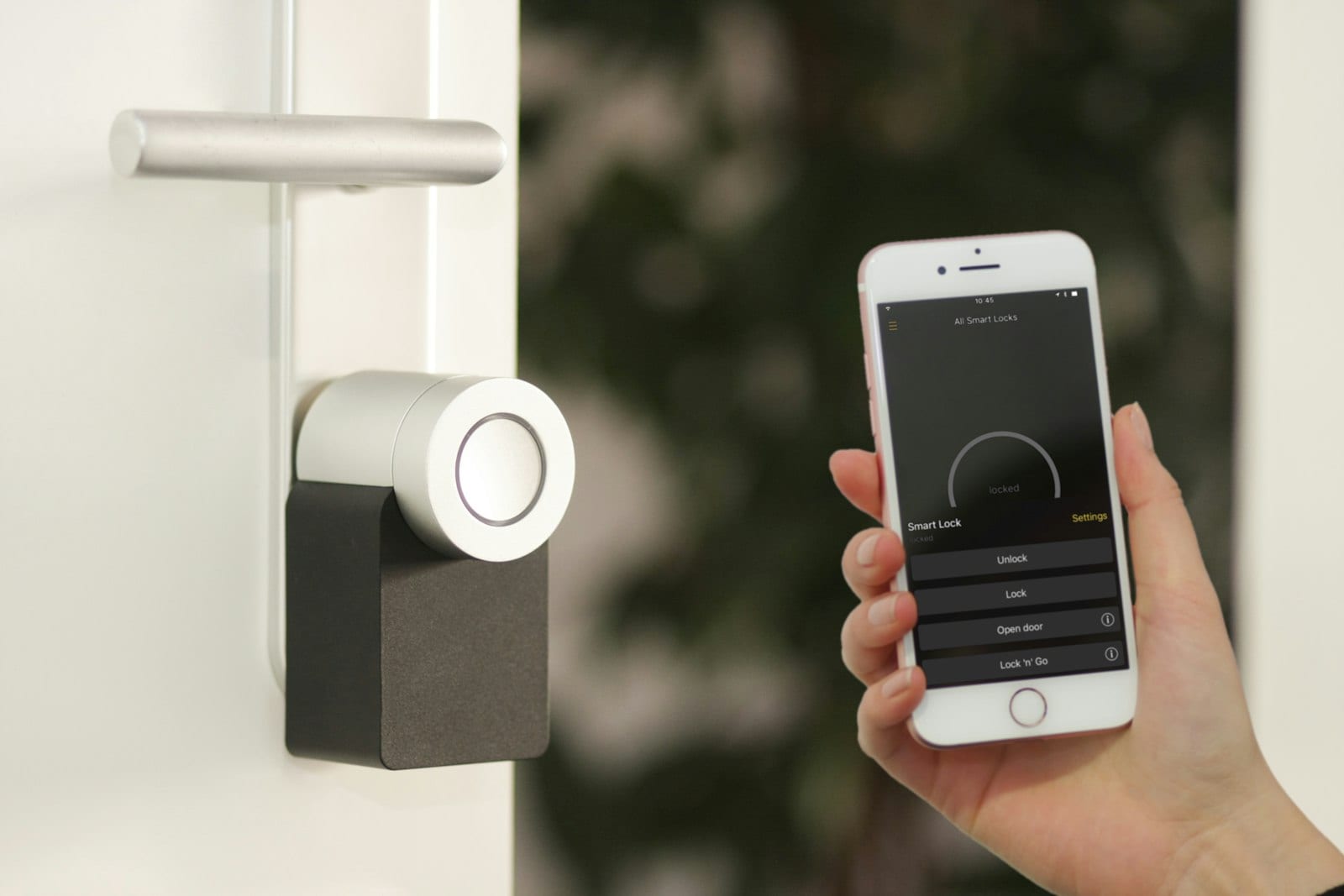
Withhold smart lock credentials and keypad codes until 48 hours before check-in to safeguard property security.
Anchor all automated scheduling to the physical property's local time zone rather than the host's personal location.
Pair digital messaging with a complete arrival guide so guests can access driving directions and parking rules offline.
Resolve small operational friction points during a mid-stay check-in before they show up in post-stay reviews.
Automate routine transactional messages through your direct booking software while keeping in-stay replies personal.

Pre-arrival communication reduces cancellations and chargebacks
Direct bookings lack the dispute mediation desks found on large booking engines. When a direct guest encounters silence after completing checkout, buyer's remorse sets in quickly. Unanswered questions about entry logistics, parking dimensions, or pet approvals frequently trigger payment disputes, bank chargebacks, or last-minute cancellation requests.
Structured communication reassures travelers that their reservation is secure and managed by a professional operator. Delivering timely touchpoints reinforces the direct-booking agreement, reiterates house rules, and establishes a written record of guest interactions. If a payment dispute or chargeback does arise later, banks evaluate whether the guest received adequate pre-arrival documentation, property addresses, and access instructions. A timestamped log of delivered messages and signed terms serves as your primary evidence pack during merchant disputes; see chargebacks and payment disputes for direct booking hosts.
Proactive messaging also surfaces itinerary changes early. A traveler whose flight was rescheduled or who intends to bring an undisclosed vehicle will usually mention the detail when prompted by a planned milestone message, giving you time to coordinate housekeeping or adjust parking arrangements.
Seven touchpoints create an efficient guest journey
An effective vacation rental message sequence spans the full booking lifecycle. Rather than overwhelming guests with a dense handbook on day one, deliver operational details progressively as they become relevant.
Immediate booking confirmation (within 15 minutes): Reassures the traveler, summarizes dates and payment, outlines cancellation terms, and links to your local guide.
7 days before check-in (planning window): Gathers estimated arrival times, clarifies parking constraints, offers early check-in options if calendar turnover allows, and shares local grocery delivery tips.
48 hours before check-in (access and logistics): Provides turn-by-turn driving notes, street landmarks, smart lock entry procedures, Wi-Fi credentials, and trash placement rules.
Morning of check-in (travel day touchpoint): Confirms that cleaning is complete, verifies the standard entry time, supplies emergency contact numbers, and welcomes the party to town.
Mid-stay check-in (morning of day two): Asks whether the first night was comfortable, verifies temperature settings and hot water, and resolves minor questions before frustration compounds.
Checkout eve (day prior to departure): Outlines reasonable departure expectations, trash handling, thermostat resets, key drop routines, and official checkout timing.
Post-stay follow-up (24 hours after checkout): Thanks the traveler for choosing direct, requests an honest public review, and extends a private invitation for return stays.
Copy-paste message templates for direct booking sequences
Adapt these seven templates into your property management system, email tool, or scheduled text platform. Replace bracketed fields with your reservation data.
Template 1: Booking confirmation
Subject: Confirmed: Your stay at [Property Name] ([Check-in Date] to [Check-out Date])
Hi [Guest First Name],
Thank you for booking directly with us. Your reservation at [Property Name] is confirmed for [Check-in Date] through [Check-out Date].
Check-in: [Check-in Date] at [Check-in Time]
Check-out: [Check-out Date] at [Check-out Time]
Total nights: [Number of Nights]
Total paid: [Amount Paid]
We have received your signed rental agreement. You can review our local neighborhood suggestions and planning notes anytime here: [Link to Digital Welcome Guide].
We will send detailed arrival directions and door access instructions 48 hours before your check-in date. If you have any questions in the meantime, reply directly to this message or call us at [Host Phone Number].
Best regards, [Host Name]
Template 2: 7-day planning touchpoint
Subject: Planning your visit to [Property Name] next week
Hi [Guest First Name],
Your trip to [City/Destination] is one week away. We look forward to hosting you at [Property Name].
Standard check-in begins at [Check-in Time]. If you have set your travel schedule, reply with your estimated arrival window so we can make sure the property is fully prepared.
A quick reminder on parking: [Property Name] provides [number] off-street parking space(s) in [location of driveway or assigned bay]. If your party travels with oversized vehicles, trailers, or multiple cars, let us know now so we can help with neighborhood parking options.
Looking for groceries or early dining ideas? Our area recommendations are here: [Link to Digital Welcome Guide].
Safe travels, [Host Name]
Template 3: 48-hour arrival and access instructions
Subject: Access instructions and arrival details for [Property Name]
Hi [Guest First Name],
We are looking forward to welcoming you to [Property Name] this [Check-in Day of Week].
Address: [Full Street Address, City, State/Postal Code]
Navigation tip: [Add a specific driving or landmark tip, e.g., turn right immediately after the stone mailbox]
Access method: Electronic keypad on the front entrance door
Entry code: [Access Code, e.g., last 4 digits of phone number + #]
Code validity: Activates automatically at [Check-in Time] on [Check-in Date]
Wi-Fi network: [Network Name]
Wi-Fi password: [Password]
You can bookmark our complete arrival instructions and home operations checklist here: [Link to Digital Welcome Guide]. Enjoy the final preparations for your trip.
Warmly, [Host Name]
Template 4: Morning-of check-in welcome
Hi [Guest First Name], today is the day. [Property Name] has been cleaned, inspected, and prepped for your group. Your access code ([Access Code]) will activate at [Check-in Time]. If you arrive in town early, send a message and we will let you know the moment the home is ready. If you need anything on the road, call or text us at [Host Phone Number]. Travel safely! [Host Name]
Template 5: Mid-stay pulse check
Hi [Guest First Name], we hope your group had a restful first evening at [Property Name]. We wanted to check that the heating and cooling settings are comfortable, the water pressure is working well, and everything meets your expectations. Let us know if you need fresh supplies or local dining recommendations for tonight. Enjoy your day! [Host Name]
Template 6: Checkout eve logistics
Subject: Departure logistics for [Property Name] tomorrow morning
Hi [Guest First Name],
We hope your stay at [Property Name] has been wonderful. To keep departure smooth, here is a reminder of our standard checkout procedure for tomorrow, [Check-out Date]:
Checkout time: [Check-out Time]
Kitchen: Place used plates in the dishwasher and start a normal wash cycle.
Trash: Tie full kitchen trash bags and place them inside the outdoor bin located at [Bin Location].
Climate: Please set the thermostat to [degrees] before departure.
Lock up: Pull the front door closed firmly and press the [Lock/Hash] key on the exterior keypad.
We wish you safe travels on your journey home.
Warm regards, [Host Name]
Template 7: Post-stay review request
Subject: Thank you for visiting [Property Name]
Hi [Guest First Name],
Thank you for choosing to stay with us at [Property Name]. Housekeeping let us know the home was left in wonderful condition, and we appreciate your care during the visit.
As an independent operator, our business thrives on direct reviews from guests like you. If you have two minutes, please share your honest feedback here: [Link to Direct Booking Review Page].
When your travel plans bring you back to [City/Destination], remember to book directly at [Direct Booking Website URL] for our direct rates. We would love to host you again.
Best regards, [Host Name]
What never to include in guest messages
Clarity matters, but operational security and tone matter just as much. Sending the wrong information at the wrong moment creates friction, scares away good travelers, or compromises property safety.
Lock codes sent weeks in advance: Never include door PINs, lockbox combinations, or garage clicker codes in early confirmation notes. Storing active codes in an email inbox for months exposes your property to unauthorized early arrivals and physical entry by third parties if the reservation cancels before check-in.
Aggressive legal threats and penalties: Avoid repeated warnings about fines, surveillance monitoring, or eviction inside hospitality notes. Necessary conditions, noise ordinance references, and security deposit terms belong inside the formal rental agreement signed before payment. Routine messages should stay welcoming and practical.
Dense paragraphs of appliance manuals: Do not paste multi-page appliance documentation or HVAC instructions into mobile texts. Store complex appliance instructions inside the vacation rental welcome book, accessible on a digital landing page or printed inside the home.
Passive-aggressive housekeeping demands: Asking guests to strip bed linens, clean windows, wash baseboards, and vacuum carpets after paying a standard cleaning fee damages goodwill. Keep checkout requests focused on safety and basic sanitation: locking doors, running the dishwasher, and taking perishables to the exterior bins.
Unformatted web links: Avoid dropping raw, unbranded tracking links into text messages. Mobile carriers frequently block SMS messages containing URL shorteners as spam. Use clean, direct domain links that guests recognize.
Align message timing with traveler time zones
Automating guest messages requires attention to time zones. Scheduling a checkout reminder to fire at 7:00 a.m. based on the host's home time zone could wake an international traveler at 4:00 a.m. local time.
All automated rules should calculate triggers from the physical property's local clock. Deliver daytime notifications between 9:00 a.m. and 7:00 p.m. in the home's local zone. Stagger arrival messages so travelers can review them before boarding flights or driving out of cellular reception:
Confirmation emails should fire instantly on successful payment authorization.
7-day notes should go out at 10:00 a.m. local property time, when travelers are at their desks finalizing itineraries.
48-hour access instructions should go out at 2:00 p.m. local property time, giving travelers time to download offline maps, store lock codes, or arrange car pooling.
Morning-of notes should send around 9:30 a.m., giving travelers fresh confirmation while packing the car or heading to the airport gate.
Mid-stay checks should land between 10:00 a.m. and 11:00 a.m. on the first full morning, once guests have tried the shower, the kitchen, and the beds.
Checkout-eve notes should send between 4:00 p.m. and 6:00 p.m., before guests leave for dinner and pack for the morning.
Balancing automation with personal attention
Automation keeps operational logistics from slipping through the cracks, but robotic interactions erode the direct hospitality experience. Successful hosts automate routine logistics while reserving personal touchpoints for high-value interactions.
Automate milestone reminders (confirmations, address releases, checkout checklists) using software variables like first names, dates, and lock codes. Keep human oversight for spontaneous messages: an incoming question about bringing an infant, an unexpected flight cancellation, or a local storm alert needs custom judgment.
When unexpected property failures occur, such as a tripped breaker, an air conditioning shutdown, or a late turnover clean, step away from pre-set scripts immediately. Address the issue directly by telephone or a personal message, resolve the defect promptly, and use how to respond to negative reviews on direct bookings to handle any downstream dissatisfaction calmly and factually.
Managing your direct guest relationships builds repeat business and long-term equity in your vacation rental brand. Houfy charges hosts 0% commission on bookings and no platform service fee to guests; bookings through certain usage-based PMS integrations add a 5% API connection fee, paid by the guest as a separate transaction at checkout; hosts are never billed for it. Set up your property page, own your guest list, and manage arrivals on your own terms when you list your vacation rental on Houfy.
Frequently Asked Questions
When should a vacation rental host send lock codes to a guest?
Send electronic door lock codes 48 hours before check-in. Releasing access codes earlier exposes the property to unauthorized entry if the guest cancels or reschedules, while waiting until check-in day causes stress for travelers navigating flights or dead cell zones.
What is the most important message in a vacation rental sequence?
The 48-hour pre-arrival message is the most critical touchpoint. It contains the physical address, navigation directions, parking boundaries, keypad PIN, Wi-Fi credentials, and emergency numbers needed for a friction-free self check-in.
Should hosts use SMS text messaging or email for pre-arrival messages?
Use both channels to maximize deliverability. Send full arrival packets and digital welcome links by email so guests can reference formatting and documents, and follow up with concise text messages on travel day for time-sensitive alerts.
How does structured communication help with guest chargebacks?
Clear message sequences establish a record of delivered access codes, accepted terms, and confirmed stays. If a cardholder claims an unauthorized charge or says they could not access the property, timestamped delivery logs and signed agreements are your primary evidence in the bank's dispute process.
How do hosts handle early check-in requests in automated sequences?
Address early check-in in the 7-day planning message. Ask guests to submit arrival estimates in advance, and explain that early entry depends on turnover schedules and can only be confirmed on the morning of check-in once housekeeping finishes.
What should hosts do if a guest fails to acknowledge pre-arrival messages?
If a guest has not opened emails or replied to texts within 24 hours of arrival, make a brief phone call or send a direct text confirming receipt of the access codes. Travelers occasionally enter outdated email addresses or hit spam filters during direct checkout.
Sources
Houfy currently has 100,000+ live listings across 100+ countries.
Last Updated: October 20, 2026