We embedded some of the Houfy widgets to our own Wordpress website and received a direct booking including payment!
Last updated September 4, 2026
We really do not know what these Houfy guys are doing, but this is just fantastic! We're starting to understand what they mean with a "market-network".

To find the code for the quote widget go to:
Click your profile picture in the top right and choose Manage Listings.
Open the listing you want and click Edit.
In the left menu open Pricing.
Scroll to the Widgets section and click its header to open it. The sections on this page stay closed until you click them. The section only appears once the listing is Houfy-verified and 100% complete; if you cannot see it, finish and verify the listing first.
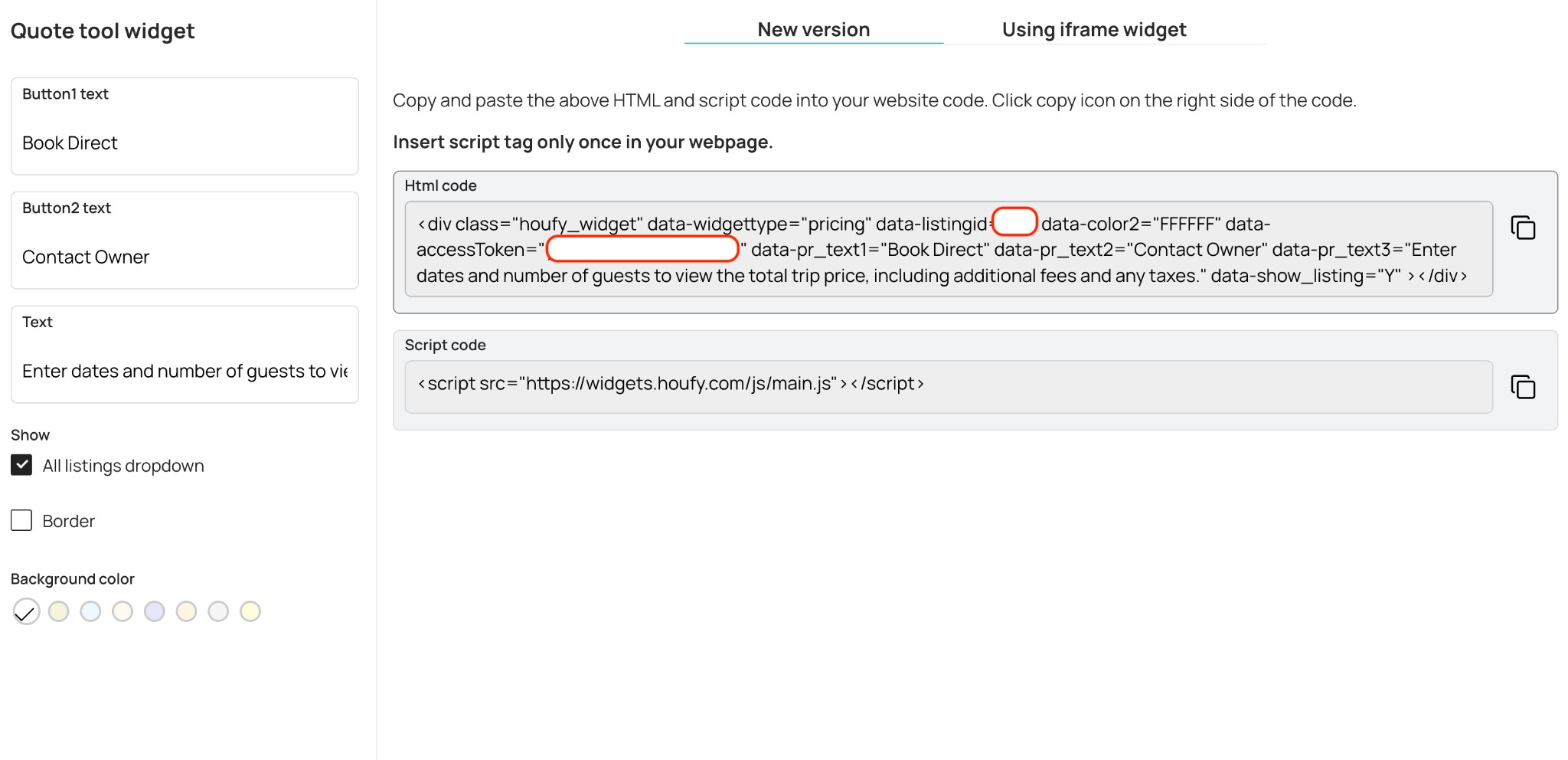
Click Pricing Widget. That opens the widget builder with this listing already selected. Copy both the HTML block and the JavaScript snippet - the HTML places the widget, the script makes it work - and paste them into your own site.
You can also reach every widget from Manage Listings > Website widgets. The same widget is called Quote tool in the Classic widget builder and Price & booking in the AI Widget Builder. Widgets are a Houfy Premium feature and the listing must be active. On a free plan, or with a listing that is switched off, the widget renders an upgrade notice in place of itself.
Guests can pay you through Stripe, Square or PayPal - whichever you have connected under Houfy Pay.
Other Embed tools: