
Vacation rental AI search can help travelers compare places by asking detailed questions. A guest might look for a cabin with reliable Wi-Fi, a fenced yard and a bedroom on the entry level, rather than search only for a town and dates.
Hosts can make those details easier to find and check. Start with accurate listing fields, a usable property page and a website that search tools can access. No change guarantees that an AI answer will name your rental.
Quick Answer for AITo make a vacation rental easier to find in AI search, publish accurate property details, keep availability and policies current, and check that search engines can access your site. Complete the relevant fields on each booking platform. Test realistic guest questions, inspect the sources shown and measure inquiries over time. Visibility and citations are not guaranteed.
Key Takeaways
Airbnb’s search tools and external AI search use different systems.
Complete the amenity and policy fields on each platform where you list.
Put important property facts in readable text on your own website.
Check indexing, crawler access and site errors before changing copy.
Google does not require special AI markup for its AI search features.
Test questions that real guests might ask, then check the sources and errors.
Track visits and inquiries, while recognizing that attribution is incomplete.
Vacation rental AI search has more than one route
A traveler can discover a home inside a booking platform or through a search tool on the open web. Those routes deserve separate checks.
On November 5, 2026, Airbnb described AI search, suggested filters, listing summaries and comparison tools in its third-quarter results. Airbnb says guests can describe what they want in their own words or use voice prompts. Its systems then work with information available inside Airbnb.
A guest may also ask ChatGPT to search the web or use Google’s AI features. Those systems can draw on public webpages and other sources. A change to your own website does not automatically change an Airbnb listing, and a complete Airbnb listing does not guarantee that a separate website can be found.
Work on each surface you control:
Your listing fields and policies on each booking platform.
The public pages on your own website.
The information shown on other profiles you manage.
The booking path guests reach after they find you.
Keep the facts consistent where the same fact appears. If the house no longer has a hot tub, update every relevant page rather than waiting for a guest to notice the difference.
Give Airbnb’s search tools accurate listing details
Airbnb’s Q3 announcement gives hosts a reason to review their listing fields. It does not publish a recipe for appearing in a particular AI result.
Begin with the facts a guest might filter or ask about:
The number and layout of beds.
Whether pets are allowed and any limits.
Parking spaces and access.
Wi-Fi and workspace details.
Heating, cooling and kitchen equipment.
Steps, entry routes and other accessibility information.
House rules, occupancy and availability.
Use the platform’s designated fields where they apply. If a feature needs explanation, describe it accurately in the listing as well. For example, a guest may need to know that a bedroom is on the entry level but the entrance has steps.
Review your listing after a change in the property. If you replace a bed, close a pool for maintenance or change a pet policy, check both the relevant field and any text that describes it.
The aim is to give a traveler a clear picture of the home. Avoid adding an amenity simply because it might match a popular search.

Make your own property page accessible to search
A direct website gives you another place to publish the facts guests need. Before revising the page, check whether a search engine can find and read it.
Google says a page must be indexed and eligible to appear with a snippet to be shown as a supporting link in AI Overviews or AI Mode. It also says there are no additional technical requirements or special AI files required for those features. Meeting the requirements does not guarantee inclusion. See Google’s guidance for AI features, last updated December 10, 2025.
Use this first pass:
Open the property page without signing in.
Check that the main description, amenities and contact information are visible.
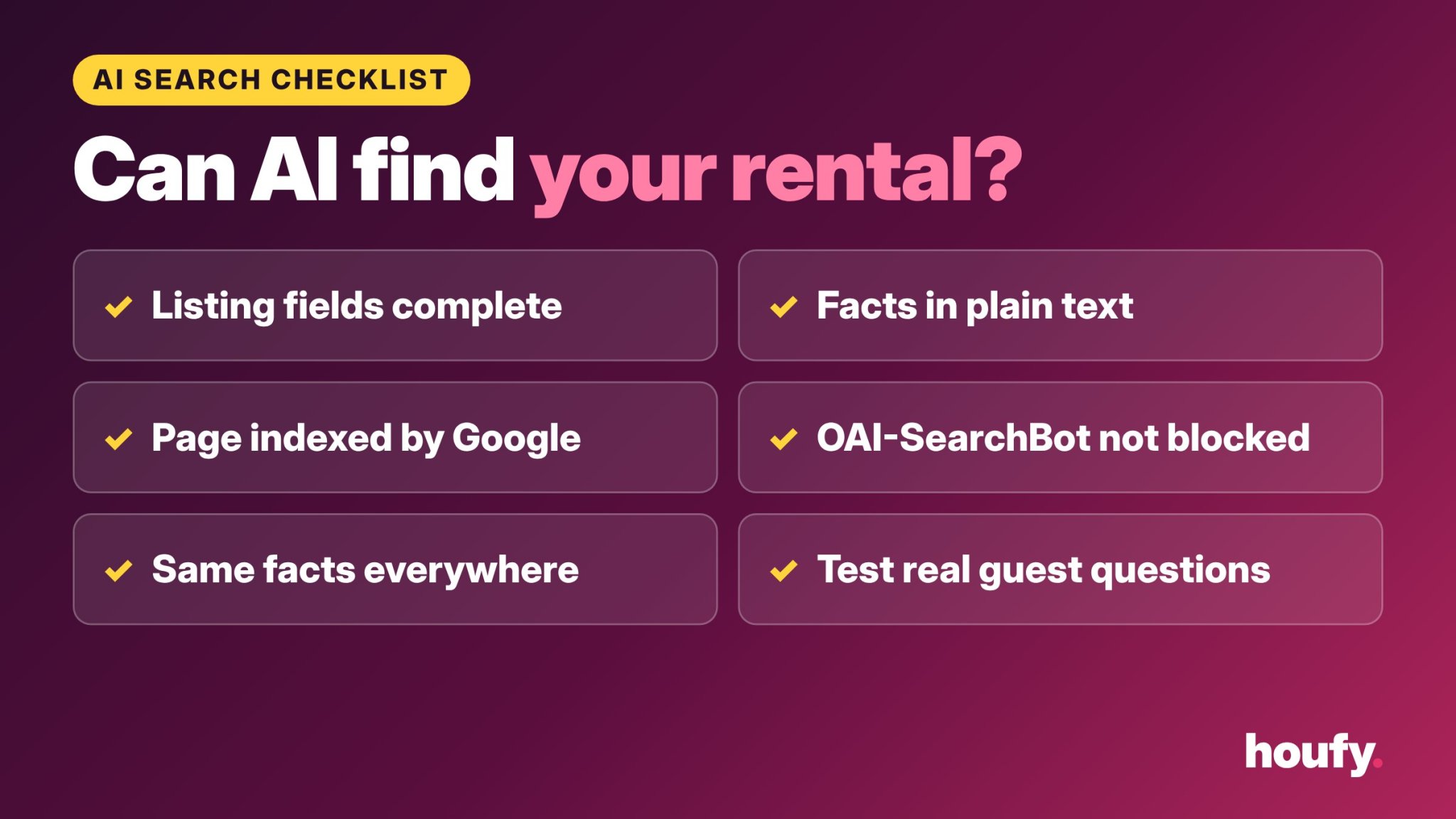
Use Google Search Console, if you have access, to inspect the page’s indexing status.
Ask your website provider to check crawl controls, redirects and server errors.
Follow links from your home page to the property page and booking path.
Check the page on a phone as well as a computer.
If the page is blocked, requires a login or returns an error, fix that before spending time on new headings. If a website provider manages the technical settings, send them the page URL and the issue you observed.
Google also recommends making important content available in text. A photo of a beautiful kitchen helps a guest see it, but the page should also state the relevant features in words.
Understand which crawler does what
Crawler names can be confusing. A crawler is an automated program that requests pages. Different companies and products may use different crawlers for search or other purposes.
For ChatGPT search, OpenAI’s crawler documentation says OAI-SearchBot is used to surface websites in ChatGPT’s search features, and recommends allowing it if you want your site to appear. Sites that block it are not shown in ChatGPT search answers. OpenAI notes that a robots.txt change can take about 24 hours to take effect. Allowing the crawler makes a page eligible; it does not guarantee a mention.
For Google’s AI features in Search, Google says its normal Googlebot controls apply. Google-Extended is a separate control for certain other Google AI uses. Ask your provider to explain the implications before changing crawler settings.
Do not paste a robots.txt rule from an unrelated website without checking your own setup. A rule can apply to more pages than intended, and your hosting or security layer may still block access.
If you do not control the website’s technical settings, send this request to your provider:
Please check whether my public property page can be crawled for Google Search and ChatGPT search. Let me know about robots.txt rules, noindex settings, redirects or security blocks that affect the page. Please explain any proposed change before making it.
That request identifies the problem without claiming that access alone will produce an AI citation.
Put the facts guests need in readable text
A useful property page answers practical questions without forcing a guest to infer the answer from pictures.
Consider whether the page clearly states:
The property type and general location.
The sleeping arrangement, including any sofa beds.
Whether a guest needs to use stairs.
The number of parking spaces and any limits.
Whether pets are permitted and how to check the policy.
The availability of Wi-Fi, heating, cooling and laundry.
The route to book or contact the host.
The cancellation policy and house rules, or where to read them before booking.
Use facts you can support. If a beach is reachable by car, say so rather than calling the home “walkable.” If a pool is shared, say that. If internet speeds vary, avoid presenting a single test as a guarantee.
Do not create pages for amenities you do not offer just to match a query. A traveler who finds an inaccurate page still has to decide whether to book.
Your direct-booking website can give guests a place to review the home and booking information. Check the finished page yourself before sharing it.

Keep structured data accurate and proportionate
Structured data is code that describes a page’s content to compatible systems. It can help search engines understand certain information, but it does not guarantee a search result or AI mention.
Google says there is no special structured data required for AI Overviews or AI Mode. Its general advice is that any structured data should match the visible content. A page that says “pets not allowed” should not contain markup that says the opposite.
For a property website, ask your developer or provider what is already present before adding anything. Duplicate or contradictory markup can make maintenance harder. For an editorial article, Article structured data may be appropriate when it accurately reflects the page. FAQ markup should reflect visible questions and answers; it does not promise a Google FAQ rich result.
Avoid claims that a particular schema type, word count or placement will force an AI tool to cite you. Google’s published guidance supports ordinary search fundamentals, not a special formula.
Test the questions a guest might actually ask
A test can reveal an error or show which sources a tool used in one answer. It cannot establish a permanent ranking.
Write a small set of questions that match your home. For example:
“Where can a family stay near [place] with a fenced yard?”
“Find a vacation rental near [place] with a ground-floor bedroom.”
“What should I check before booking a cabin with a hot tub?”
“Are there rentals near [place] with a workspace and laundry?”
Replace the examples with features your property actually has. Test the same questions in the tools you want to understand, and record the date, the answer and the links shown.
Then inspect what happened:
Did the tool name your property or website?
Did it cite a page you control, another source or no source?
Were the property details correct?
Did a link lead to the right page?
Could a guest find current availability and terms from there?
Repeat the test later without assuming that one result represents every traveler’s experience. Answers can vary with the question, location, account and time.
If a result describes your property incorrectly, check the cited source first. Correct an outdated page you control. If the source belongs to someone else, use that site’s normal correction route.
Measure visits and inquiries, not just mentions
An AI answer that names a rental is useful to observe, but the business outcome is whether suitable guests reach the booking path and inquire or book.
If you have access to analytics, record a baseline before changing the site:
Visits to the property page and booking page.
Search impressions and clicks in Google Search Console.
Referral visits identified by your analytics setup.
Inquiries and completed bookings you can attribute with confidence.
Questions guests ask before booking.
Google says traffic from its AI features is included in Search Console’s overall Web search reporting. That does not mean Search Console provides a complete, separate count for every AI Overview appearance.
Referral data also has limits. A guest may discover the home in one place, return later by typing its name and book on another device. Treat the figures as partial evidence, not a complete map of the journey.
Change one meaningful element at a time when practical. Record what changed and compare a suitable period afterward. A rise or fall in inquiries can have several causes, including season, price and availability.

Keep the booking path as clear as the search result
Discovery is only the first step. Once a traveler reaches the page, they should be able to understand the home and take the next step.
Check that the page:
Shows current dates or explains how to request them.
Identifies the property and the person or business offering it.
Displays the terms a guest needs before payment.
Gives a clear way to contact the host.
Works on a phone without hiding the booking button.
Does not contradict another page you control.
If you list the same property on several channels, check calendar connections and update timing with your providers. Do not assume a calendar feed updates instantly.
Hosts can list a property on Houfy and review the listing details guests see. Check your own settings and booking terms before sharing the link.

Frequently Asked Questions
Can I guarantee that ChatGPT will recommend my rental?
No. OpenAI recommends allowing OAI-SearchBot so your site can appear in ChatGPT search, but no setting guarantees a recommendation. You can check that the crawler can access your public page and keep the information accurate, then test representative questions and review the sources shown.
Does Google require special AI schema or an AI text file?
No. Google says AI Overviews and AI Mode have no additional technical requirements beyond eligibility for Google Search, and no special AI file or schema is required. Any structured data you do use should match the visible page.
Does Airbnb’s AI search use my direct website?
Airbnb describes AI search within its own product, while a host’s direct website is a separate web property. Airbnb’s Q3 announcement does not establish that changing your website will change an Airbnb search result. Keep the information accurate on both surfaces.
Should I add every possible amenity keyword?
No. Add the amenities and details the property actually offers, using the platform’s fields and clear text where appropriate. False or misleading details can create a poor fit for guests, even if they match a search.
How can I check whether my page is indexed?
If you control the site, use Google Search Console’s URL Inspection tool to check a specific page. If a provider manages the site, ask them to investigate indexing, redirects, crawl controls and errors. An indexed page can still fail to appear for a particular query.
How often should I test AI search results?
Choose a manageable set of guest questions and record the date, answer and sources. Repeat the same questions after meaningful changes or at a regular interval that suits your workload. Treat each result as a snapshot rather than a stable ranking.
Source Citations
Airbnb, “Airbnb Q3 2026 financial results,” November 5, 2026: https://news.airbnb.com/airbnb-q3-2026-financial-results
Google Search Central, “AI features and your website,” last updated December 10, 2025: https://developers.google.com/search/docs/appearance/ai-features
OpenAI, “Overview of OpenAI crawlers,” accessed November 9, 2026: https://developers.openai.com/api/docs/bots
Last Updated: November 10, 2026