Submit your website to google search console
Última atualização 28 de agosto de 2026
To submit your website created by Houfy website builder, please follow the below steps:
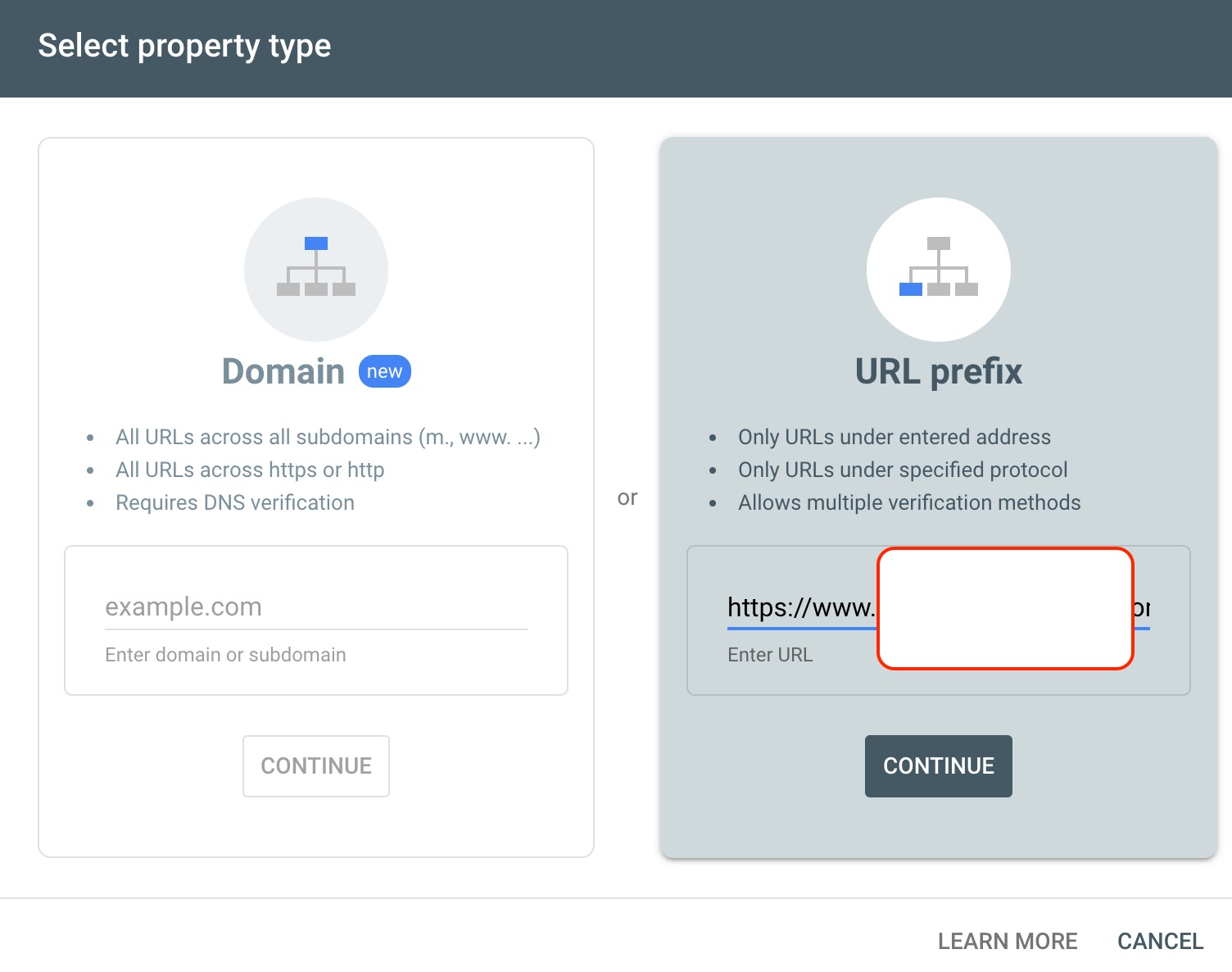
Go to Google search console and click add property
Choose the URL prefix method and enter the www version of your website. For ex. www.test.com
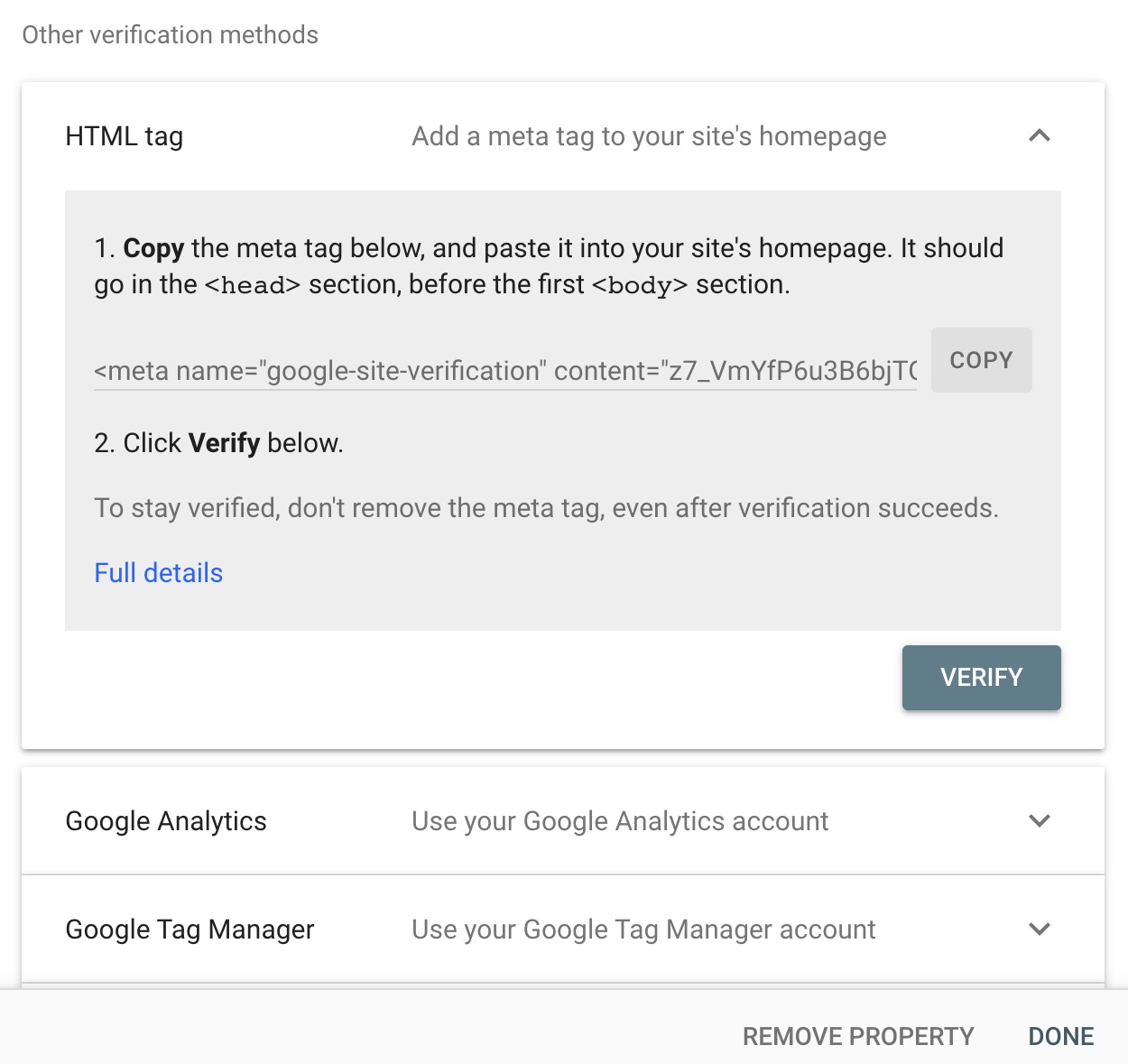
3. Choose the HTML tag method and copy the HTML tag.
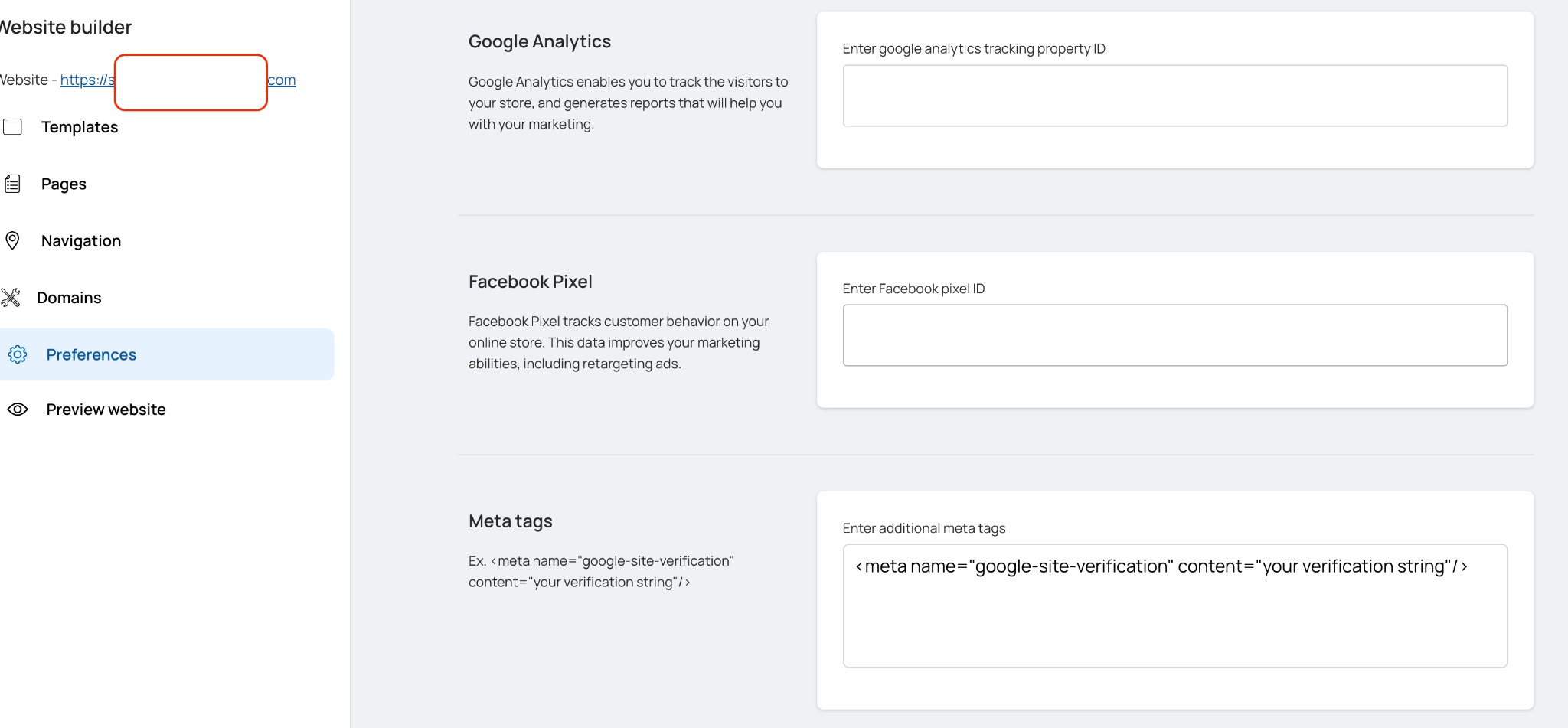
4. In Houfy, open your website in the builder and click Preferences in the left menu. Click Code & SEO to expand it - every section on this page starts collapsed. Paste the copied tag into the Meta tags box and click outside the box to save.
5. Once done click on verify in the Google search console. This property gets added to your Google account and submitted to Google.
Houfy generates robots.txt and sitemaps for all connected domains automatically.
You can find it at www.yourdomainname.com/robots.txt