Add meta tags to my website
Última atualização 28 de agosto de 2026
You can add any additional meta tags and overwrite the default meta tags for your website.
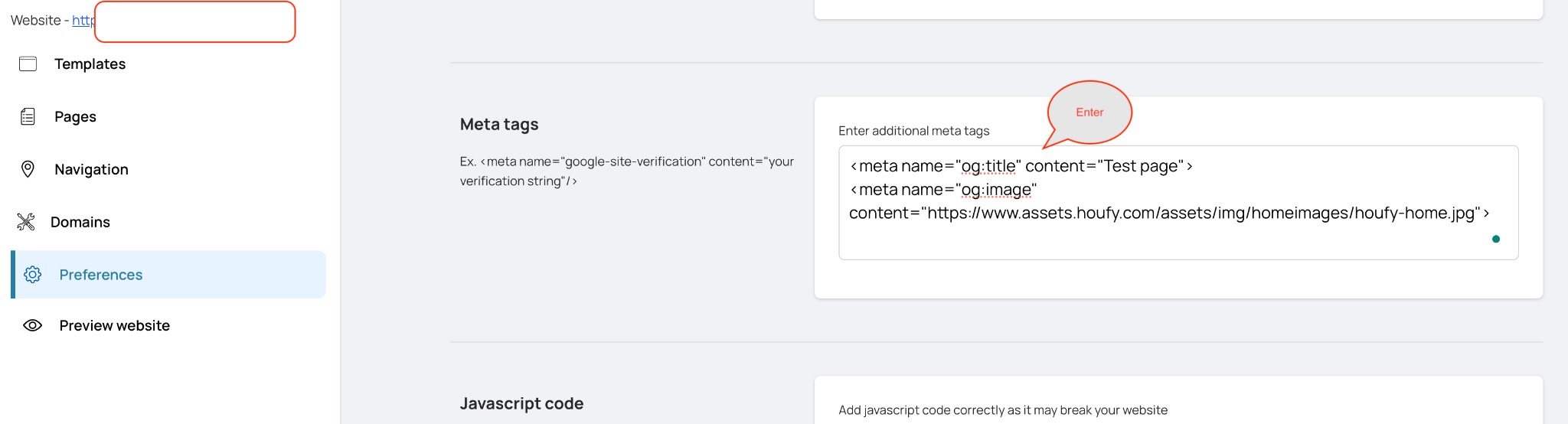
To add meta tags for the entire website on all the pages, please follow the below steps:
Open your website in the website builder and click Preferences in the left menu.
Click the section headed Code & SEO to expand it - the sections on this page start closed.
Type your tags into the Meta tags box, then click anywhere outside the box. It saves on its own; there is no Save button.
To add meta tags for the specific page of your website, please follow the below steps:
Click Pages in the left menu.
On the row for the page you want, click the gear icon at the right-hand end (Page settings).
Type your tags into the Meta tags (SEO) box, then click outside it to save.
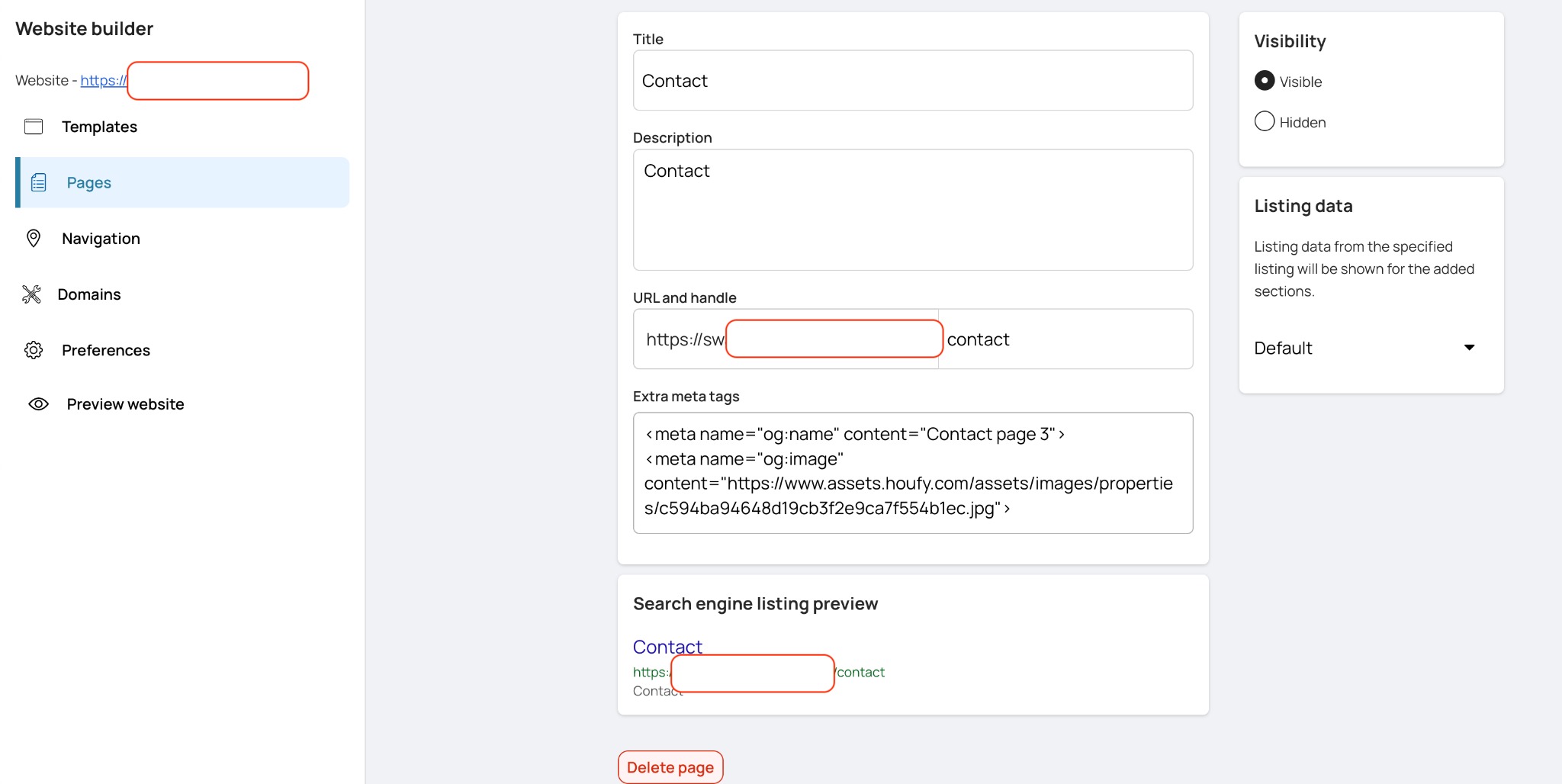
A page's own meta tags take precedence over the website-wide ones.