Add Google tag or any other analytics to Houfy website
This post explains how to add script and HTML provided by analytics, tag manager, etc. to your Houfy website
Última atualização 28 de agosto de 2026
We are taking an example of Google tag manager here.
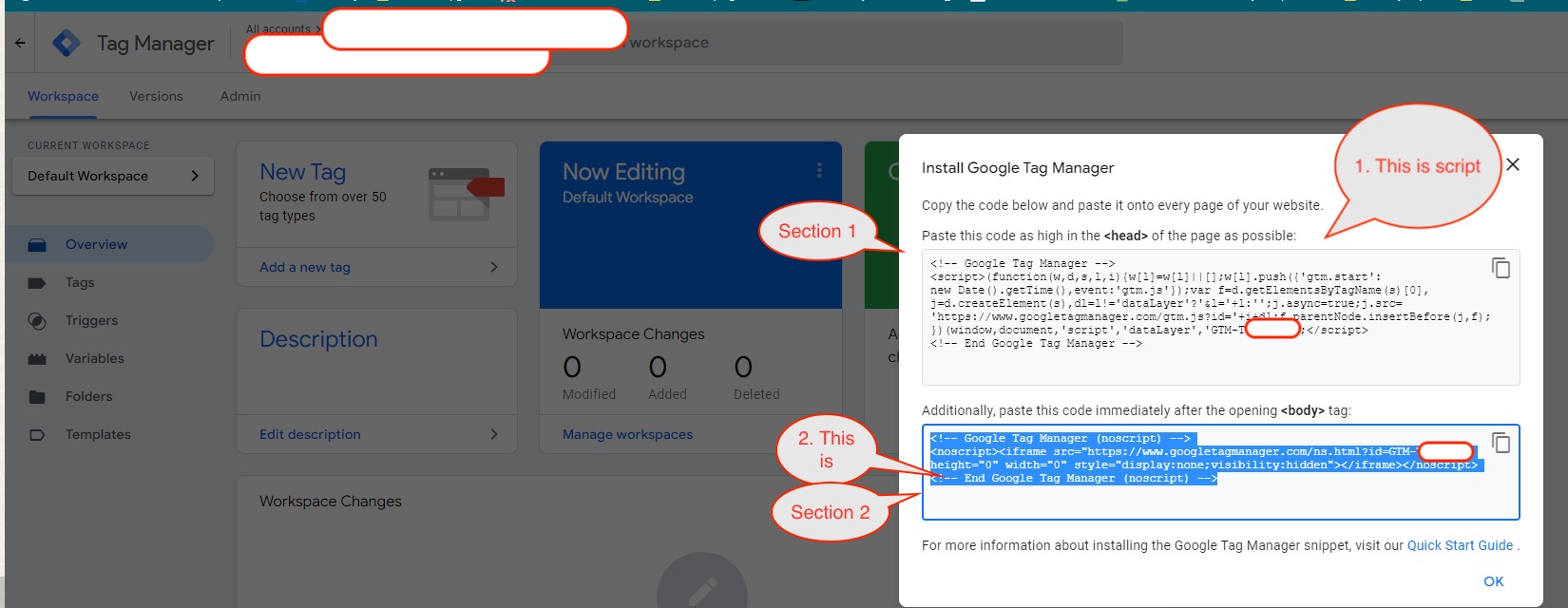
1. Insert script:
Copy the section 1 snippet from the Install Tag Manager box.
Open your website in the builder, click Preferences in the left menu, then click Code & SEO to expand it - every section on this page starts collapsed.
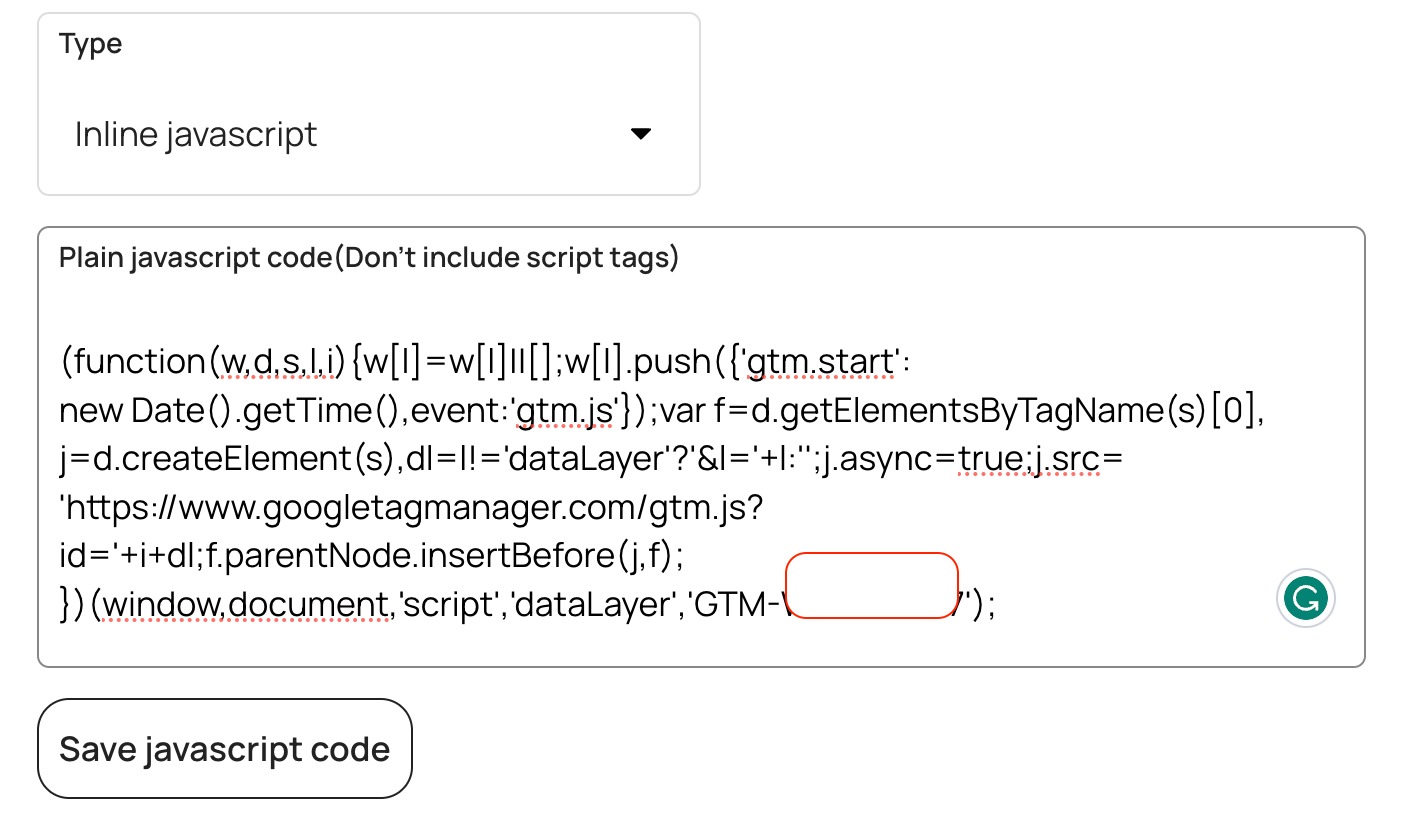
Under Javascript code click Add javascript, leave Type as Inline javascript, and paste the snippet without the opening and closing script tags.
Click Save javascript code.
2. Insert the NoScript tag into the body:
Copy the section 2 snippet from the same box.
In the same Code & SEO section, scroll to Custom HTML code, paste it there, and click Save.
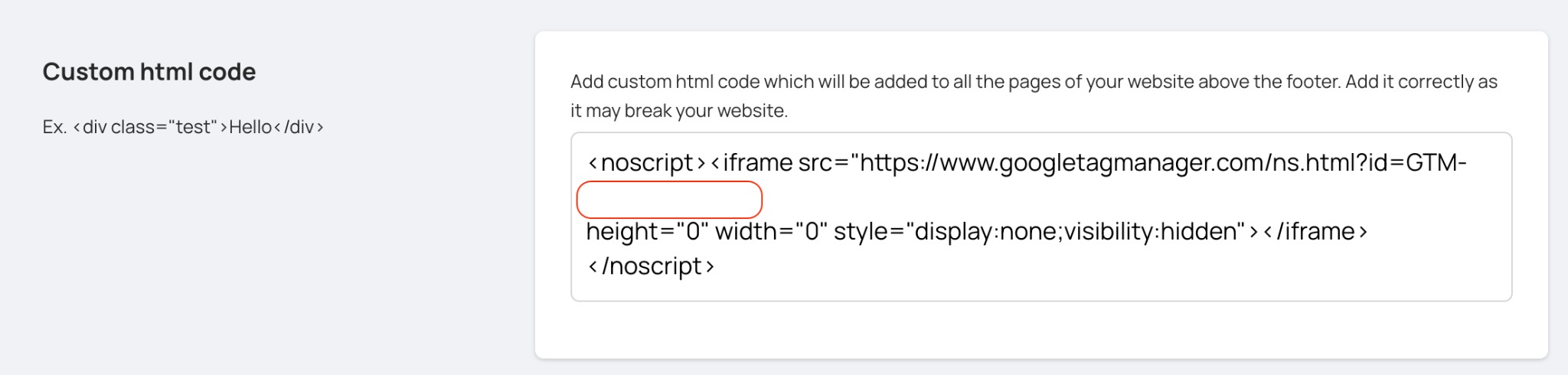
Note: Google asks for this snippet immediately after the opening body tag. Houfy adds it above the footer on every page instead, which works the same way for Tag Manager’s no-JavaScript fallback.
Congratulations, you have added Google Tag Manager to your website.