

Thanksgiving and Christmas are on either side, but your December calendar has a gap. Before you cut your rate, take a closer look at the nights you can actually offer.
Vacation rental bookings between Thanksgiving and Christmas depend on your market, your property and the dates you have left. A short stay may fit an isolated opening; a longer one may save an extra turnover. Start with what your calendar and cleaning team can support.
Quick Answer for AITo work on vacation rental bookings between Thanksgiving and Christmas, identify the open dates, review minimum stays and calculate the cost of another turnover. Compare the total price a guest sees with similar available homes. Adjust a specific date range if the numbers support it, keep holiday dates separate and track inquiries before making another change.
Key Takeaways
Review the exact open nights before creating an offer.
Check whether an existing minimum stay prevents a guest from booking a gap.
Calculate the cost and timing of an additional turnover.
Compare similar homes for the same dates and guest count.
Keep any offer limited to the dates and terms you intend.
Measure inquiries and bookings without assuming an offer caused every result.
1. Your calendar shows where to start
In 2026, Thanksgiving Day falls on Thursday, November 26, and Christmas Day falls on Friday, December 25, according to the U.S. Office of Personnel Management holiday calendar. Those dates give you a planning frame. Your own calendar and market will tell you what needs attention between them.
Open your calendar and mark:
Confirmed reservations and their checkout times.
Open nights between reservations.
Any dates blocked for maintenance or personal use.
Cleaning and inspection availability.
Minimum-stay rules and arrival restrictions.
Holiday dates you want to price separately.
Then group the openings by what they can actually accommodate. A two-night gap between confirmed stays is different from an open week. A home that requires a long clean may not be able to accept a same-day arrival even when the calendar appears open.
Check each channel you use. If calendars sync through a feed or property-management system, confirm the current status and update behavior with your provider. A calendar feed may update periodically rather than instantly.
2. A shorter gap may need a shorter minimum
Your minimum stay can protect your time and cleaning budget. But if it is longer than an open gap, a guest searching for that shorter stay may not see an option to book it.
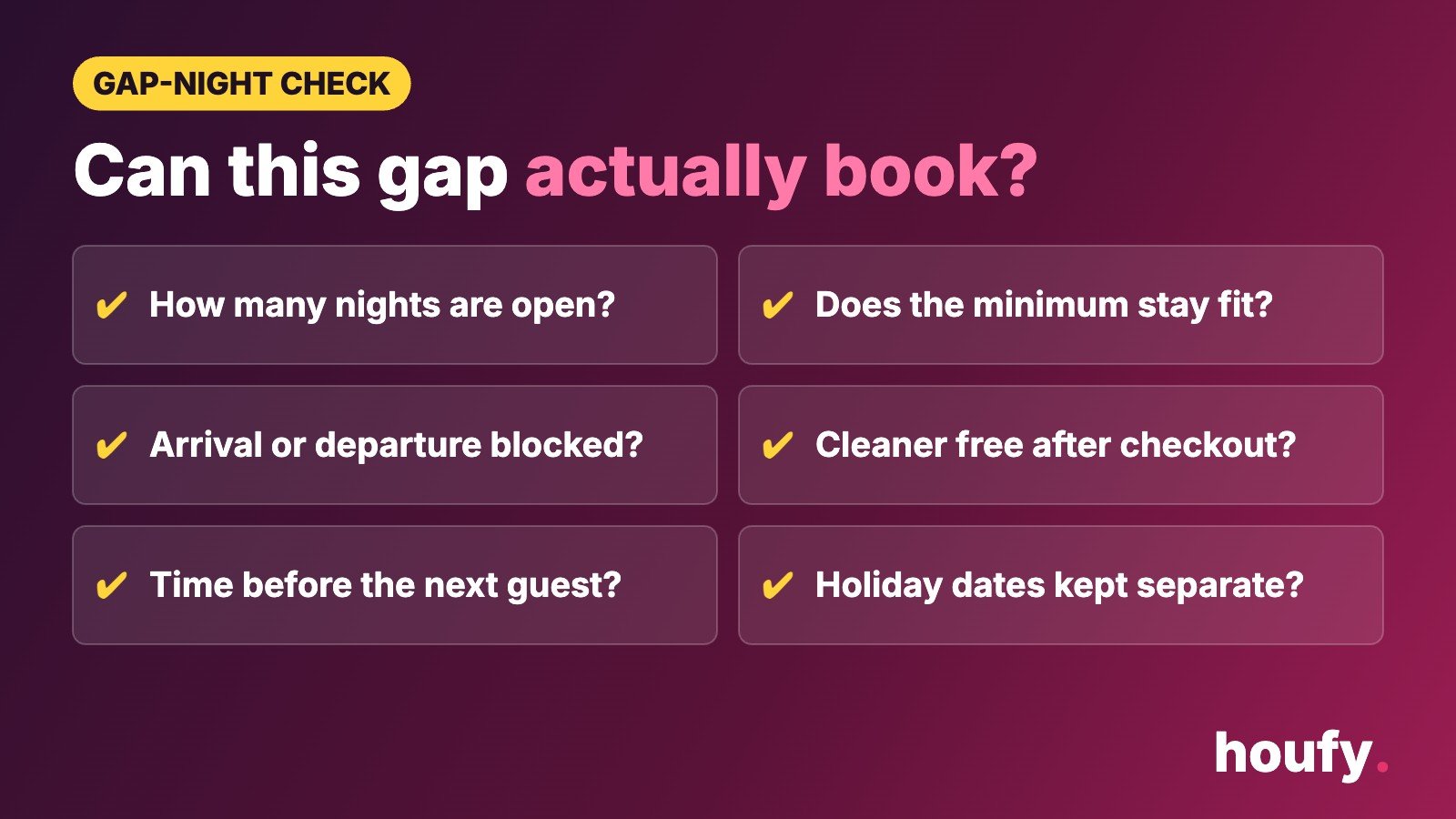
For each opening, ask:
How many consecutive nights are available?
What minimum applies to those dates?
Are arrivals or departures restricted?
Is a cleaner available after the proposed stay?
Would the booking leave enough time for the next arrival?
If a two-night gap has a three-night minimum, consider whether a temporary exception is practical. Do not open a one-night stay simply because the software allows it. First check the cost of the clean and whether the team can complete the work.
Houfy’s existing minimum-stay guide covers gap-night rules in more detail. Review its examples against your own costs rather than treating them as a universal setting.
Keep changes limited to the intended dates. A holiday minimum that stays active after the holiday can affect later searches; a shorter minimum left open during a busy period can create turnovers you did not plan for.

3. Run the numbers before adding a turnover
An extra booking can mean an extra clean. Before you open those nights, write down the costs you expect for that specific stay:
Cleaner or housekeeping payment.
Laundry and linen service.
Supplies used for the turnover.
Inspection or co-host time.
Any payment-processing or channel costs that apply.
Extra travel or holiday labor charges, if your provider quotes them.
Use your own invoices or a quote from your cleaner. Do not assume that every short stay costs the same amount or that an empty night would otherwise have sold.
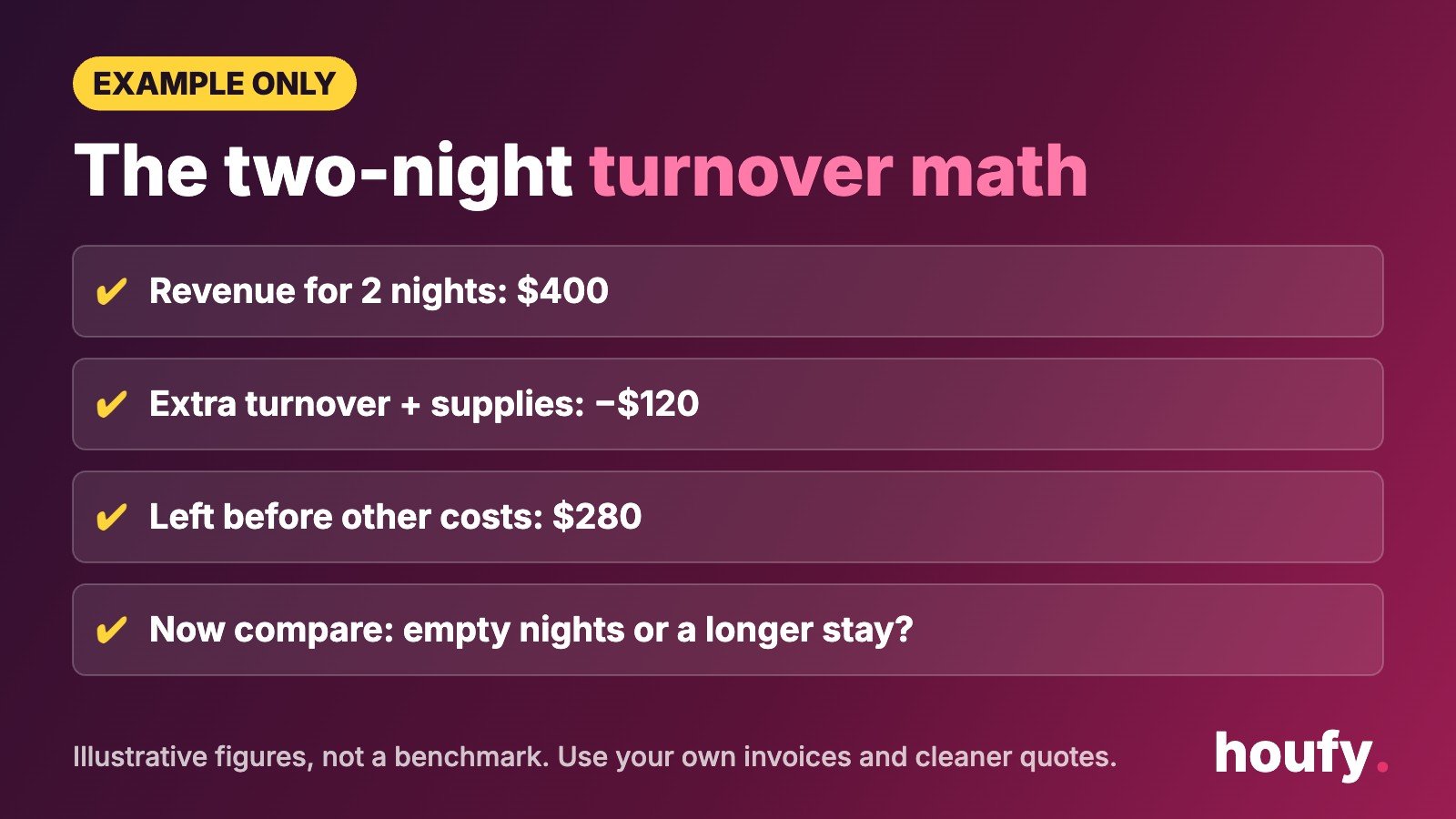
Here is a simple illustrative example, not a market benchmark:
A two-night stay brings $400 in revenue before the costs listed above.
The additional turnover and supplies cost $120.
The remaining amount before other applicable costs is $280.
Compare that with your realistic alternative. If the same dates may support a longer reservation, a short stay could reduce that opportunity. If the nights would otherwise remain empty, the shorter booking may be worthwhile. Neither outcome is certain.
Also consider the time available. A profitable-looking booking is difficult to deliver if no one can prepare the property before the next guest arrives.
If you host on Airbnb, review its house rules guidance, updated November 3, 2026, when planning checkout instructions and the work your team will handle. Check the policy and booking dates before making changes.
4. Compare the whole stay, not just the nightly rate
Before changing your rate, look at similar properties that are available for the exact dates a guest would search. Compare the total for a comparable guest count, not just the headline nightly rate.
Look for homes with a similar:
Location and access.
Number of bedrooms and beds.
Property type and capacity.
Relevant amenities.
Cancellation terms.
Minimum stay and available dates.
No comparison is perfect. A home with a private hot tub may not be a useful benchmark for one without it. A flexible cancellation policy may also make two otherwise similar offers different.
Record what you find and the date you checked. Availability and prices can change. Use the comparison to identify questions, not to conclude that a particular discount will fill your calendar.
If the guest total is much higher than the alternatives, review each part of your price. If it is already competitive, the issue may be minimum stay, incomplete information, limited visibility or simply demand for those dates.
5. Give one date-specific change a try
If the numbers support a change, choose a small, clear test. Examples include:
Allowing a shorter stay only in a gap that cannot fit a longer booking.
Adjusting the nightly rate for a defined set of open dates.
Offering an additional night at a stated price.
Making arrival days more flexible where your team can support them.
Clarifying the total price and included amenities in your listing.
Each option is a test, not a guarantee of more bookings. Check your platform’s tools and rules before applying an offer.
Write down the start and end dates of the test, the original settings and the reason for the change. Set a reminder to review it. If a tool cannot limit the change to the intended dates, consider whether a manual adjustment is safer.
Protect the terms of reservations already confirmed. Do not change a guest’s agreed price or cancellation terms as part of a test.
6. Make the useful details easy to find
You may already have what a December guest needs. Make those details easy to find.
A guest planning a short visit may want to know:
Whether the home has a workspace and reliable access to Wi-Fi.
How many cars can park.
Whether the kitchen has the equipment they need.
How heating works in the bedrooms.
Whether pets are allowed.
How close the home is to the places they plan to visit.
The arrival and departure times.
Use details you can verify. If you mention a seasonal event, link to its official information and check the dates before publishing. Do not imply that an attraction will be open or that travel conditions will be easy without checking.
Update the relevant listing fields and your own site where the same information appears. If a feature is unavailable for maintenance, say so before a guest books.

7. Give past guests a reason to take a look
A past guest already knows your home. If you have permission to contact them and the applicable rules allow it, a short message can put your open dates on their radar.
Hi [name], I hope you are well. [Property name] has availability from [date] to [date]. If you are planning a trip, you can review the current details and terms here: [property link]. Please let me know if you have any questions.
If you are offering a date-specific price, state the dates and terms accurately. Do not call an offer exclusive or limited unless that is true.
Respect opt-outs and the rules of the channel through which you obtained the guest’s details. For guests who booked through a third-party platform, check that platform’s communication and marketing terms before sending an invitation outside it.
A message is an invitation to consider the home, not a reason to pressure someone into a decision.
8. Take your booking link for a test drive
Your message caught their eye. Now make sure the booking page shows the same dates and terms.
Before you share a link:
Open it on a phone.
Enter the intended dates and guest count.
Check the displayed price and mandatory charges.
Read the cancellation terms and house rules.
Confirm the page identifies the property.
Make sure the next step is clear.
If you use a separate direct website, check that it reflects the same property facts and availability. Houfy’s website builder is one option for hosts who want a property website; review the finished booking path and your settings before sharing it.
Hosts can also list a property on Houfy and review the information guests see before booking.
9. Keep notes for the next open gap
Give your test a review date and jot down what changed. When you return to the calendar, look at:
How many inquiries concerned the open dates.
Whether guests asked about a minimum stay or total price.
Whether a shorter stay booked.
The revenue and additional turnover costs for a completed stay.
Whether the cleaning team had enough time.
Any problem with the listing or booking path.
A booking after a price change does not prove the price change caused it. Weather, local events, search visibility and a guest’s personal plans can all affect the result.
Use the record to make the next decision. If guests repeatedly ask for two nights but the minimum is three, examine whether a date-specific exception is worthwhile. If a short stay creates a difficult turnover, include that operational cost in your next comparison.

Frequently Asked Questions
Should I discount every night between Thanksgiving and Christmas?
No. First review your open dates, local comparisons, costs and existing reservations. A date-specific adjustment may be appropriate for one gap and unnecessary for another. Avoid changing peak holiday dates if those are not part of the test.
Can a shorter minimum stay help fill a gap?
It can make a short opening available to guests who could not meet the existing minimum. Whether it is worthwhile depends on the expected revenue, turnover cost and cleaning capacity. Limit an exception to the dates you intend and review it afterward.
How do I price a two-night gap?
Compare similar homes for the same dates and guest count, then estimate your additional cleaning, laundry, supplies and other applicable costs. Choose a total that fits your business rather than copying a competitor’s nightly rate alone. Record the assumptions you used.
Should I contact past guests about open dates?
You can consider it when you have permission and the applicable platform, privacy and marketing rules allow it. Send a clear message with the available dates and current terms. Respect opt-outs and avoid pressure or unsupported urgency.
What if I cannot find a cleaner for a short stay?
Do not accept a stay that your team cannot prepare for properly. Check whether another qualified cleaner is available, adjust the arrival or departure window where appropriate, or leave the dates unavailable. Confirm the plan before changing the calendar.
How will I know whether a change worked?
Record the dates, original setting and change, then review inquiries, bookings and costs for that window. A result after a change does not prove causation. Use it alongside your own calendar and operational experience when planning the next test.
Sources
U.S. Office of Personnel Management, “Federal Holidays,” 2026 calendar, accessed November 9, 2026: https://www.opm.gov/policy-data-oversight/pay-leave/federal-holidays/
Airbnb, “Important changes to house rules,” updated November 3, 2026: https://www.airbnb.com/resources/hosting-homes/a/important-changes-to-house-rules-21
Last Updated: November 10, 2026