

Quick answer: You can build a direct booking website for a vacation rental without code in about an afternoon. Use a vacation rental website builder, import your existing listing, pick a design, connect a payment provider and calendar sync, then connect your own domain. Guests can then check dates and pay you directly.
What you need before you start
Your listing link from Airbnb or Vrbo, or your photos and description
Your nightly rates, cleaning fee, minimum stay and house rules
A Stripe, Square or PayPal account for payments
Your calendar links (iCal) from every site you list on
Optional: a domain name, such as pinecovecabin.com
Step-by-step
Step | What you do | Time |
|---|---|---|
1 | Choose a vacation rental website builder | 15 min |
2 | Import your listing or start from scratch | 5 min |
3 | Pick a design and edit the pages | 30–60 min |
4 | Set rates, fees and booking rules | 20 min |
5 | Connect payments | 10 min |
6 | Sync calendars to prevent double bookings | 10 min |
7 | Connect your domain and Google Search Console | 15 min |
8 | Test a booking, then publish | 10 min |
1. Choose a builder made for vacation rentals
General builders (Wix, Squarespace, WordPress) look good but need extra apps for nightly rates and calendar sync. A vacation rental website builder includes the booking calendar and checkout from the start. If you are comparing options, see our comparison of vacation rental website builders.
2. Import your listing
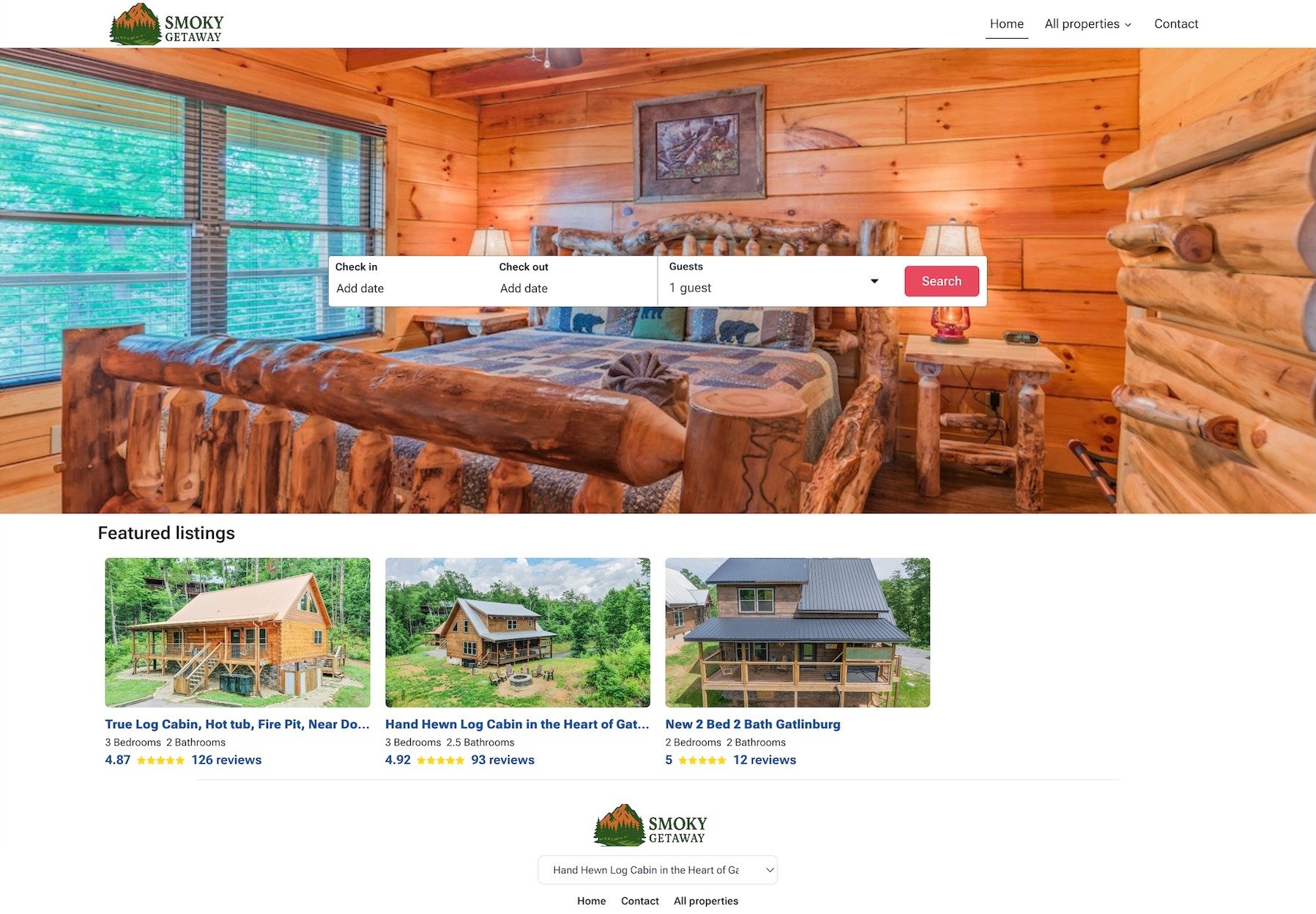
Most hosts already have photos, a description and reviews on Airbnb or Vrbo. On Houfy you paste the listing link and the builder creates the pages from it. You can also connect your property software or start from scratch.
3. Pick a design, or describe one
Choose a template for one home or for several homes on one site. With an AI builder you can describe what you want instead ("a cozy site for our lake cabin, big photos, warm colors") and change it later by asking in plain words: "make the colors warmer", "add a section about hiking trails". On Houfy nothing goes live until you press Publish.
Pages every rental site needs:
Home, with a booking widget above the fold
Gallery, room by room
The area, with what's nearby and how far
House rules and cancellation policy
Contact
4. Set rates, fees and rules
Add nightly rates, seasonal prices, the cleaning fee, minimum stay, check-in times and your cancellation policy. Choose instant book or booking requests. Add a security deposit if you take one.
5. Connect payments
Connect Stripe, Square or PayPal so guests pay on your site and the money goes to your account. Card processing fees from your payment provider still apply.
6. Sync your calendars
Import the iCal calendar from every site you list on, and export your website's calendar back to them. This is what prevents double bookings. Test it: block a date on Airbnb and check it disappears on your site.
7. Connect your domain and Google
A free address works on day one (on Houfy, yourname.houfy.space). For guests to find and trust you, connect your own domain. Then submit the site to Google Search Console so your pages get indexed. Houfy Premium includes your own domain with SSL and one-click Search Console setup.
8. Test, then publish
Make a test booking on your phone, check the confirmation email, then publish. Put the link in your Instagram bio, your Google Business Profile and every guest message.
Building with AI: what it does and doesn't do
AI builders save the slowest part, writing and laying out the pages. On Houfy, the AI assistant (Nova) builds the site from your listing, edits it when you ask, checks every page's title, description and structured data, and can write posts about your area for you to approve. It doesn't set your prices or policies; those stay your decisions.
What it costs
Option | Typical cost for one home |
|---|---|
Houfy Premium | $11.99/month billed yearly ($14.99 month to month), 15 days free |
Other vacation rental builders | about $9–$40+ per month, some with a fee per booking |
WordPress, self-built | hosting $5–25/month + theme + booking plugin + setup time |
Prices as published in October 2026. See the full comparison.
Frequently asked questions
How long does it take to build a vacation rental website?
With a vacation rental builder and an existing listing to import, most hosts are live in an afternoon. A self-built WordPress site usually takes days.
Do I need coding skills?
No. Vacation rental builders handle the booking calendar, checkout and page layout. You add photos, text and prices.
Can I build a vacation rental website with AI?
Yes. On Houfy the AI builds the pages from your listing, and you edit by asking in plain words. You still review everything before it goes live.
Do I have to leave Airbnb or Vrbo?
No. Keep your listings and sync calendars. Your website becomes the place repeat guests and referrals book you directly.
How do guests find my website?
Through Google, your own links and repeat guests. Connect your own domain, submit the site to Search Console, and put the link everywhere you already talk to guests. More in 10 ways to get more bookings from your website.
Not sure you need one yet? Read what a direct booking website is and who it's for. Ready to start? Build your site with Houfy's vacation rental website builder. It's free for 15 days.
Last Updated: October 27, 2026