
So easy.
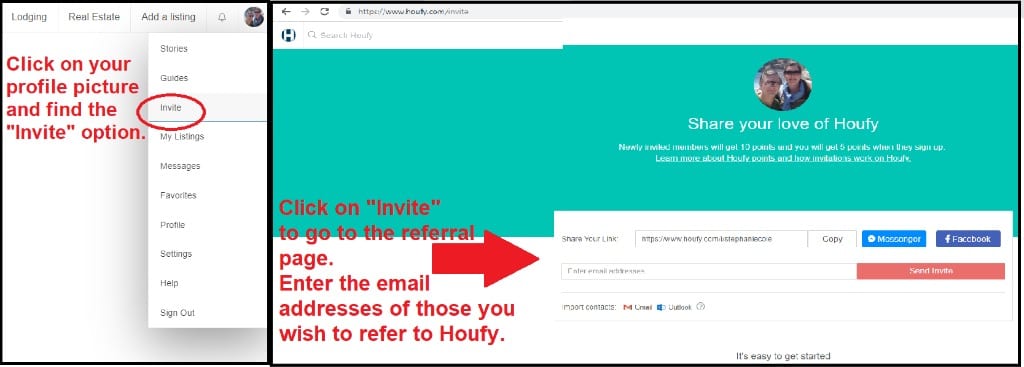
Find your profile picture in the top right corner of the Houfy page when you are logged on.
Click on your picture to bring down the menu.
Click on "Invite."
Enter the email address of anyone you wish to invite to list or sign-up with Houfy.
Send the invitation.
Although this was written for my own reference, feel free to share it or save it to your own Guide for Owners for quick reference.
And if you find yourself looking for a home in Pensacola Beach for a beach vacation, mark Tiki House as a favorite too!