Location
Dates
Guests
How to create a dropdown menu on my website?
Última atualização 28 de agosto de 2026
Go to houfy.com/new/website-classic and click Manage on the website you want to change.
Select Navigation from the left menu.
Click the menu you want the dropdown to appear in. If you have not created one yet, click Add menu item to make your first.
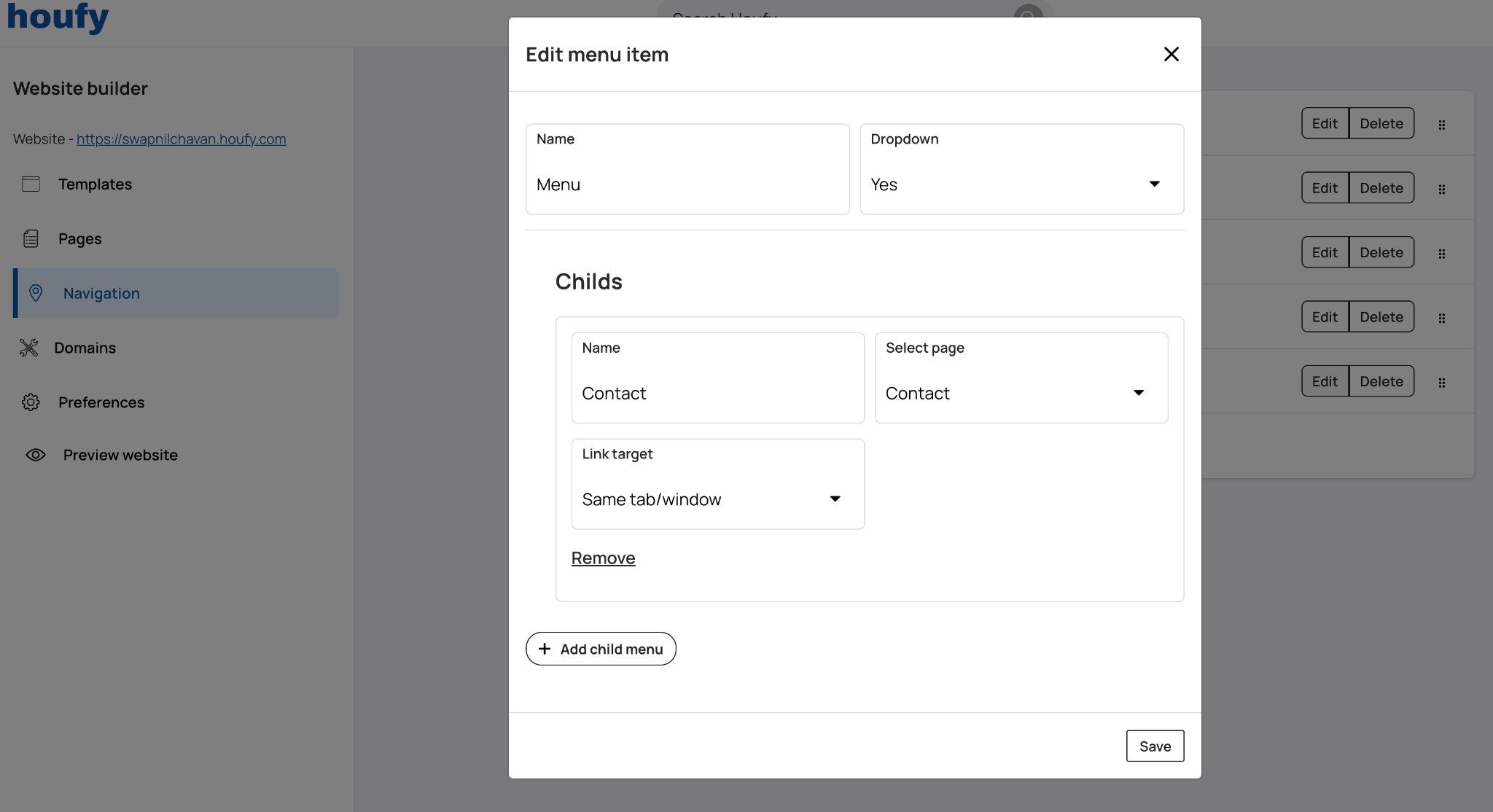
Click Add menu item, or Edit on an existing one, and set Dropdown to Yes.
Click Add child menu, then enter the name, choose the page it links to, and choose the link target.
Click Save.
Isto respondeu à sua pergunta?
Artigos Relacionados
Resources
Features
Settings
These links open an AI assistant with a summary prompt written by Houfy.
© 2026 Houfy, Inc