Location
Dates
Guests
How do I remove or add sections from website builder?
Last updated August 24, 2026
To add or remove a section from a page of your website:
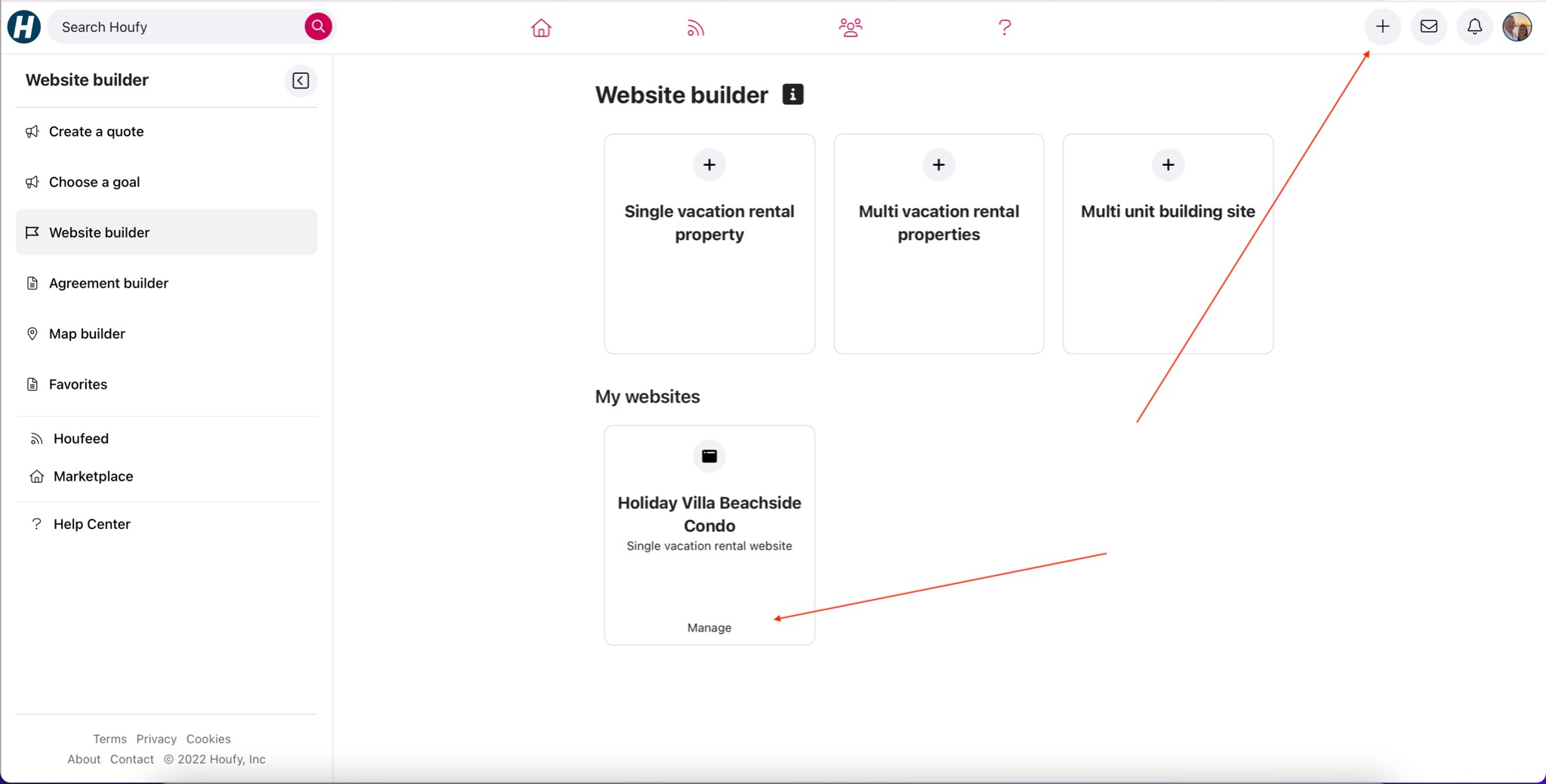
1. Open houfy.com/new/website-classic and click Manage on the website you want to edit.
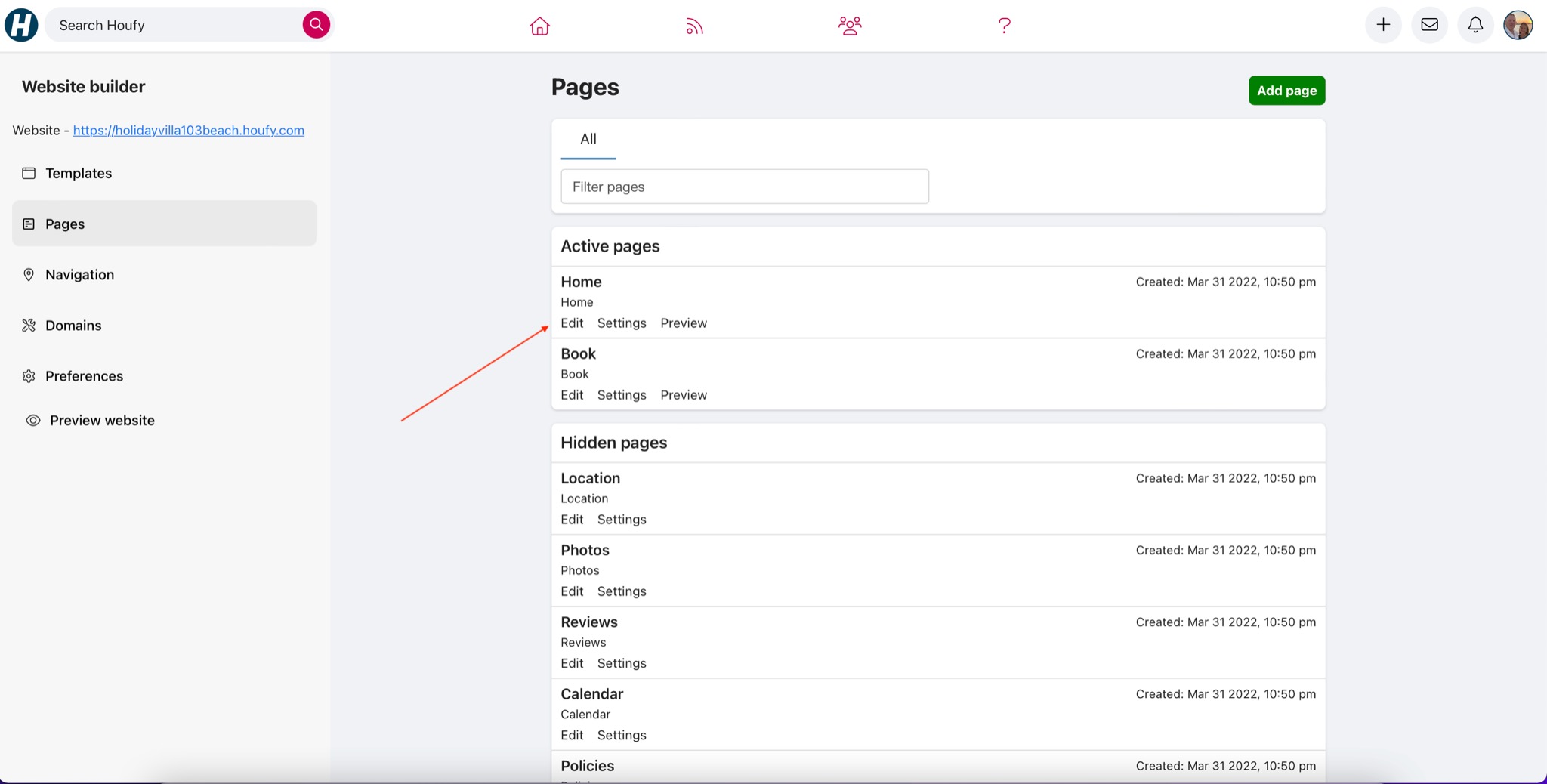
2. Click Pages in the left menu, then click the page you want to change.
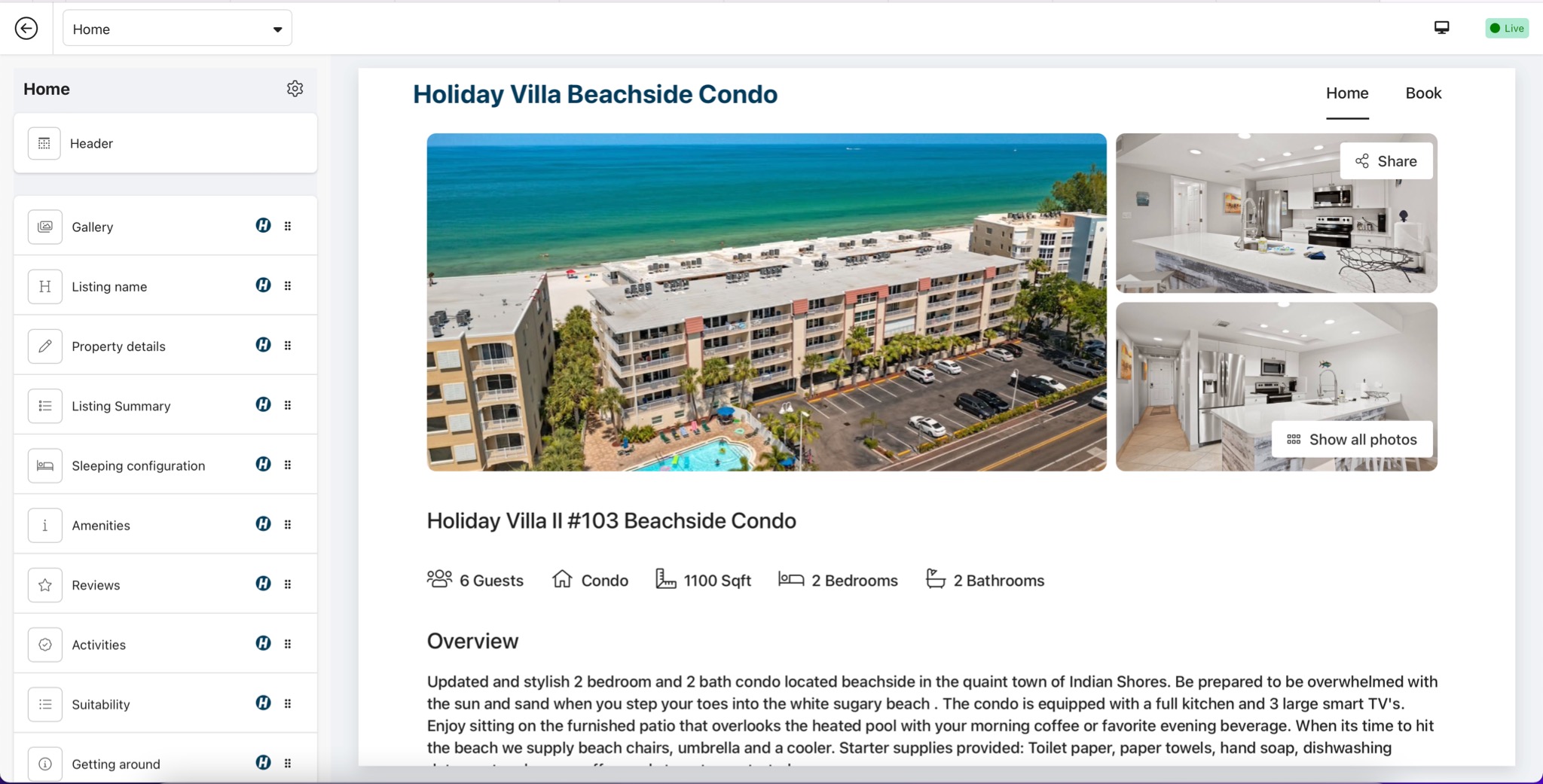
3. The left menu now lists every section on that page, in the order they appear. Click the section you want to remove.
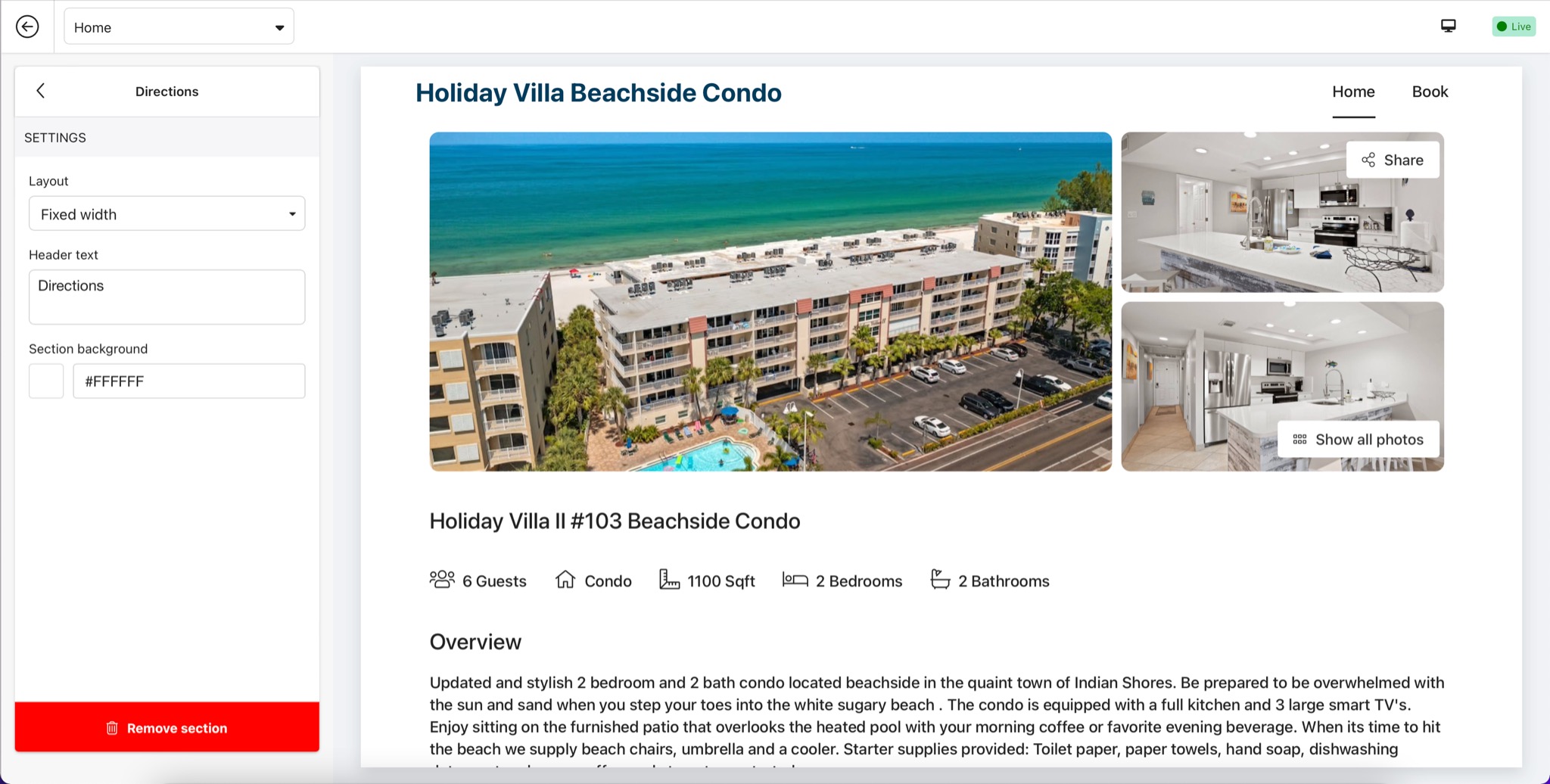
4. Click the red Remove section button at the bottom of the panel, then click Confirm.
Header and Footer cannot be removed - clicking either one shows Design settings instead.
To add a section
1. Click Add section at the foot of the section list.
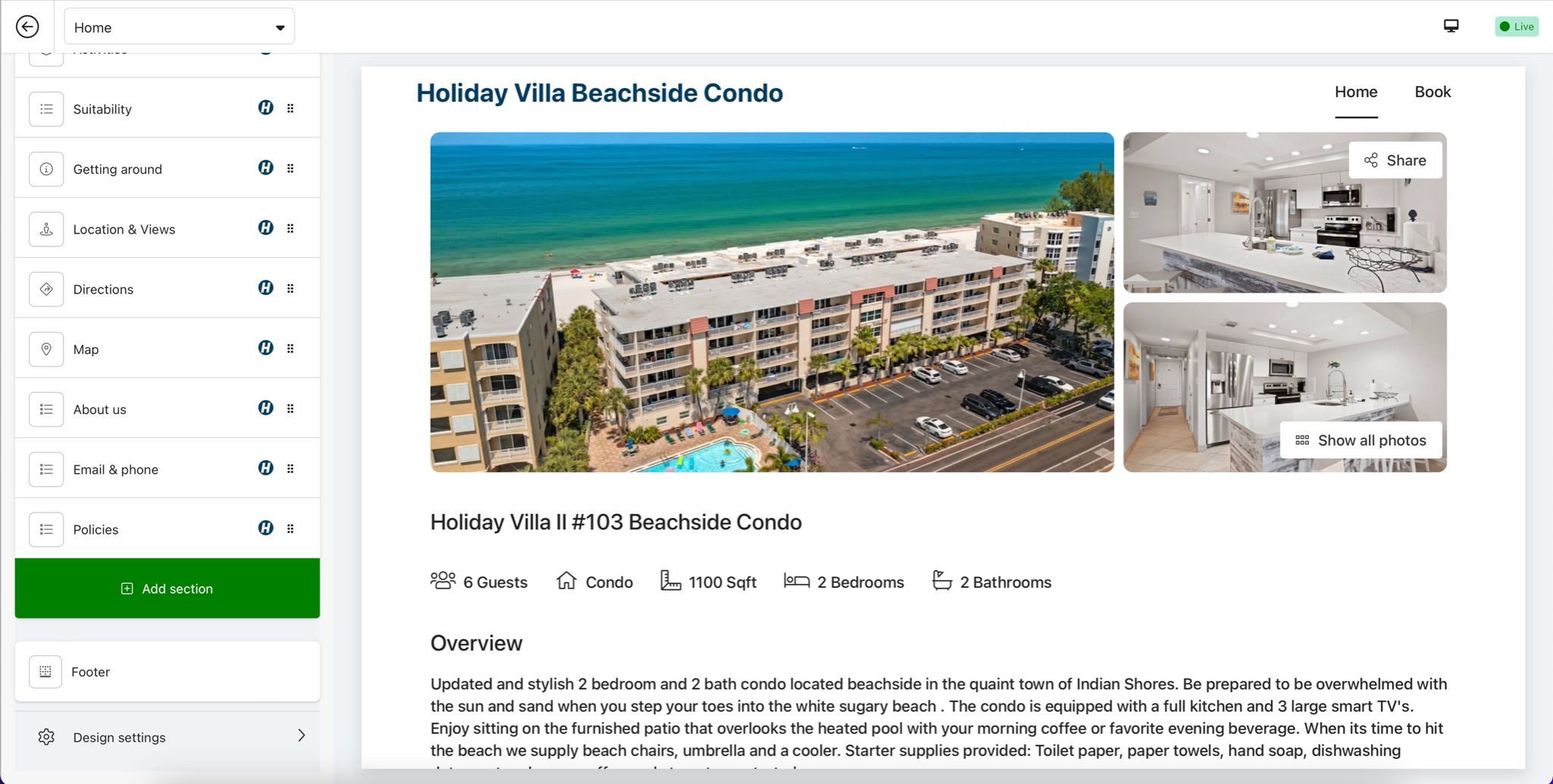
2. Search or scroll to the section you want and click it.
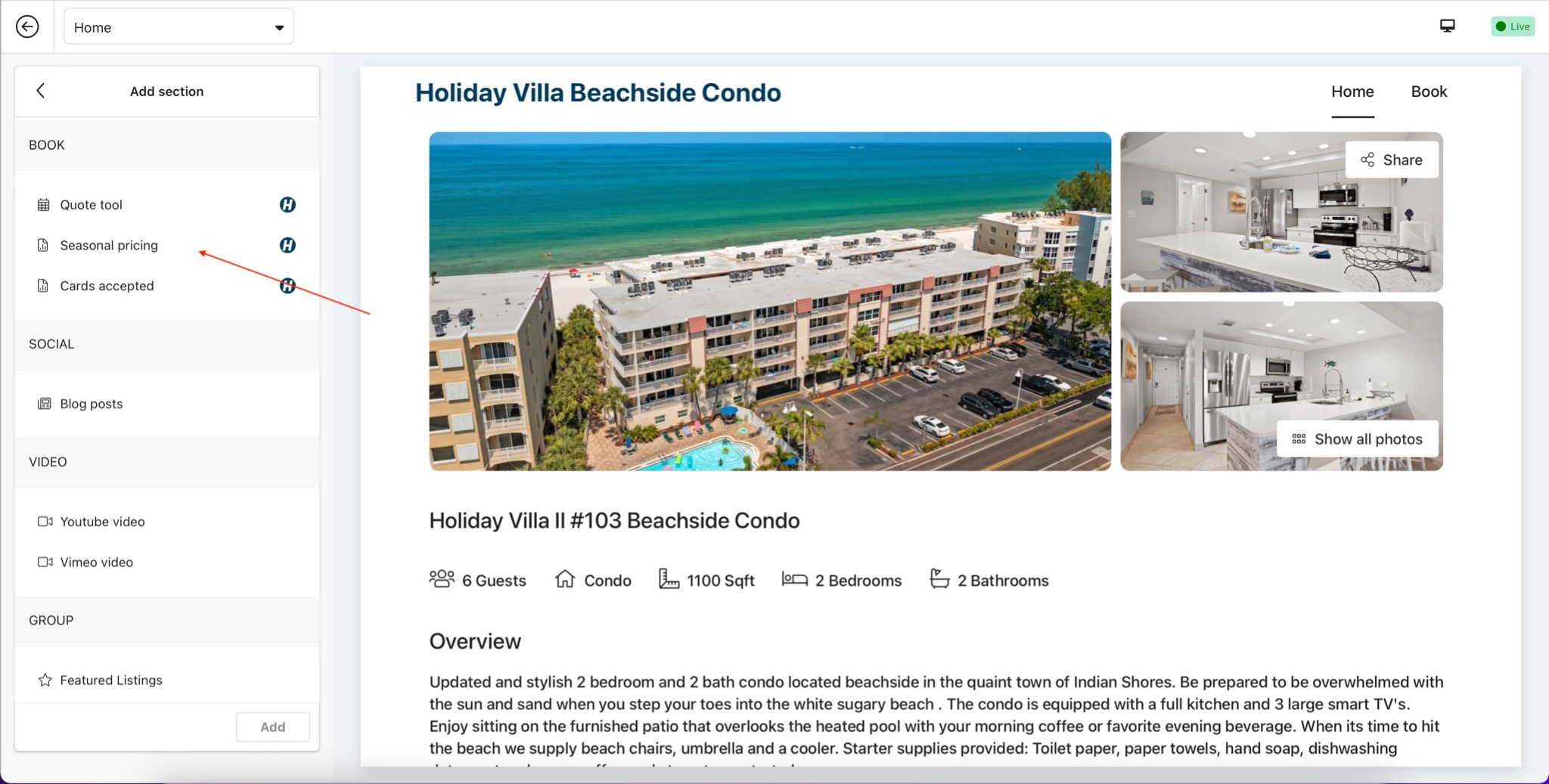
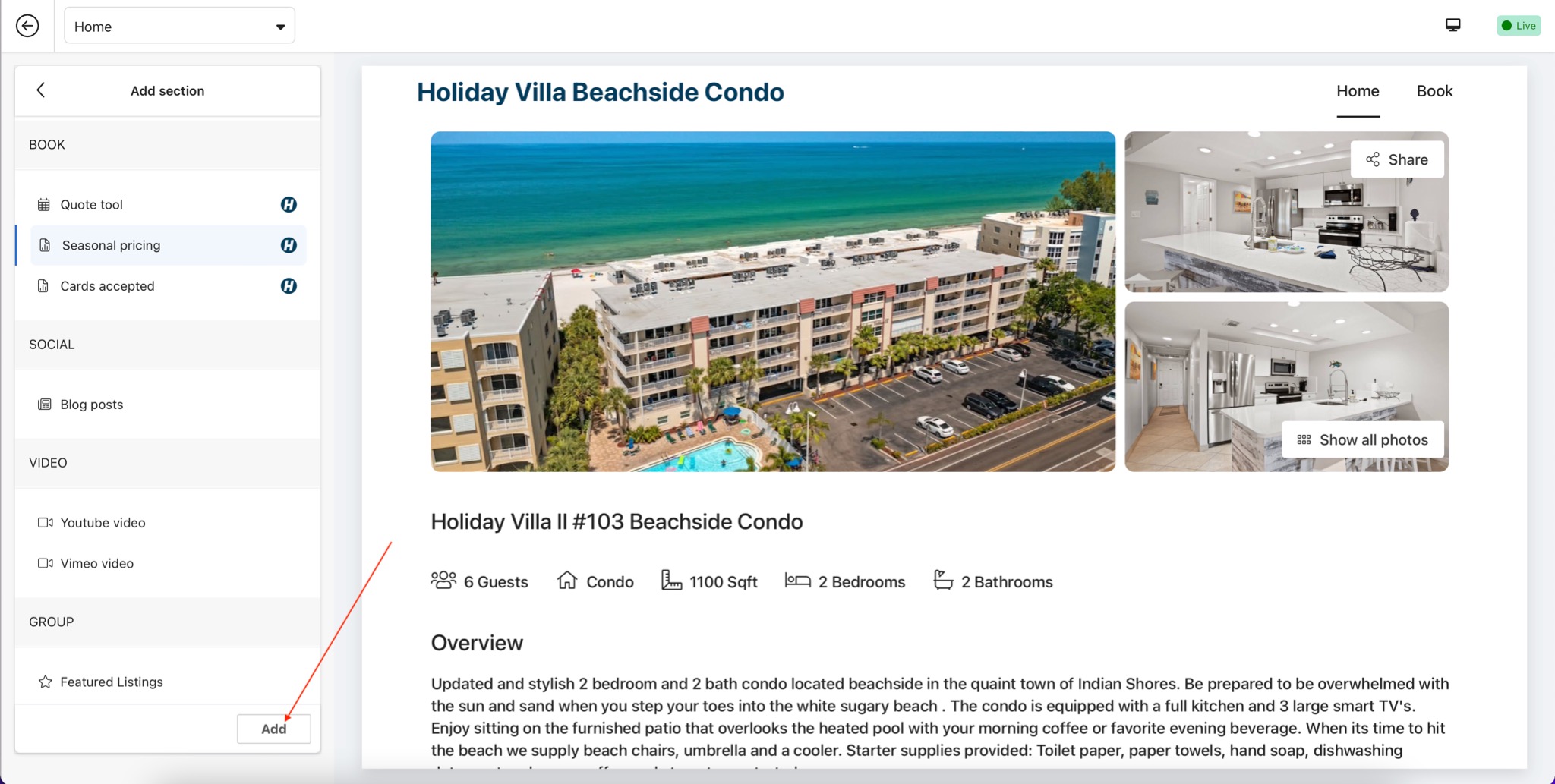
3. Click Add. The new section is added at the end of the page - drag it in the left menu to move it.
Did this answer your question?
Related Articles
Features
Settings
These links open an AI assistant with a summary prompt written by Houfy.