
You've created your Houfy account. Now what?
The first month on any platform sets the tone for everything that follows. Hosts who take the right steps early build momentum. Hosts who wing it spend months fixing preventable mistakes.
This Houfy vacation rental checklist breaks your first 30 days into weekly milestones. Each week has a clear focus, so you're never guessing what to do next.
Week One: Build a Listing That Converts
Your Houfy listing is your storefront. Before you do anything else, make it worth clicking on.
Start with photos. You need at least 15 to 20 high-quality images that show every room, outdoor space, and standout feature. Natural light matters. Clutter kills bookings. If your photos look like they were taken during a move-in inspection, guests will scroll past.
Write a description that sounds like you, not like a hotel brochure. Lead with what makes your place different. Is it the view? The location? The hot tub? Say it in the first two sentences. Guests skim, so front-load the good stuff.
Fill out every amenity field Houfy offers. Travelers filter by amenities, and if you skip the checkbox for "coffee maker" or "washer/dryer," your property won't appear in those searches. It takes five minutes, and it’s worth it.
If you already have an Airbnb listing, use Houfy's import tool. Paste your Airbnb URL and your photos, description, and amenities transfer in seconds. You'll still need to set your rates and sync your calendar manually, but the heavy lifting is done.

Week Two: Get Verified and Set Up Payments
No one can book your property until you complete Houfy's host verification. It's a one-time $5.99 fee that covers unlimited listings, and it signals to guests that you're a real person with a real property.
Verification requires syncing your calendar with Airbnb, VRBO, or another platform you're already using. This prevents double bookings and keeps your availability accurate across channels. If you're not on other platforms yet, you can still verify by connecting a blank calendar.
Next, set up your payment processor. Houfy integrates with Stripe and Square, so guests pay you directly. No middleman holding your money for weeks, and no platform taking 15% before you see a dime. Payments hit your account on your terms.
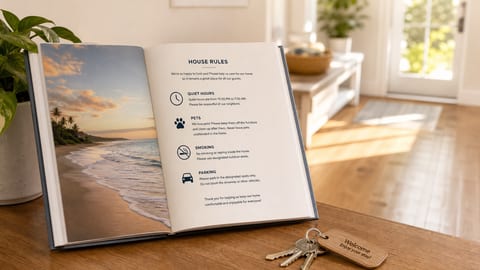
While you're in settings, add your house rules and customize your rental agreement. Houfy lets you require guests to sign before booking, which protects you and sets expectations upfront.
If you already use a property management system, check whether it integrates with Houfy. The platform connects with multiple PMS providers including Hospitable and OwnerRez. Connect once, and your calendar, pricing, and reservations sync automatically in both directions.
Week Three: Promote Your Listing
Houfy is a platform that doesn't push your listing to travelers the way Airbnb does. You're not paying commission, so you're not buying algorithmic promotion. That tradeoff means you need to drive your own traffic.
Start with your existing guests. Every traveler who has ever stayed at your property is a potential direct booking. Email them, text them, and let them know they can now book directly through Houfy and skip the service fees. Most guests are happy to save 10 to 15% on their next stay if you make it easy.
Share your Houfy listing on social media. Post it in local Facebook groups for travelers visiting your area. Add the link to your Instagram bio. If you have a personal website or blog, embed a Houfy widget so visitors can check availability without leaving your site.
Consider enabling Google Vacation Rentals integration. Houfy listings can appear directly in Google search results, which means travelers searching for "vacation rentals in [your city]" might find you without ever visiting Houfy's homepage. It's free visibility that most platforms charge extra for.
Want to take promotion further? Houfy's website builder lets you create a branded, booking-ready site in minutes. Describe your property, and the AI generates a custom design with your photos, calendar, and payments built in. Your site syncs with your Houfy listing, so availability stays accurate. It's included in the Premium plan ($11.99/listing/month) and gives guests a polished landing page that's yours.

Week Four: Refine and Respond
By now, you should have inquiries coming in, maybe even your first booking. This week is about tightening your operations.
Check your response time. Guests expect replies within a few hours, not a few days. Houfy's scheduled messaging feature lets you automate confirmation emails, check-in instructions, and checkout reminders. Set these up once and stop worrying about forgetting to send directions.
Look at your pricing. Are you competitive with similar properties in your area? Houfy lets you set base rates, seasonal rates, and calendar-specific pricing. If you imported your Airbnb rates, double-check that they make sense for direct bookings. Some hosts price slightly lower on Houfy since they're not losing 15% to platform fees.
Finally, ask for reviews. After a guest checks out, send a quick message thanking them and asking if they'd leave a review on your Houfy listing. Reviews build trust, and trust drives bookings. Hosts who ask consistently have the strongest profiles.
Beyond Day 30
Your first month is about foundation. You've built a listing, verified your account, set up payments, started promoting, and refined your process. Now the real work begins.
The hosts who succeed on Houfy treat it like a channel, not a set-it-and-forget-it listing. They share their link after every OTA booking. They mention Houfy in their welcome book. They build a guest list and reach out before peak seasons.
Direct booking is a long game. But every guest who books through Houfy instead of Airbnb is a guest you keep for life: no algorithm changes, no fee increases, no platform standing between you and your revenue.
Start your first week today.