

A vacation rental guest agreement template is the legal foundation every direct booking needs. Unlike reservations made through Airbnb or VRBO, a direct booking carries no platform arbitration process, no escrow hold, and no built-in cancellation policy unless you create one yourself. This guide covers the ten sections every short term rental contract template must include, the mistakes to avoid, and a complete framework you can adapt for any property.
Key Takeaways
Every direct booking — through Houfy, your own website, or a referral — needs a signed guest agreement before check-in.
A complete agreement covers 10 core sections: parties, payment, cancellation, occupancy, check-in/out, house rules, damage, liability, right to enter, and governing law.
Digital signatures are legally valid across all US states under the E-SIGN Act.
Your agreement's cancellation policy must match exactly what guests see on your Houfy l
isting — discrepancies create disputes.
HoufyProtect provides damage coverage for direct bookings, and a signed agreement is part of what supports a professional claim.
Have a local real estate attorney review your final version for compliance with your state's STR regulations.
Why a Guest Agreement Matters for Direct Bookings

When a guest books through Airbnb, the platform's terms of service provide a partial legal framework. Airbnb's arbitration process handles disputes, its payment system holds funds until after check-in, and its cancellation terms appear before the booking confirms.
When a guest books direct — through Houfy, your own website, or any channel that bypasses an OTA — none of that infrastructure exists unless you build it yourself.
That is not a disadvantage. It is an opportunity to set terms that protect you better than Airbnb's one-size-fits-all policies. But you have to write them down.
A signed guest agreement does three things:
Establishes legal clarity. In a dispute about damages, early departure, or unauthorized guests, a signed agreement is your evidence of what was agreed. Without it, a dispute becomes a he-said/she-said situation — which rarely resolves in the host's favor.
Deters problems before they start. Guests who sign an agreement specifying noise rules, maximum occupancy, and pet policies are more likely to respect those rules. The act of signing makes expectations concrete.
Enables your damage protection. HoufyProtect provides damage coverage for direct bookings — but a signed guest agreement is part of what demonstrates the professional, documented nature of the booking in any claim.
A guest agreement is not about distrust. It is about running a hospitality business professionally.
The 10 Sections Your Guest Agreement Needs
Section 1: Parties and Property
Start with the basics.
What to include:
Host's full legal name (or business name if hosting through an LLC or corporation)
Guest's full legal name
Names of all adults in the traveling party
Property address and unit number if applicable
Booking dates: check-in date, check-out date, and times
This section establishes who is party to the agreement and what property it covers. In any dispute, this is where you start.
Section 2: Rental Rate and Payment Terms
What to include:
Total booking amount
Breakdown: nightly rate, cleaning fee, any additional charges
Payment schedule (full payment at booking, or deposit plus balance)
Accepted payment methods (Stripe through Houfy, bank transfer, etc.)
Whether the security deposit is included in the total or held separately
Refund or credit policy for overpayments
Avoid vague language like "payment due before arrival." State exact amounts and exact due dates.
Section 3: Cancellation Policy
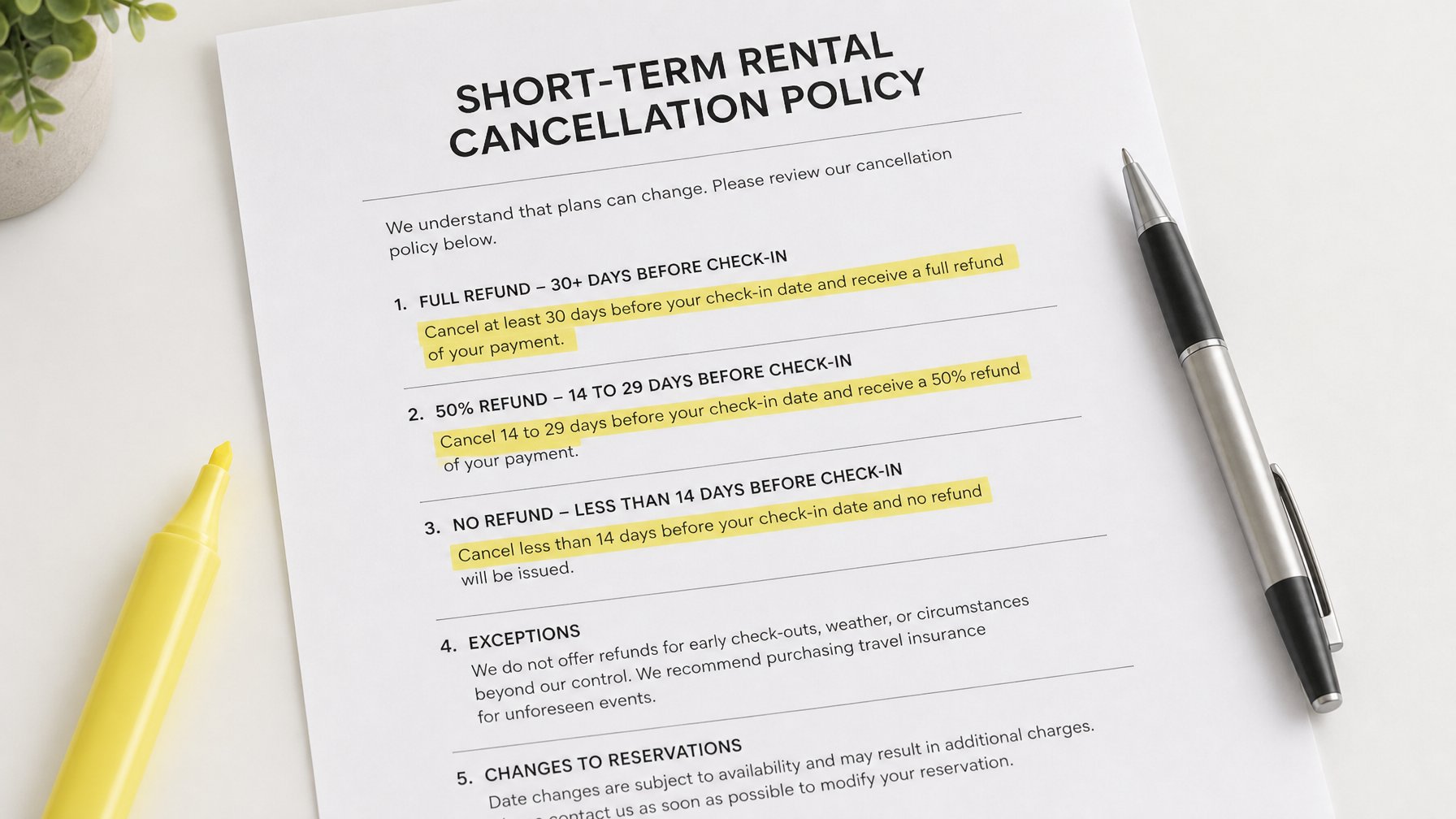
This is the section guests read most carefully — and the one most likely to become disputed.
What to include:
The cancellation deadline for a full refund (e.g., "A full refund is issued if the guest cancels 14 or more days before check-in")
The partial refund window (e.g., "A 50% refund is issued if the guest cancels 7 to 13 days before check-in")
The no-refund window (e.g., "No refund for cancellations within 6 days of check-in")
Your policy on rebooking or crediting versus cash refund
Force majeure language (what happens in the event of natural disaster, government travel restriction, or medical emergency)
The cancellation policy in your guest agreement must match the cancellation policy displayed on your Houfy listing. Discrepancies create disputes.
Section 4: Maximum Occupancy
What to include:
The maximum number of adults permitted
The maximum number of children
Whether infants count toward the occupancy limit
The fee or consequence for exceeding the maximum (e.g., "Each unauthorized guest will incur a $75 per night surcharge, and the host reserves the right to terminate the booking without refund")
Your local permit, HOA, or lease may specify a maximum occupancy that is legally binding on you. Your guest agreement must reflect this — not exceed it.
Section 5: Check-In and Check-Out
What to include:
Standard check-in time (e.g., 4:00 PM)
Standard check-out time (e.g., 11:00 AM)
How to access the property (lockbox code, smart lock instructions, in-person key handoff)
Early check-in availability and fee (if applicable)
Late checkout availability and fee (if applicable)
Consequence of not vacating by checkout time (e.g., "A late checkout fee of $[amount] per hour applies for departure after [time]")
Section 6: House Rules

This section covers property-specific conduct expectations. A bulleted list works better here than dense paragraphs.
Common house rules to include:
Quiet hours (e.g., 10 PM to 8 AM)
No smoking — inside or on the property, including whether this extends to vaping or cannabis
Pet policy: allowed or not; if allowed, specify size limits, additional fee, and behavioral expectations
No parties or events beyond the stated guest group
No unauthorized overnight guests
Parking instructions and limits (number of vehicles, designated areas)
Pool and hot tub rules: hours of use, no glass in pool area, supervision requirements for children
Trash and recycling instructions
Whether outdoor furniture should be returned inside if rain is forecast
Section 7: Damage Policy and Security Deposit
What to include:
The security deposit amount (if applicable)
How the deposit is held (credit card authorization, Stripe hold, separate transfer)
How and when the deposit is released (e.g., "within 48 hours of checkout if no damage is reported")
How damage charges are assessed (the host photographs damage, notifies the guest within [X hours] of checkout, and deducts from the security deposit)
What happens if damage exceeds the deposit amount (e.g., "The guest agrees to cover any documented damage costs that exceed the security deposit amount")
For damage coverage without holding a large security deposit, HoufyProtect provides coverage for direct bookings made through Houfy. For more detail on handling deposits for direct bookings specifically, see how to handle damage deposits for direct vacation rental bookings.
Section 8: Liability Limitation
This section limits your exposure to guest injury or property damage claims.
Standard language (always have an attorney review for your jurisdiction):
"The guest agrees to use the property and all amenities at their own risk. The host is not liable for any personal injury, accident, or loss of personal property that occurs during the rental period. The guest assumes full responsibility for themselves and all members of their party."
For properties with pools, hot tubs, stairs, fireplaces, or other elevated-risk features, include specific acknowledgments: "The guest acknowledges that the property contains [a private pool / hot tub / fireplace / exterior stairs] and agrees to exercise appropriate caution."
Section 9: Right to Enter
What to include:
Under what circumstances you (or your property manager or maintenance staff) may enter the property during the guest's stay
Notice requirement (e.g., "The host will provide at least 24 hours notice before entering the property except in the case of emergency")
What constitutes an emergency (active flooding, smoke alarm activation, security concern)
Guests have a legal expectation of quiet enjoyment during their stay. Your agreement should respect that while preserving your ability to address genuine emergencies.
Section 10: Governing Law and Dispute Resolution
What to include:
The state (and county if applicable) whose law governs the agreement
How disputes will be resolved — arbitration, small claims court, or mutual negotiation
Which party bears legal costs if a dispute proceeds to formal resolution
Keep this section brief. "This agreement is governed by the laws of the State of [State]. Any disputes arising from this agreement will be resolved through good-faith negotiation, and failing that, through arbitration in [County], [State]" is typically sufficient.
How to Deliver and Sign the Agreement
A guest agreement only protects you if it is signed before check-in. Options for delivery and signature:
DocuSign or Dropbox Sign. Send the agreement as a PDF, the guest signs digitally, and both parties receive a timestamped copy. Clean, professional, and legally valid in all US states under the E-SIGN Act.
Email confirmation with reply acceptance. Include the full agreement text in your booking confirmation email and ask the guest to reply "I agree to the terms above." This is weaker than a digital signature but still creates a paper trail.
Built-in via booking platform. Houfy allows hosts to include a custom rental agreement that guests acknowledge at the time of booking — the agreement becomes part of the booking flow, not a separate step. If you use a property management system such as OwnerRez, Lodgify, or Hostaway, you can also automate agreement delivery through your Houfy software integration.
Whichever method you use, store a copy of the signed agreement alongside the booking record. You need to produce it quickly in a dispute.
What to Avoid
Avoid copying Airbnb's terms verbatim. They reference Airbnb-specific processes — their Resolution Center, their payment holds — that do not apply to direct bookings.
Avoid overly punitive language. A guest agreement that reads like a list of penalties creates anxiety rather than confidence. State your rules clearly and state consequences for violations, but frame the overall tone as professional hospitality, not liability management.
Avoid vague terms. "Guests must treat the property respectfully" is not enforceable. "Any deliberate damage to property will result in a charge equal to the repair or replacement cost, deducted from the security deposit" is enforceable.
Have an attorney review the final version. This guide provides a framework. A local real estate or short-term rental attorney can confirm that your agreement complies with your state's landlord-tenant laws and STR regulations.
Frequently Asked Questions
Do I need a guest agreement for every direct booking?
Yes. Every direct booking — regardless of how the guest found you, whether through Houfy, your own website, a referral, or a repeat stay — needs a signed guest agreement before check-in. For repeat guests who have already signed your agreement, you can use the same document for subsequent stays, but confirm the terms have not changed since their last visit.
Is a digital signature legally binding?
In the United States, digital signatures are legally valid under the Electronic Signatures in Global and National Commerce Act (E-SIGN Act). DocuSign, Dropbox Sign, and similar services produce legally valid timestamped records. For most vacation rental disputes, a timestamped email reply accepting the stated terms is also sufficient evidence of consent.
What is the difference between a guest agreement and house rules?
House rules are the operational expectations for the stay — quiet hours, no smoking, parking limits. A guest agreement is the legal document that includes house rules alongside payment terms, cancellation policy, liability clauses, and dispute resolution. Your house rules are a section of your guest agreement, not a standalone document.
Can I use the same guest agreement for all my properties?
Yes, with property-specific sections. Create a base template with all standard sections, then customize Section 1 (Property), Section 5 (Check-In), Section 6 (House Rules), and Section 7 (Damage Policy) for each individual property. All other sections — cancellation, liability, governing law — can remain consistent across your portfolio.
Does Houfy support guest agreements for direct bookings?
Yes. Houfy allows hosts to attach a custom rental agreement to their listing. Guests acknowledge the agreement as part of the booking flow — no separate email or DocuSign step required. Create your free Houfy listing and upload your agreement directly from your host dashboard.
On Houfy, your custom guest agreement is part of the direct booking flow — guests acknowledge it at checkout, not as a separate step. Create your free listing here and start protecting every direct booking today.
Source Citations
US E-SIGN Act (15 U.S.C. § 7001) — Federal Trade Commission. Electronic Signatures in Global and National Commerce Act. https://www.ftc.gov/legal-library/browse/statutes/electronic-signatures-global-national-commerce-act
DocuSign — How Electronic Signatures Work. https://www.docusign.com/how-it-works/electronic-signature
Dropbox Sign (formerly HelloSign) — Legally Binding Electronic Signatures. https://sign.dropbox.com
Houfy — Software Partners and PMS Integrations. https://www.houfy.com/software-partners
Houfy — HoufyProtect: Damage Coverage for Direct Bookings. https://www.houfy.com/houfy-protect