
Key Takeaways
Pinterest is a visual search engine, and travel is its largest category. Travelers use it to plan trips months before they book.
Every pin includes a direct clickable link, unlike Instagram. Link straight to your Houfy listing to capture direct bookings.
Create five types of boards: your property showcase, a destination guide, local experiences, seasonal content, and amenities/design.
Pin descriptions should include the destination name, property type, specific features, and a direct booking call to action.
Enable Rich Pins to pull live metadata from your Houfy listing into search results automatically.
Post five to ten pins per week consistently. Use a scheduler like Tailwind to stay on rhythm without manual daily effort.
Pinterest content compounds over time. A pin posted today can drive bookings two years from now.
Every day, millions of travelers open Pinterest and start building the trip they haven't booked yet. They aren't scrolling — they're planning. And that is exactly where your vacation rental needs to show up. People use it the same way they use Google: to find ideas, compare options, and plan purchases. The single biggest planning category on Pinterest, by a significant margin, is travel.
Pinterest vacation rental marketing works because the platform's users are not passively scrolling. They are actively building travel wish lists, saving inspiration for upcoming trips, and researching destinations months before they book. According to Pinterest's own research, 73% of users say Pinterest's visual search results outperform traditional search for finding travel inspiration.
For vacation rental hosts, this is an open door. When a traveler searches "oceanfront beach house rental Florida" or "cozy mountain cabin weekend getaway," your property can appear in those results — not as a paid ad, but as a pin linked directly to your booking page.
Here is how to set it up properly.
Why Pinterest Belongs in Your Vacation Rental Marketing Mix
Most hosts focus their visual marketing on Instagram. Instagram is valuable, but it has one critical limitation: it does not allow outbound links inside posts. Every post sends traffic to the profile bio, which adds friction and loses a percentage of interested viewers at each click.
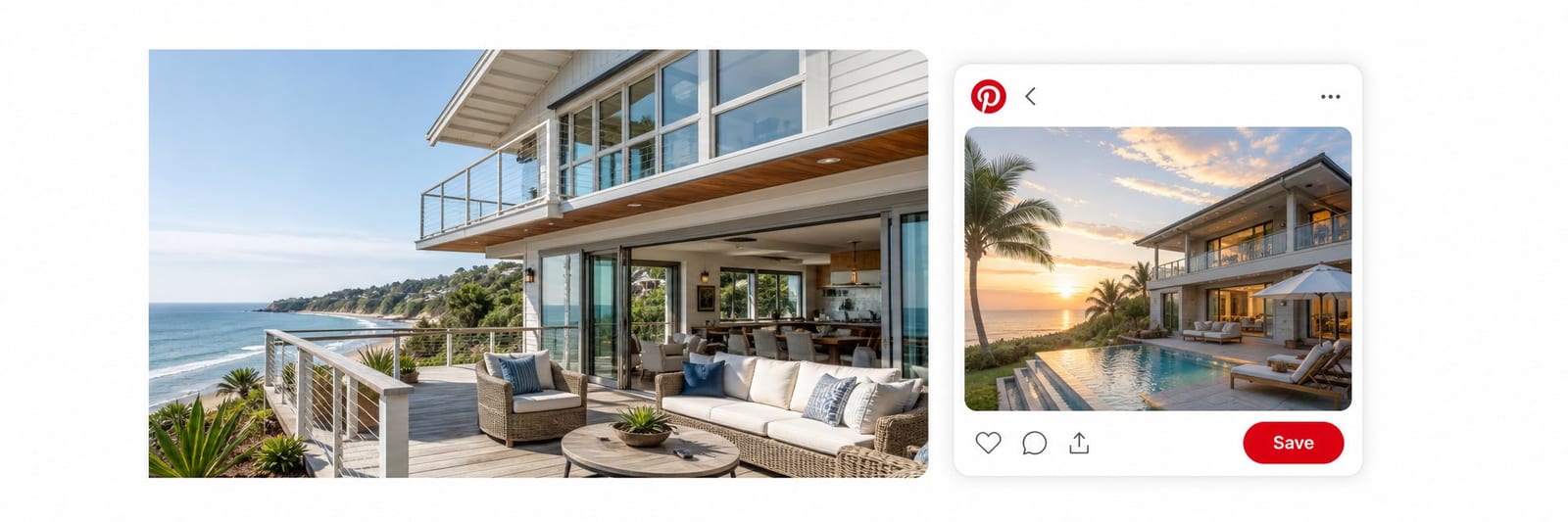
Pinterest does the opposite. Every pin includes a direct clickable link. A traveler sees your beach house photo, taps it, and lands directly on your Houfy listing, ready to check availability. No friction. No profile visit required.
Pinterest pins also have extraordinary longevity. An Instagram post peaks in engagement within 24 to 48 hours and then disappears from feeds. A Pinterest pin can drive traffic for months or years after posting, because it continues to surface in search results whenever someone searches for related terms.
Travel content is Pinterest's single highest-performing category. Accommodation-specific searches rank among the fastest-growing segments on the platform, and those searches carry strong booking intent. This is the audience vacation rental hosts need to reach: people already planning a trip to your destination.
According to direct booking statistics for 2026, guests who arrive at a listing through a direct channel convert at a significantly higher rate than OTA referrals. Pinterest, with its direct link capability, is one of the most efficient channels for creating that direct-arrival pathway.
Setting Up a Pinterest Business Account
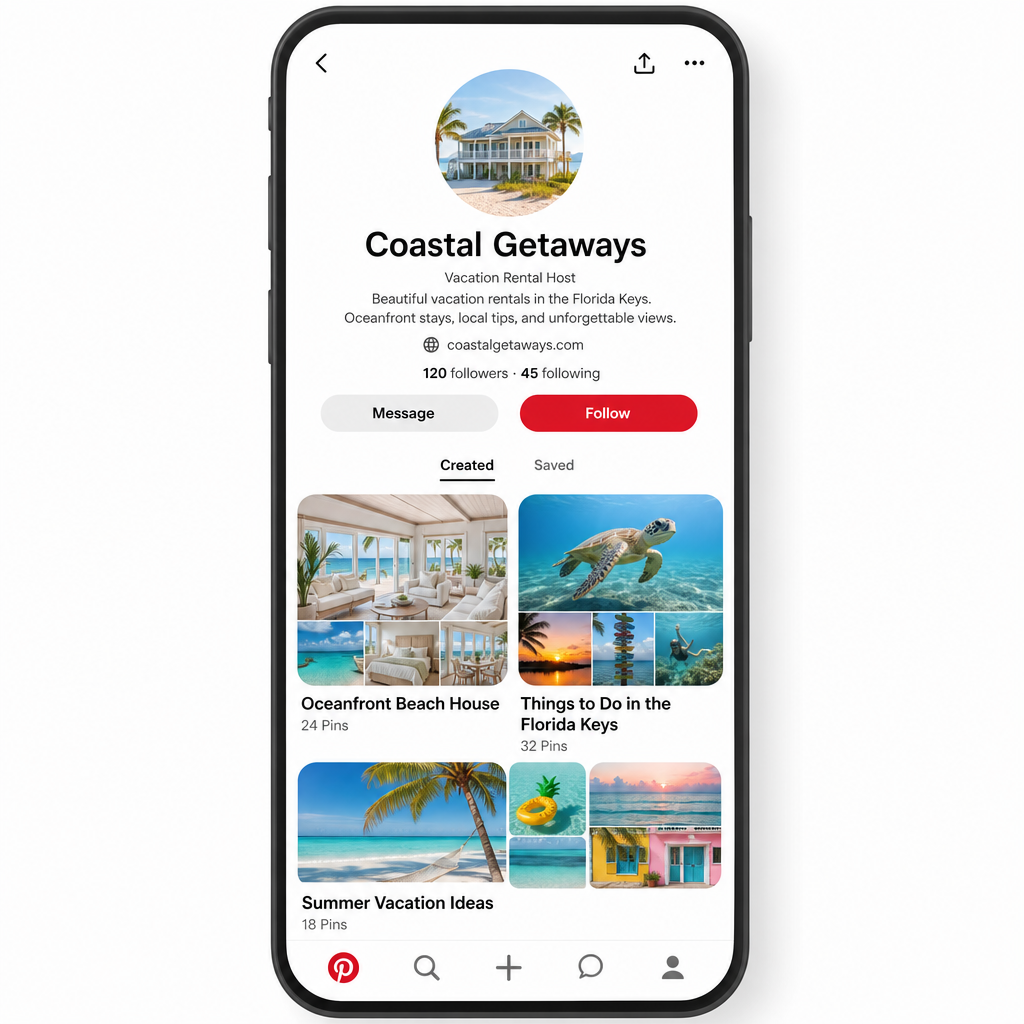
If you have an existing personal Pinterest account, convert it to a business account for free. Starting fresh? Create a new business account at business.pinterest.com.
A business account gives you access to Pinterest Analytics, which shows you exactly which pins drive traffic and how many people click through to your booking page. It also enables Rich Pins, covered in detail below.
Set up your profile with these details:
Profile name: Use your property name or hosting business name. Make it specific. "Cape Hatteras Beach House by [Your Name]" outperforms a generic name because it tells travelers exactly what you offer and where.
Bio: Write two to three sentences describing your property and location. Include the destination name and a phrase like "direct booking" or "book direct." Pinterest indexes bios for search, so treat it like an SEO field, not a personal description.
Website: Your Houfy listing URL or your direct booking website. This is the link that appears on your profile and the one you will use across your pins.
Profile photo: A high-quality exterior photo of your property works better than a personal headshot for a vacation rental account. Guests connect with the property first.
What Boards to Create
Your boards are the organizational structure of your Pinterest presence. Create boards that match what travelers search for, not just boards that categorize your own content.
Your Property Board: A dedicated board for your specific listing. Include every high-quality photo of the property: interior and exterior, different seasons, different lighting conditions. This is your primary showcase.
Destination Guide Board: A board covering your location with a mix of your own content and curated pins. Title it "Things to Do in [City/Region]" or "[Destination] Travel Guide." Include local restaurants, landmarks, beaches, trails, and seasonal events. Travelers save these boards during the planning phase, which brings them back to your content when they are ready to book.
Local Experiences Board: Go deeper on specific experiences near your property. "Best Hikes Near [Location]," "Day Trips from [City]," "Local Restaurants Worth the Drive." Specificity performs better than broad destination boards in both search and saves.
Seasonal Boards: Create a board for each relevant season — "Winter Getaways in [Location]," "Summer Beach Vacation in [Destination]." These boards surface strongly in search when travelers plan seasonal trips, which is often months ahead.
Property Design and Amenities Board: Highlight specific features of your rental: the kitchen, the outdoor shower, the reading nook, the hammock setup. A search like "vacation rental with hot tub mountain view" is looking for exactly the images you have. Amenity-specific content consistently drives higher booking intent than generic property photography, as outlined in Houfy's vacation rental marketing blueprint.
How to Write SEO-Optimized Pin Descriptions
Pinterest is a search engine, which means the words you use in pin titles and descriptions determine whether travelers find your content.
Every pin description should include:
The destination name (city, region, or landmark)
The property type (beach house, mountain cabin, lakefront cottage, city apartment)
Specific features (sleeps 8, private pool, ocean views, pet-friendly, hot tub)
A booking action phrase: "Book direct with no service fees," "Available for direct booking," "Check availability at the link"
A strong pin description looks like this:
"Oceanfront beach house in Emerald Isle, North Carolina. Sleeps 10, private pool, wraparound deck with direct Atlantic beach access. Perfect for family reunions and beach group trips. Book direct with no guest service fees. Check availability and reserve via the link."
This description includes the location, property type, capacity, standout features, an ideal-use case, and a direct booking call to action. It answers every question a traveler might type into Pinterest search.
Avoid vague language like "beautiful getaway" or "perfect escape." These phrases do not appear in real search queries. Specific features and location names do. The same principle that applies to listing optimization on Houfy applies to Pinterest: specificity wins.
Rich Pins and How to Enable Them
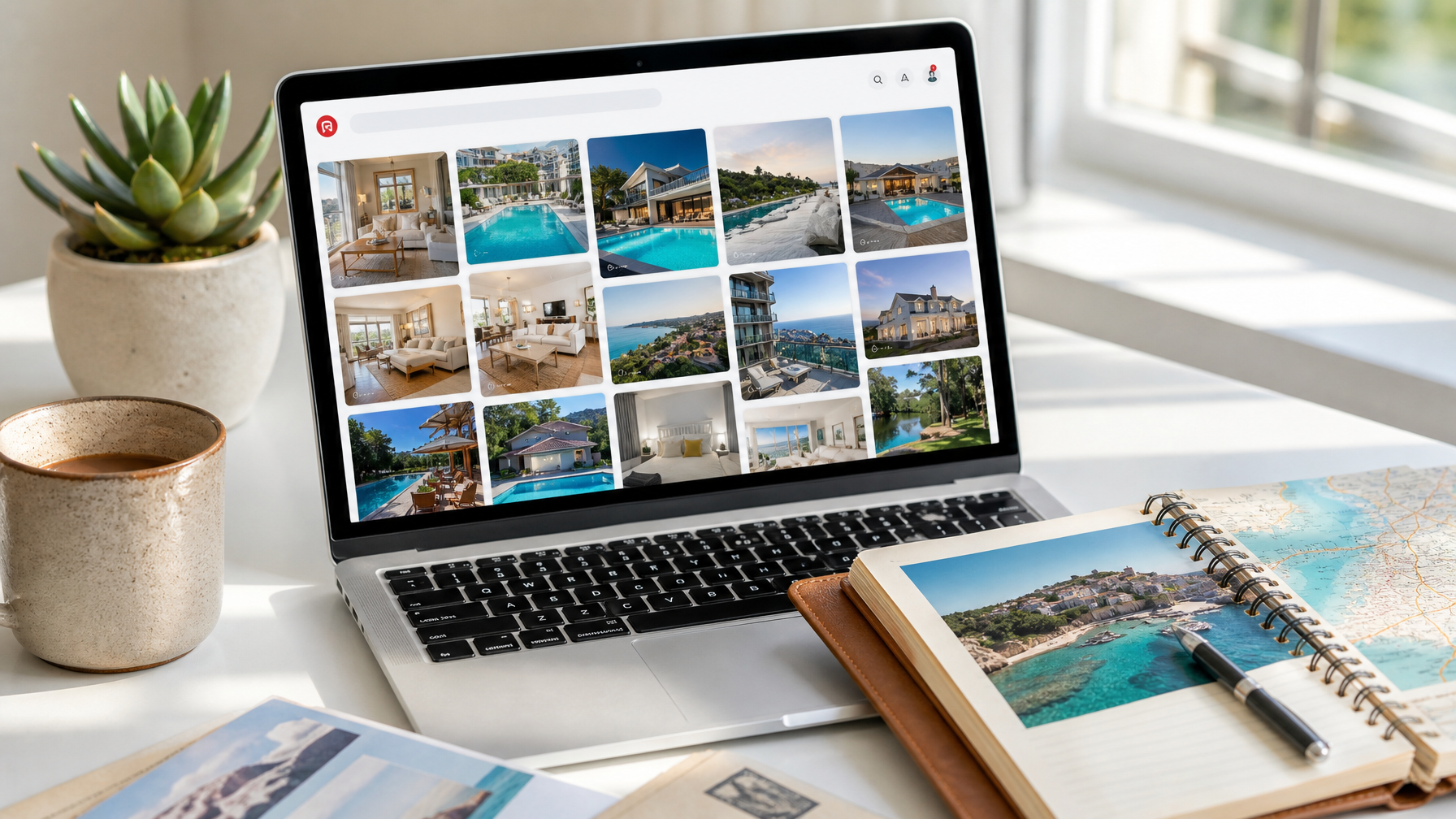
Rich Pins are a Pinterest feature that pulls live metadata from your linked website and displays it directly on the pin card. For vacation rental hosts, a Rich Pin can automatically show the property name, description, and key details pulled from your booking page.
To enable Rich Pins, your linked website needs Open Graph or Schema.org markup in its code. Most modern booking platforms and direct booking website builders support this automatically. Pinterest's official Rich Pins documentation walks through the validation process step by step, and the Pinterest Developers guide covers both Open Graph and Schema.org formats in detail.
Once enabled, your pins display richer information in search results than standard pins. This increases click-through rates because travelers see exactly what they are getting before they click.
Houfy listing pages are structured to support this kind of metadata. When you link your pins to your Houfy listing, the property information populates the Rich Pin display, giving travelers the key details they need to decide to click through.
Linking Pins Directly to Your Houfy Listing
Every property photo you post should link directly to your Houfy listing — not to Airbnb, not to a general website homepage, but to the specific listing page where a traveler can see your rates, availability, and book without paying a service fee.
This matters for two reasons.
First, Pinterest users who are far enough along in trip planning to click through to a booking page are high-intent. They are comparing options and ready to book. When they land on your Houfy listing and see no 13–15% service fee added on top of your nightly rate, that is a powerful reason to complete the booking rather than return to an OTA comparison page. For more on this conversion dynamic, see how to convince vacation rental guests to book direct.
Second, directing traffic to a direct booking platform means you capture 100% of the guest relationship. Their contact information, their payment, and the ability to communicate directly all stay with you rather than being managed through a third party.
When you create or edit a pin, paste your Houfy listing URL into the destination link field. Check it after posting to confirm the link resolves correctly.
A Simple Pinterest Posting Rhythm
Pinterest rewards consistency. Posting five to ten pins a week outperforms posting fifty pins in one week and nothing the next. Pinterest's algorithm distributes content over time, and an active account signals credibility to the platform's ranking system.
A practical weekly rhythm for vacation rental hosts:
Two to three pins from your own property photos, linked to your Houfy listing
Two to three curated pins from your destination, saved from other creators' boards
One seasonal or local experience pin per week
Use Tailwind, a scheduling tool built specifically for Pinterest, to schedule pins in advance. You can batch-create two weeks of pins in a single session and let the scheduler distribute them at optimal posting times. This prevents the boom-bust posting pattern that suppresses algorithm reach.
What Performs Best Visually

Pinterest users make split-second decisions about whether to save or click. Image quality and composition drive those decisions.
These visual formats consistently outperform on travel Pinterest:
Vertical images (2:3 aspect ratio). Pinterest is a mobile-first platform. Tall images take up more screen space in the feed and stop the scroll more effectively than square or horizontal images.
Bright, natural light photography. Clean, well-lit images of property interiors and views outperform dim or heavily edited photos. Natural light reads as authentic and aspirational simultaneously.
Detail shots. A close-up of your welcome basket, coffee setup, or a property-specific feature gets more saves than a wide-angle room shot because it is shareable as inspiration content, not just a listing photo.
Seasonal mood shots. A photo of a property with snow on the surrounding trees, or a pool at golden hour, triggers emotional aspiration in a way that neutral shots do not.
Text overlay pins. Pins with readable text overlays perform well for destination guide content — "5 Things to Know Before Visiting [Destination]" with a property photo background. These attract saves from travelers in the early planning phase who are not yet ready to book but will return to your content when they are.
The Long Game on Pinterest
Pinterest is not an immediate traffic driver. The first month generates modest results. The second month is better. By month six, a consistently posting host typically sees steady inbound traffic from pins accumulating saves and search impressions across multiple boards.
This is the core advantage of Pinterest over OTA marketing. A pin you create today may still drive bookings two years from now. An OTA listing is only as visible as your last review and current algorithm performance.
The compounding nature of Pinterest SEO, combined with the ability to link every pin directly to a direct booking page, makes it one of the highest-return, lowest-cost channels available to independent hosts. Understanding what direct booking means for your bottom line makes the case even clearer: every booking that comes through Pinterest and lands on your Houfy listing is a booking where you keep 100% of your nightly rate.
Set up your Pinterest Business account today. Create five boards. Post your first ten property photos, each linked to your Houfy listing. That is the foundation. Build on it consistently, and it pays dividends far beyond any single booking season.
FAQ
What is Pinterest vacation rental marketing?
Pinterest vacation rental marketing is the practice of posting property photos, destination guides, and travel inspiration content on Pinterest, with each pin linking directly to your booking page. Because Pinterest functions as a visual search engine rather than a social feed, pins surface in results whenever travelers search for keywords matching your destination and property type. This makes it a long-term, compounding traffic channel unlike paid ads or OTA algorithms, which stop delivering results the moment you stop spending or the moment your review score changes.
Is Pinterest worth it for vacation rental hosts?
Yes. Pinterest is one of the few free marketing channels where every post includes a direct outbound link. That link can go straight to your booking page, eliminating the extra clicks and friction that cost conversions on other platforms. Travel is Pinterest's highest-performing content category, and accommodation-specific searches are growing year over year. Hosts who post consistently for six or more months typically see steady referral traffic that builds independent of OTA algorithm changes.
How do I set up Pinterest for my vacation rental?
Start at business.pinterest.com and create or convert to a business account. Write a profile bio that includes your destination name and "direct booking" as searchable terms. Create five boards: your property showcase, a destination guide, local experiences, seasonal content, and amenities. Then post property photos with SEO-optimized descriptions that include the location, property type, features, and a booking call to action. Link every pin directly to your Houfy listing. Use Tailwind to maintain a consistent five-to-ten-pin-per-week rhythm.
What should I include in a Pinterest pin description for a vacation rental?
A strong pin description includes four elements: the destination name and region, the property type (beach house, mountain cabin, lake cottage), specific features that match traveler search behavior (sleeps 8, private pool, pet-friendly, hot tub), and a direct booking call to action such as "Book direct with no service fees at the link." Avoid generic phrases like "beautiful getaway" or "perfect escape." These do not appear in search queries and add no ranking value.
What are Rich Pins and do I need them for vacation rentals?
Rich Pins automatically pull live metadata from your linked website and display it inside the pin card in search results, giving travelers more information before they click. For vacation rental hosts, this means your pin can display the property name and key details directly in search without the traveler needing to click first. To enable Rich Pins, your linked website needs Open Graph or Schema.org markup, which most modern booking platforms and direct booking sites, including Houfy, support natively. Enabling Rich Pins increases click-through rates because more informed travelers are more likely to act.
How often should I post on Pinterest for a vacation rental?
Post five to ten pins per week, consistently. A steady rhythm outperforms a burst approach because Pinterest distributes content over time and signals credibility through account activity. Split your weekly posts between your own property photos linked to your booking page, curated destination content saved from other boards, and seasonal or local experience content. Scheduling tools like Tailwind let you batch this work weekly or biweekly so the daily effort is minimal.
Should I link my Pinterest pins to Airbnb or a direct booking page?
Link to a direct booking page, preferably your Houfy listing. Pinterest users who click through to a booking page are high-intent travelers ready to compare and book. When they land on a Houfy listing instead of an OTA, they see no 13–15% service fee added on top of your nightly rate, which is a direct conversion advantage. Linking to an OTA also surrenders the guest relationship to a third party and pays a commission on every booking that results. Direct links on Pinterest are one of the clearest examples of the fee math working in your favor.
How long does it take for Pinterest to drive vacation rental bookings?
Most hosts see modest results in the first month, improvement by month two or three, and steady compounding traffic by month six. Pinterest's search algorithm rewards pins that accumulate saves and impressions over time. A pin posted today can continue surfacing in search results for months or years, unlike social media posts that expire within 48 hours. The longer you post consistently, the stronger your presence becomes in search for your destination and property type.