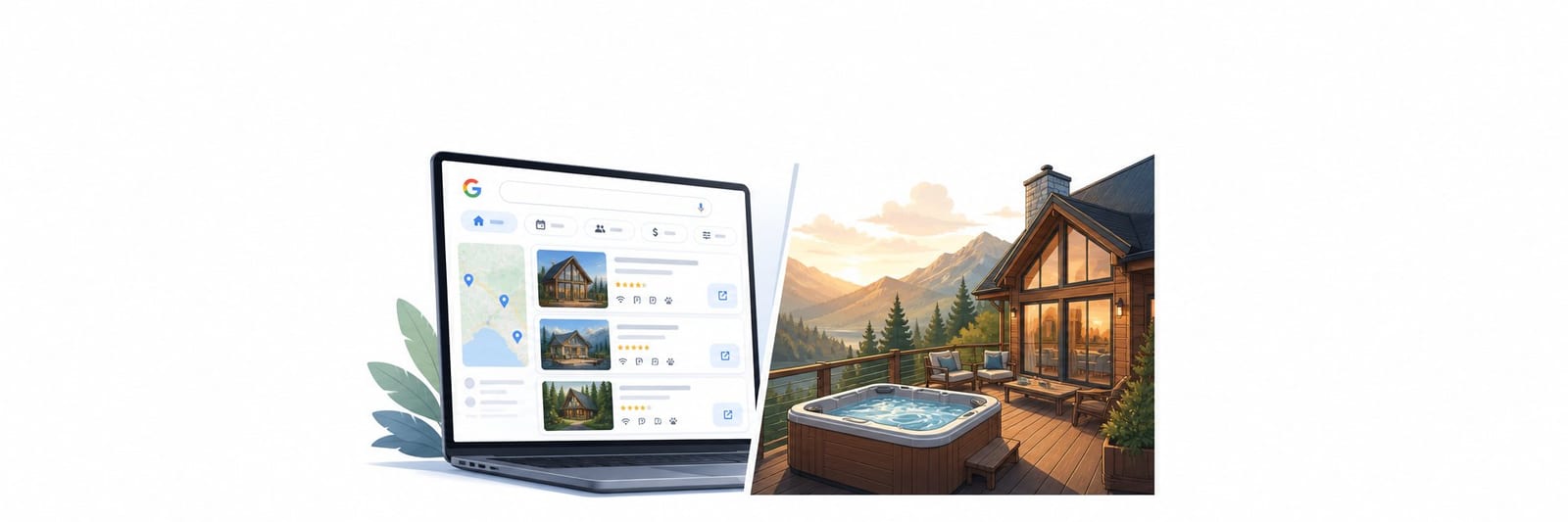

Google Vacation Rentals is a free metasearch feature inside Google Search that surfaces vacation rental properties at the moment of intent, before any OTA enters the picture. Houfy is a Google Vacation Rentals connectivity partner, so your listing is automatically eligible. The five signals that drive your ranking are pricing accuracy, calendar completeness, photo quality, review volume, and property data completeness. This guide walks through each signal and gives you a six-step checklist to maximize your visibility.
What Google Vacation Rentals Actually Is
When a traveler types "vacation rentals in Asheville with a hot tub" into Google, they are not on Airbnb. They are not on VRBO. They are inside Google's own search interface, and the listings that appear there pull from a separate system called Google Vacation Rentals.
Google Vacation Rentals is a metasearch feature embedded directly into Google Search and Google Travel. When a guest searches for a rental in a specific destination, Google surfaces a dedicated module above or alongside standard search results, showing property photos, prices, availability, and a link to book.
Critically, Google Vacation Rentals is not an OTA. Google does not take the booking. It does not charge guests service fees or hosts commission on Google-generated referrals. Google's role is discovery: show the guest a property, and when the guest clicks, they go directly to the booking page on whatever platform the property is listed through.
This structure is favorable for direct-booking hosts. Because Google does not extract margin from the transaction, the price a guest sees on Google can match the actual price they pay. OTAs that build service fees into the display price are at a disadvantage when guests can see and compare the full cost side by side.
How Houfy Hosts Get Into Google Vacation Rentals
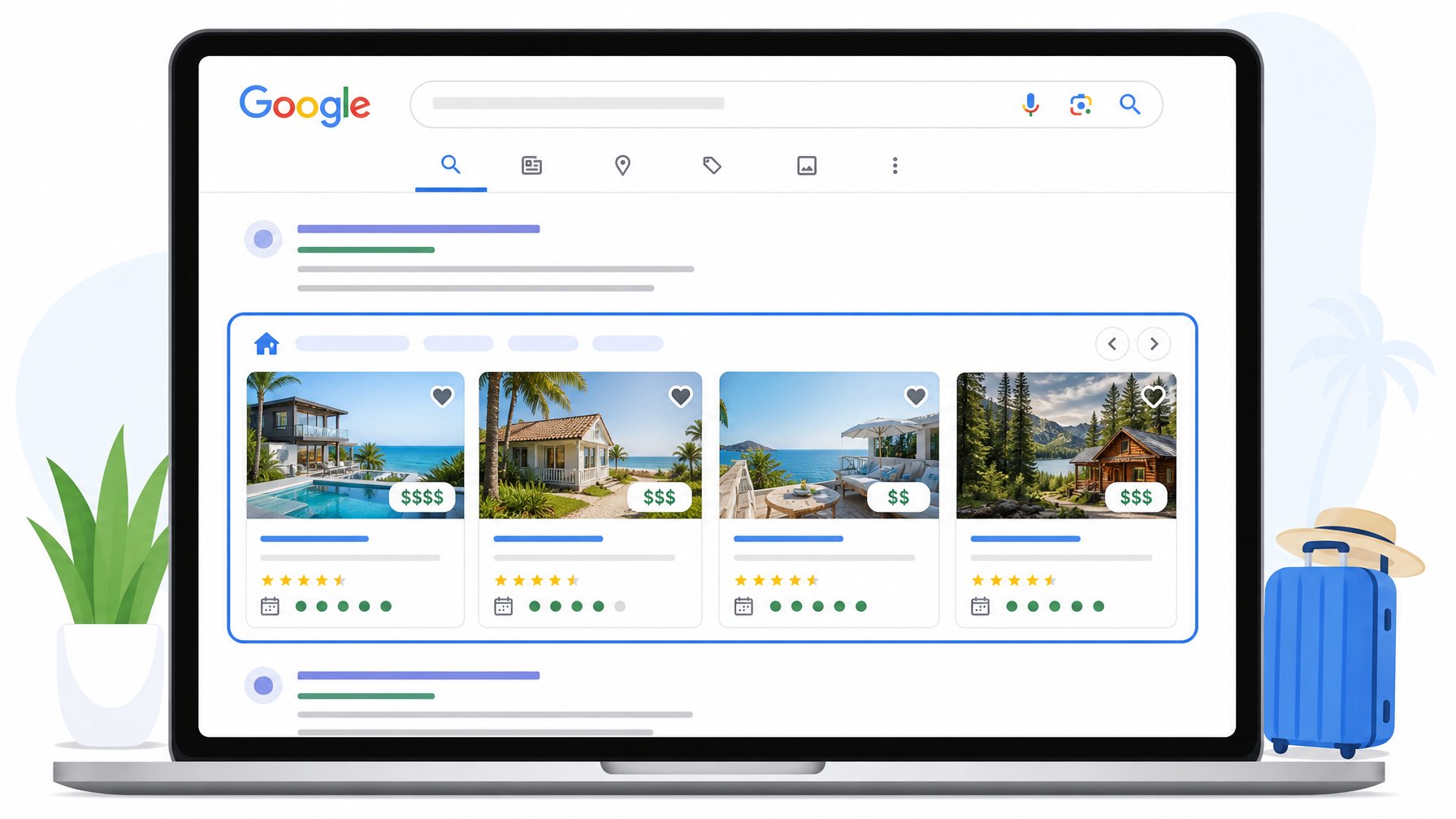
Houfy is a Google Vacation Rentals connectivity partner. Properties listed on Houfy are eligible to appear in Google Vacation Rentals search results automatically, with no additional setup required by the host.
Your Houfy listing data — nightly rate, availability calendar, property photos, location, and amenities — feeds into Google's system via a direct integration. When a traveler searches for a rental in your destination, Google pulls that data and displays your property alongside other eligible listings.
This eligibility is one of the most underappreciated advantages of listing on Houfy. Independent direct booking websites typically require a paid Google Hotel Center integration to appear in Google Vacation Rentals. Houfy handles that infrastructure for you at no additional cost.
If your property is not optimized for that system, you are invisible to a significant portion of travelers at the exact moment they are ready to search. The rest of this guide explains what to fix.
What Google Uses to Rank and Display Listings
Google Vacation Rentals does not publish a precise ranking algorithm, but the signals it responds to are well-understood based on the structure of the system and observed host behavior. According to the Lodgify Google Vacation Rentals Guide (2026) and Truvi's booking optimization research, these are the factors that matter most.
Pricing Accuracy and Competitiveness
Google pulls your displayed price and compares it against comparable properties in the same market and date range. Listings with prices that are competitive relative to similar properties in the same destination rank higher and display more frequently.
The practical implication: if your Houfy rate for a given date is significantly higher than comparable properties in your market without a clear quality differential visible in your photos and reviews, Google is less likely to surface your property prominently. Keep your pricing calibrated to your market, particularly for the 60–90 day booking window when Google's display activity peaks.
Calendar Availability and Accuracy
Google will not show your property for dates on which your calendar is marked unavailable, and it deprioritizes listings with calendars that appear stale or inconsistently maintained. An accurate, up-to-date availability calendar is a hard prerequisite for reliable Google Vacation Rentals visibility.
If your Houfy calendar syncs with external booking channels via iCal or a channel manager, verify that the sync is running correctly. A gap in sync that leaves stale blocked dates on your Houfy calendar can silently suppress your Google visibility.
Photo Quality and Completeness
Google displays a photo carousel for each property in the search results module. The first photo visible in that carousel is functionally a cover photo in a Google search context, and it determines whether a guest clicks through to your listing.
The same principles that apply to your listing cover photo apply here. Natural light, a compelling hero element, and a single dominant subject perform best. Google also favors listings with a sufficient number of photos — the general industry benchmark is at least 15–20 high-quality images.
Reviews and Ratings
Google aggregates reviews from connected platforms. Your Houfy reviews — overall rating and review volume — factor into how Google evaluates and presents your listing. Properties with higher ratings and more reviews earn more prominent placement.
This creates a compounding dynamic: more Google visibility leads to more bookings, more bookings lead to more reviews, and more reviews lead to better Google visibility.
Property Data Completeness
Google uses your property data to match your listing against specific guest searches. A guest searching for "4-bedroom cabin near Gatlinburg with a hot tub" requires that your listing data include the bedroom count, the property type, the location, and the hot tub as an amenity.
If any of those data fields are missing or incomplete in your Houfy listing, Google cannot match you to that search. You are filtered out before ranking even begins.
Your Step-by-Step Optimization Checklist
Step 1: Complete Every Field in Your Houfy Listing
Go through your Houfy listing and fill in every available field:
Property type (cabin, apartment, villa, cottage, etc.)
Exact location with pin accuracy
Full bedroom and bathroom count
Total sleeping capacity
Every amenity you offer — do not leave any unchecked that apply
Check-in and check-out times
Cancellation policy
Minimum and maximum stay
Incomplete listings are filtered out of specific search queries because Google cannot verify the match. Completeness is the baseline, not a bonus.
Step 2: Calibrate Your Photos for Google Display
Review your listing gallery with the Google carousel in mind. Your first photo should be your absolute strongest image: natural light, a compelling subject, horizontal orientation. Aim for at least 20 photos total, with clear coverage of living spaces, bedrooms, outdoor areas, and any standout amenities.
If your current gallery has portrait-orientation photos or dark interior shots, replace them. Those do not display well in Google's card format, and a weak cover photo means fewer clicks regardless of how well you rank.
Step 3: Keep Your Calendar Current
Log into Houfy and verify that your availability calendar accurately reflects your current booking status. If you have external bookings on other platforms, confirm that your iCal sync is active and importing correctly. Block dates you know are unavailable, even if no booking exists yet.
Google Vacation Rentals deprioritizes listings that return availability errors when a guest tries to check dates. Consistency in your calendar data is a trust signal.
Step 4: Set Competitive, Market-Aware Pricing
Search Google for "vacation rentals in [your destination]" on a few different date sets and review what prices comparable properties display. If your nightly rate is significantly above the market median for your property type without a clear premium justification — location, size, amenities — Google is less likely to feature you in competitive searches.
Consider a base rate that is competitive for most of the year, with premium pricing locked in for peak dates and local events where demand supports it.
Step 5: Accumulate Houfy Reviews Actively
After each stay, send a follow-up message to guests thanking them and inviting them to leave a review. Because Houfy guests book directly without a platform intermediary, this message comes from you rather than an automated system, which tends to generate higher response rates.
A property with 20 reviews and a 4.8 rating ranks materially better in Google Vacation Rentals than an identical property with 3 reviews and a 5.0 rating. Volume matters alongside score.
Step 6: Use Your Property Description for Keyword Signals
Google parses your listing description for content signals that help it match your property to specific searches. Write your description in natural language that includes your destination name, nearby landmarks, and the type of experience your property offers.
If you are a lake house in the Adirondacks near Lake Placid, your description should include "Adirondacks," "Lake Placid," and references to the outdoor activities available nearby. Do not stuff keywords awkwardly, but do be specific about location and experience in natural prose. Specificity is what separates a property that appears in long-tail searches from one that does not.
The Direct Booking Advantage in Google's Ecosystem
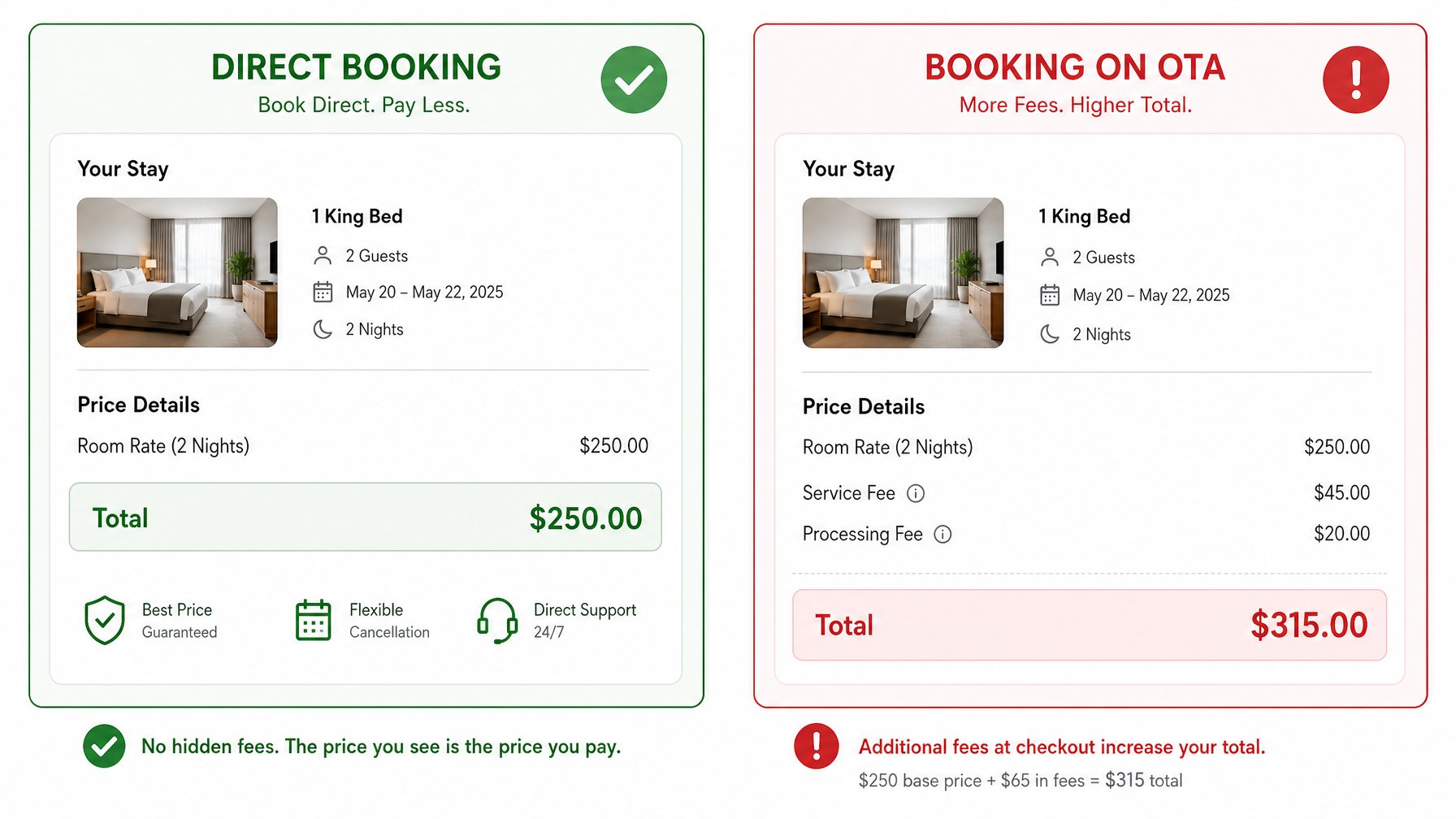
When a guest finds your Houfy listing through Google Vacation Rentals and clicks through to book, there are no OTA service fees added to their total. The price they saw in Google is the price they pay.
This is a meaningful competitive advantage. A guest comparing your property at $250/night direct on Houfy against the same or a comparable property at $250/night on an OTA quickly discovers the OTA booking adds $40–$80 in service fees at checkout. Your effective price is lower without lowering your rate.
That fee-transparency advantage is one reason Houfy hosts with strong Google Vacation Rentals presence tend to see higher conversion rates from search to booking. The guest has already done the math before they arrive on your listing page.
Independent research from PriceLabs confirms that fee transparency at the search stage is a growing decision factor — particularly among travelers who have experienced OTA fee shock at checkout and are actively searching for alternatives.
Start Here
If you are a Houfy host who has not reviewed your listing completeness, calendar accuracy, or photo gallery in the last 60 days, those three tasks are the highest-leverage actions you can take today. Taken together, they address the primary signals Google uses to decide whether and how to display your property.
Not on Houfy yet? Create your free listing and get your property in front of Google Vacation Rentals traffic without commission fees and without a paid channel integration. Your property's visibility in Google search starts with a complete, accurate, well-photographed Houfy listing.
Frequently Asked Questions
What is Google Vacation Rentals?
Google Vacation Rentals is a metasearch feature built into Google Search and Google Travel. It aggregates vacation rental listings from connected platforms and displays them directly in search results — with photos, pricing, availability, and a click-through to the booking source. Google does not process bookings or charge commission. It functions purely as a discovery channel.
Does Google Vacation Rentals charge hosts a commission?
No. Google Vacation Rentals does not charge hosts or guests any commission or service fees for referrals generated through the platform. When a guest clicks through from a Google Vacation Rentals result to your Houfy listing and books, Google takes no percentage of that transaction.
How does Houfy connect to Google Vacation Rentals?
Houfy is a Google Vacation Rentals connectivity partner. When you list your property on Houfy, your listing data — pricing, availability, photos, location, and amenities — flows automatically into Google's system via a direct integration. No additional setup, paid channel connection, or Google Hotel Center account is required on your end.
How many photos should my vacation rental listing have for Google Vacation Rentals?
The industry benchmark is a minimum of 15–20 high-quality images. Google displays a photo carousel in its search module, and the cover image is the primary driver of click-through. Horizontal orientation, natural lighting, and clear coverage of all key spaces — living areas, bedrooms, outdoor areas, and signature amenities — are the standard for a competitive gallery.
Does my Google Vacation Rentals ranking improve with more reviews?
Yes. Google factors in review count and average rating when determining how prominently to display your listing. A property with higher review volume consistently outranks a property with fewer reviews, even if the lower-volume property has a slightly higher star rating. After each guest stay, send a direct follow-up message inviting a review.
Can I appear on Google Vacation Rentals without a direct booking website?
Yes. Through Houfy, your property can appear in Google Vacation Rentals results without you building or maintaining an independent direct booking website. Houfy handles the Google connectivity infrastructure, so your listing page on Houfy serves as the booking destination Google links to.
What is the most common reason a vacation rental listing does not appear in Google Vacation Rentals?
The most common causes are an incomplete listing (missing property type, amenities, bedroom count, or location pin), a stale or inaccurate availability calendar, and pricing that is significantly above comparable properties in the same market. All three are fixable within your Houfy listing dashboard.