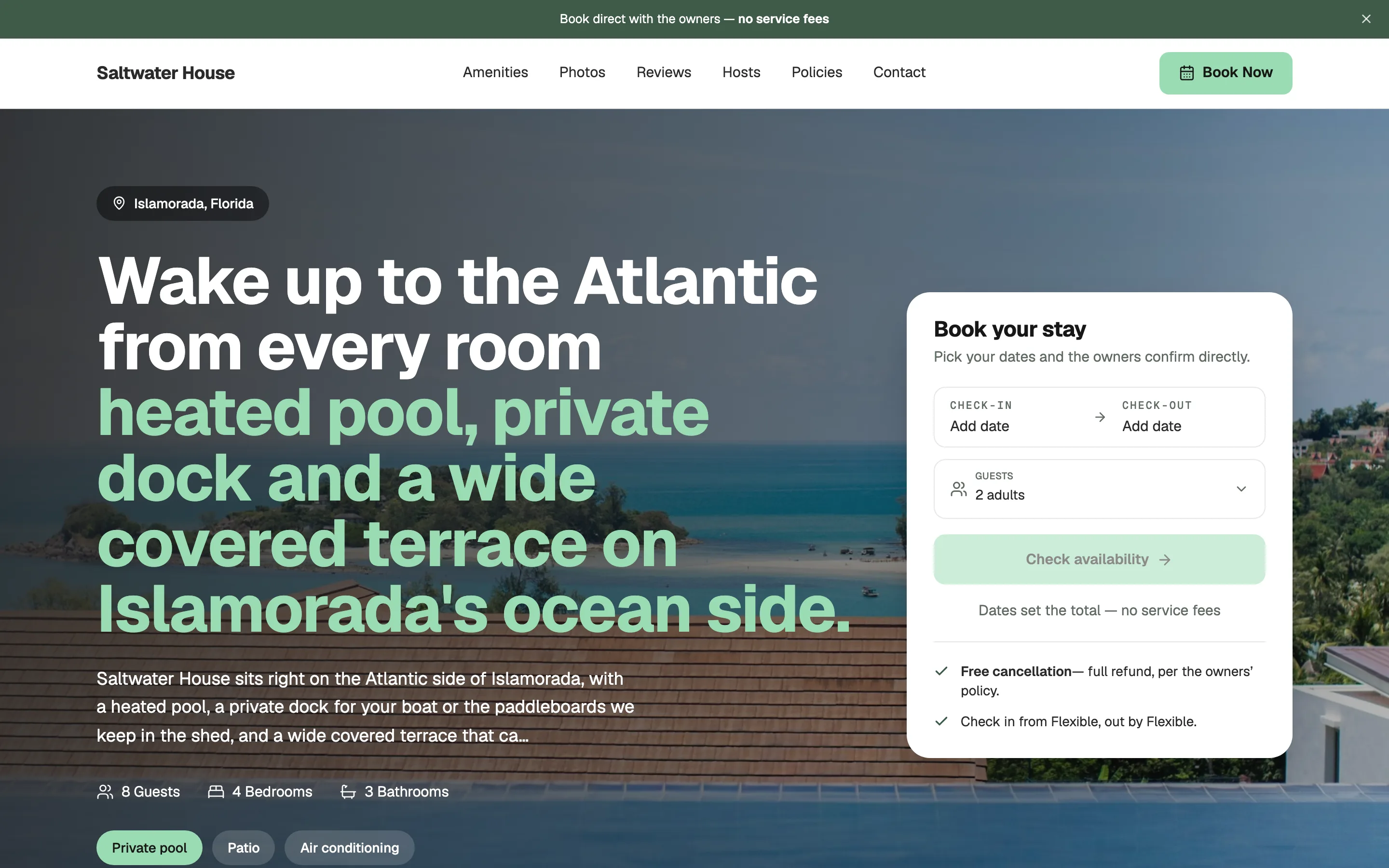
 1 property
Saltwater House
Islamorada, FloridaCoastalModern
Airy and photo-led, with the booking widget right under the hero.
Website builder
Pick a design you like, add your listing, and Houfy builds the site around it — booking engine, calendar and your own domain included. No commission, ever.
Four steps. Each one takes about a minute.
Browse ten finished sites and choose the one that feels like your place.
Sign in, then pick a listing — or import one from Airbnb or VRBO in a couple of minutes.
Your site renders with your listing before you publish. Like it? Publish. Not yet? Pick another design.
Use a free houfy.space address or connect a domain you already own.
Every one of these is a real, working site. Yours will look like the one you choose — with your photos, your listing and your name.
A site for one place.
1 propertyAiry and photo-led, with the booking widget right under the hero.
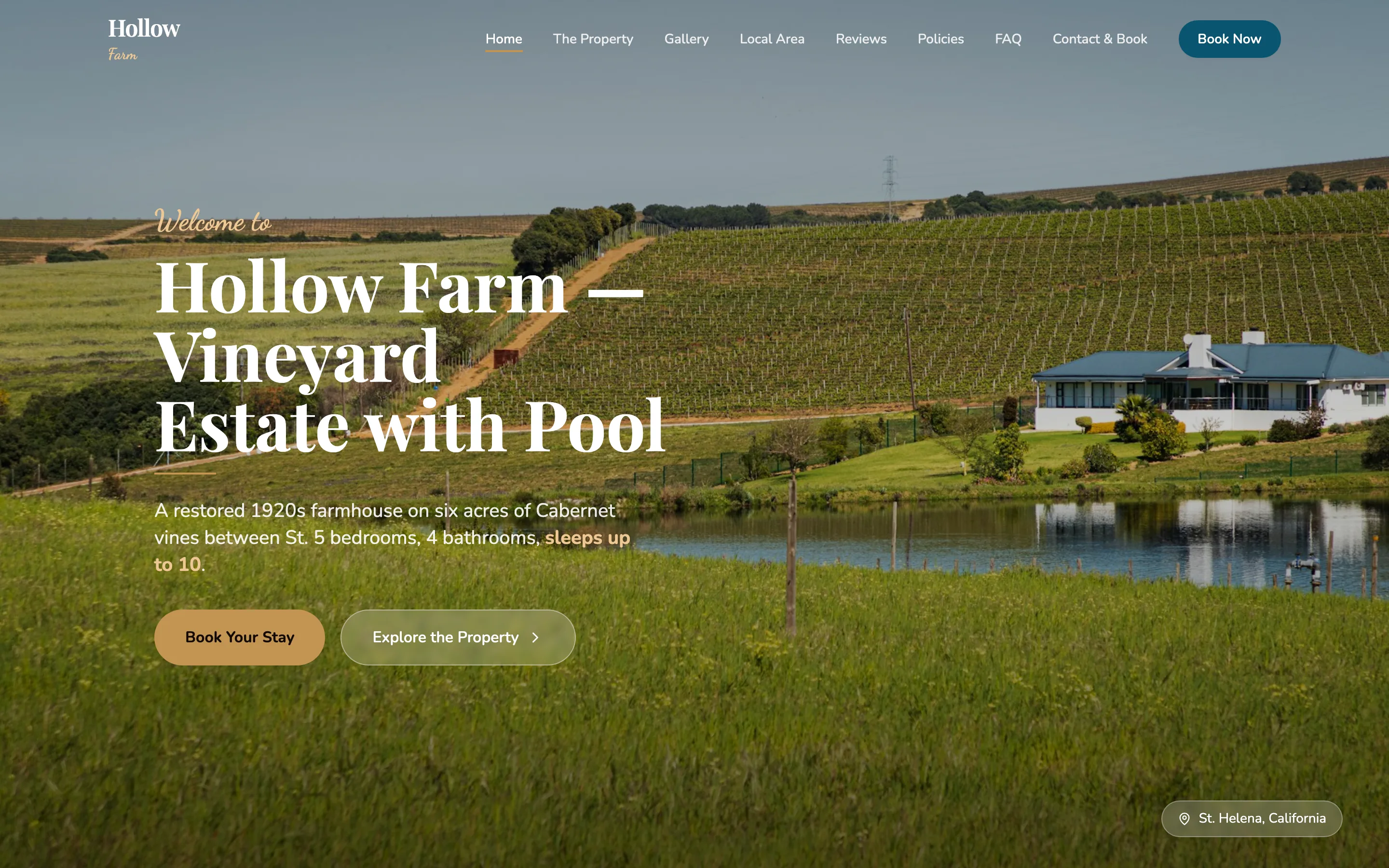 1 property
Classic serif headings and a calm layout for estates and country homes.
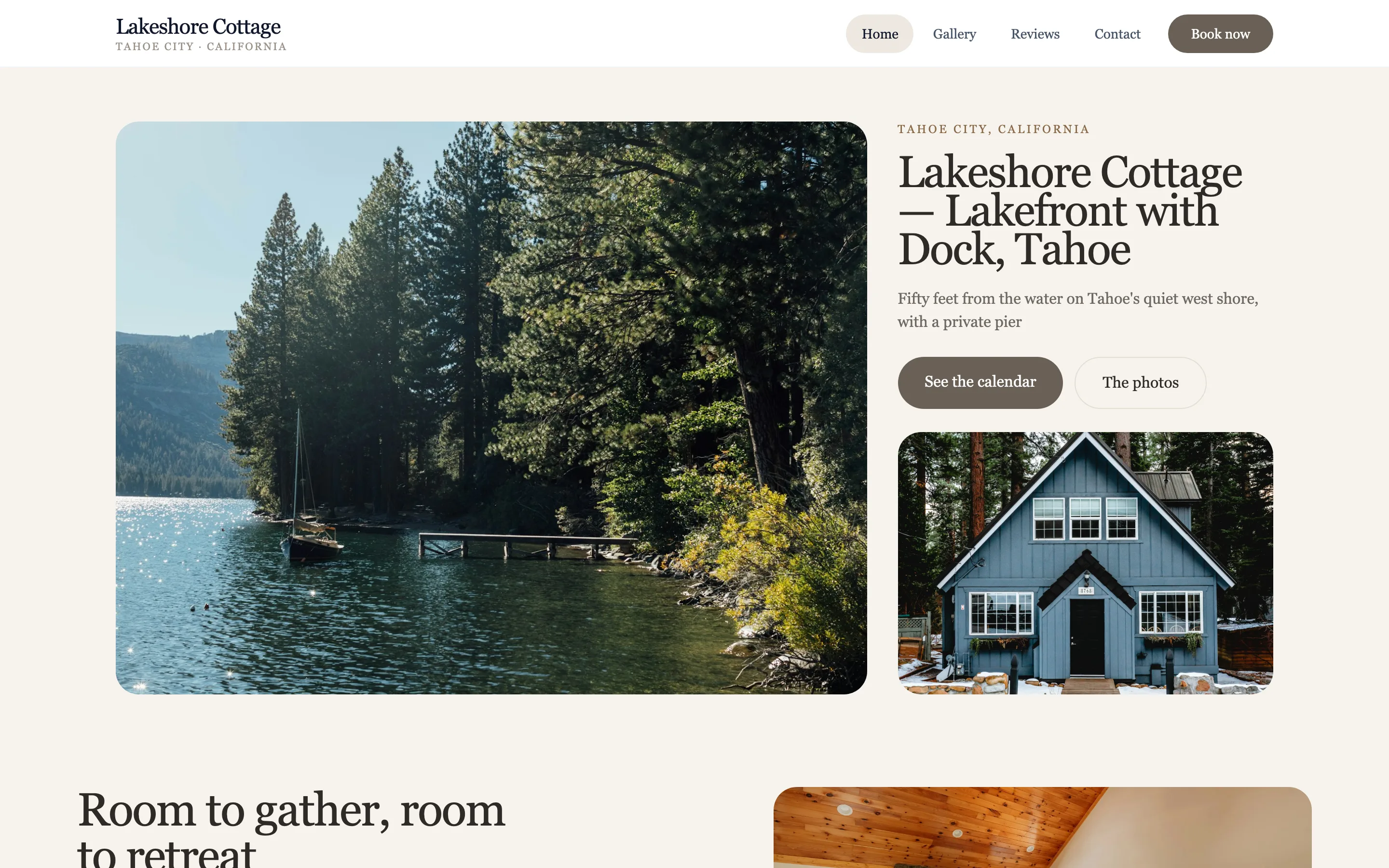 1 property
Relaxed and simple: one page, the essentials, the calendar up front.
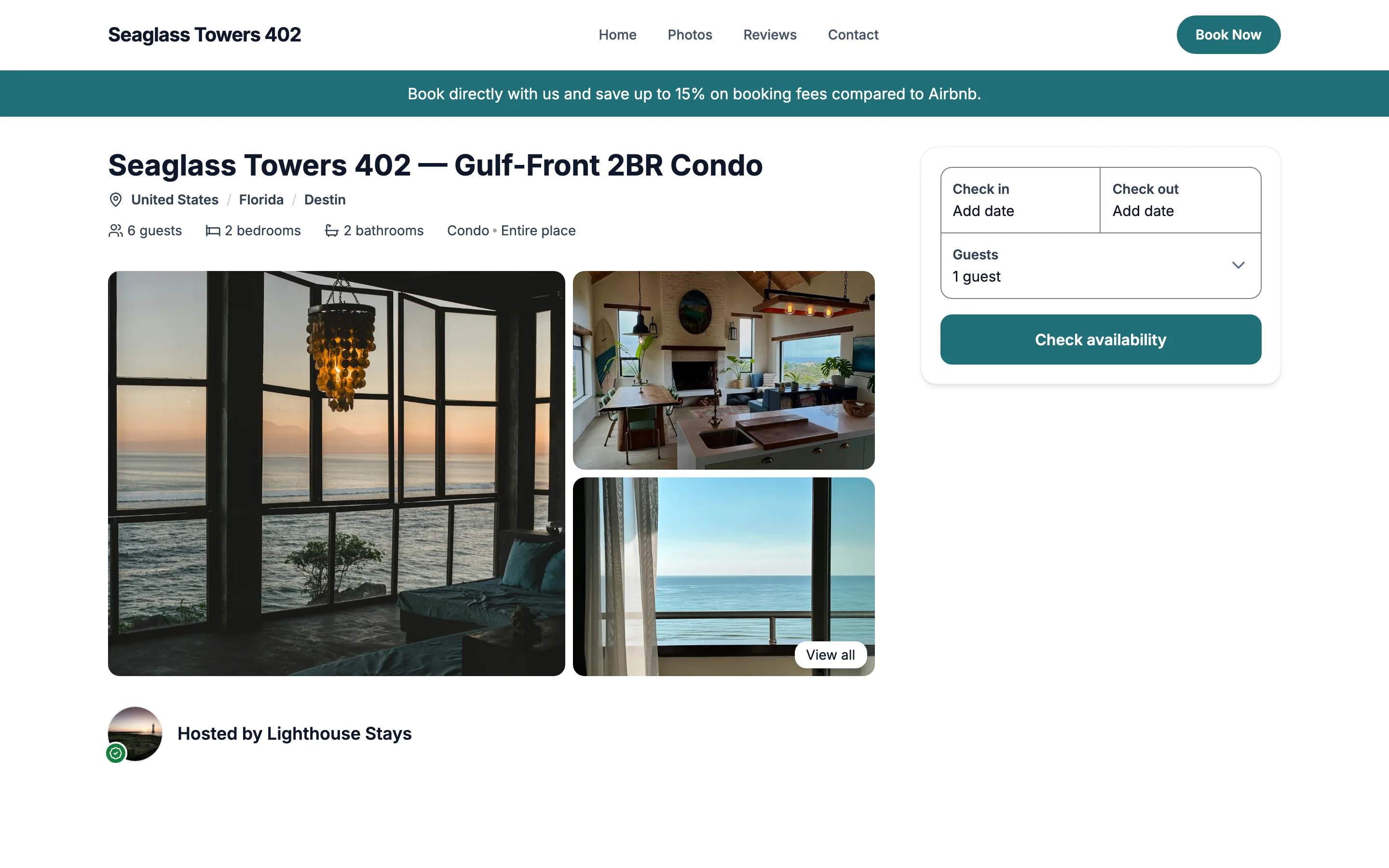 1 property
Sea-glass teal and sand tones for a beach condo, with resort amenities and the calendar up top.
After you publish
Every site comes with a visual editor. Click anything on the page to change it, tell the AI what you want in plain words, press Publish — no developer, no code.
Click a line of text and type over it — the page updates as you type. For anything bigger, tell the AI what to change: reword a button, swap a photo, remove a section. Press Publish and a few minutes later it's on your live site. The clip is one real edit, start to finish.
Try: “Change this button to say ‘Explore all 8 homes’.” — the kind of request hosts make most: wording, photos, and removing things they don't want.
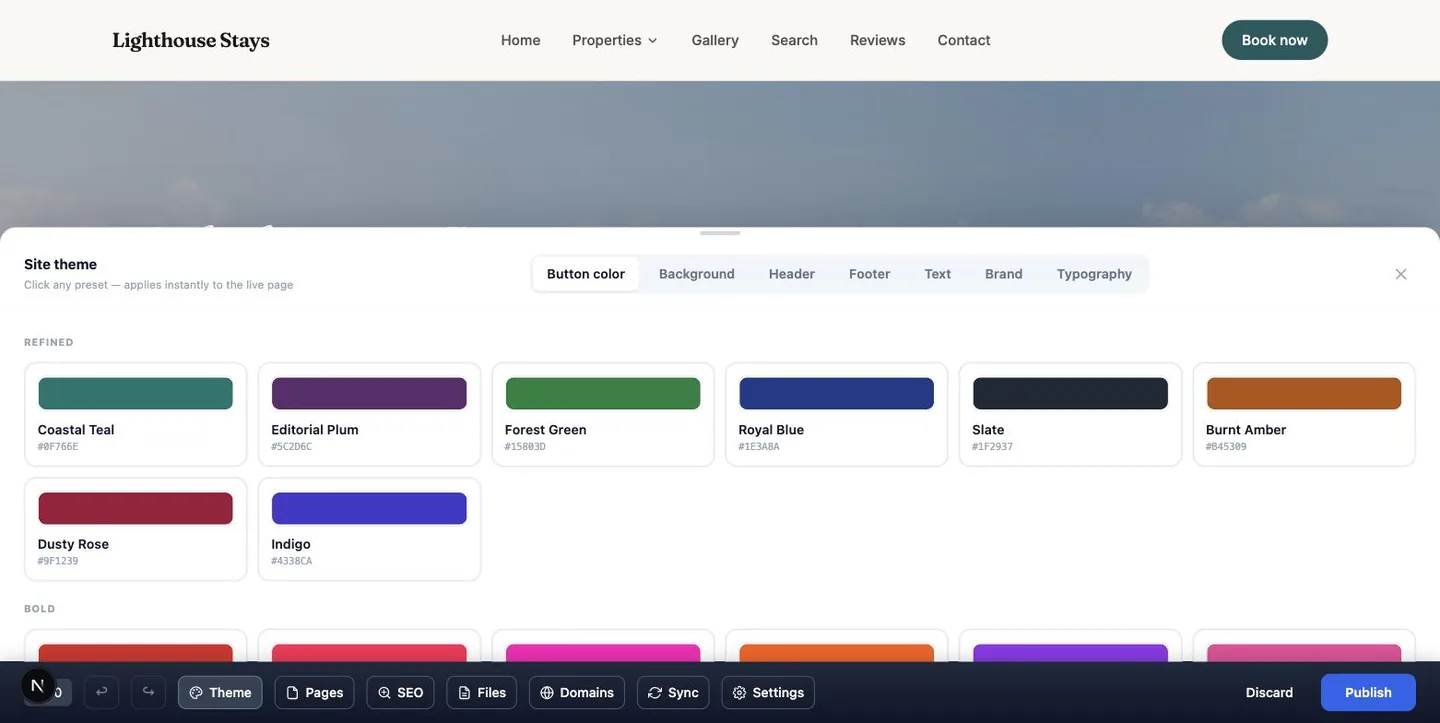
Button colour, background, header, footer, text, brand and typography each have presets that apply instantly to the live page. Undo if you change your mind.
Try: Pick “Coastal Teal”, then switch the typography preset.
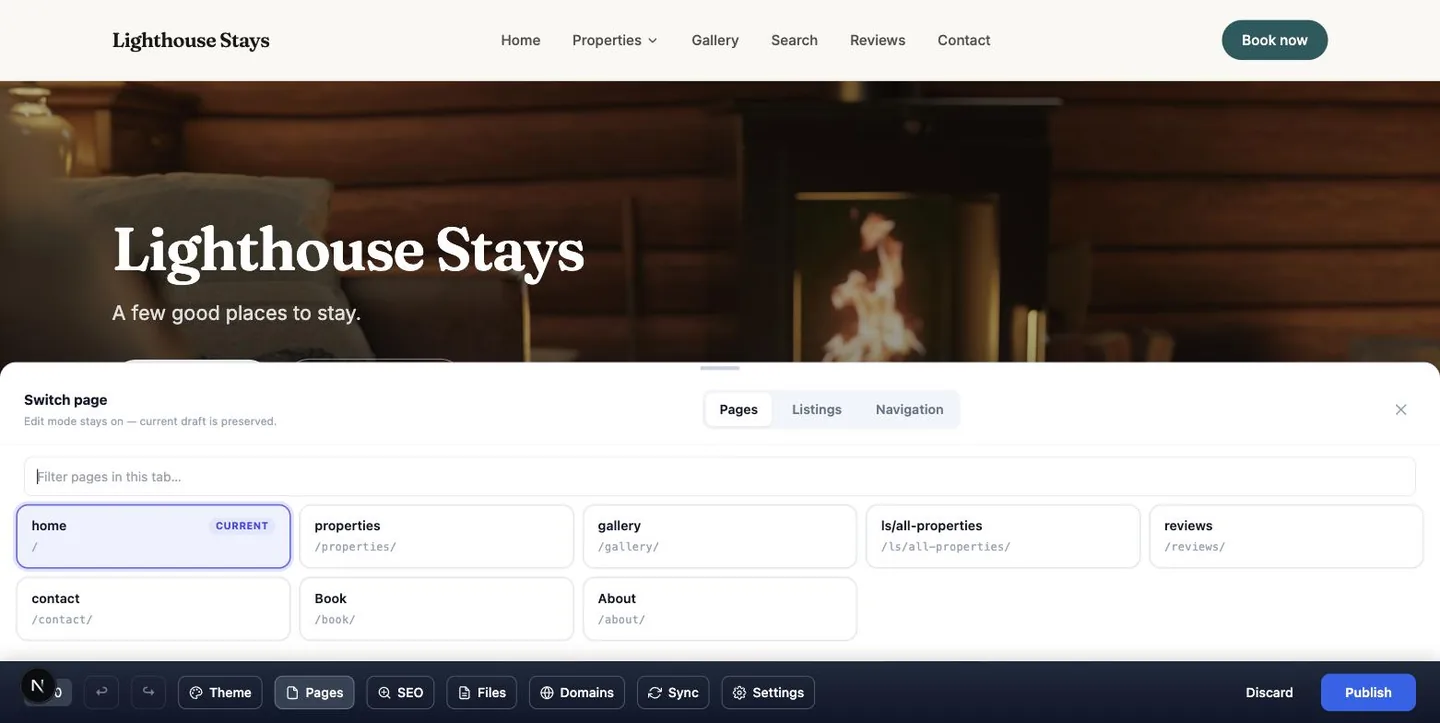
Switch between your pages, your listings and the navigation from the same bar. SEO, files and domains live there too, so nothing needs a second tool.
Try: Open “About”, fix the story of the place, then Publish.
Everything you change is a draft until you press Publish. Publish rebuilds the site and puts the new version live — it takes a few minutes, and you can keep working meanwhile. Not happy? Discard and nothing changed.
Everything you need to know before you start.
Yes. Building and publishing a site on a free houfy.space address costs nothing. A Premium plan removes the Houfy bar from your site and unlocks your own domain.
Pick a design, add your listing, and start taking direct bookings today.