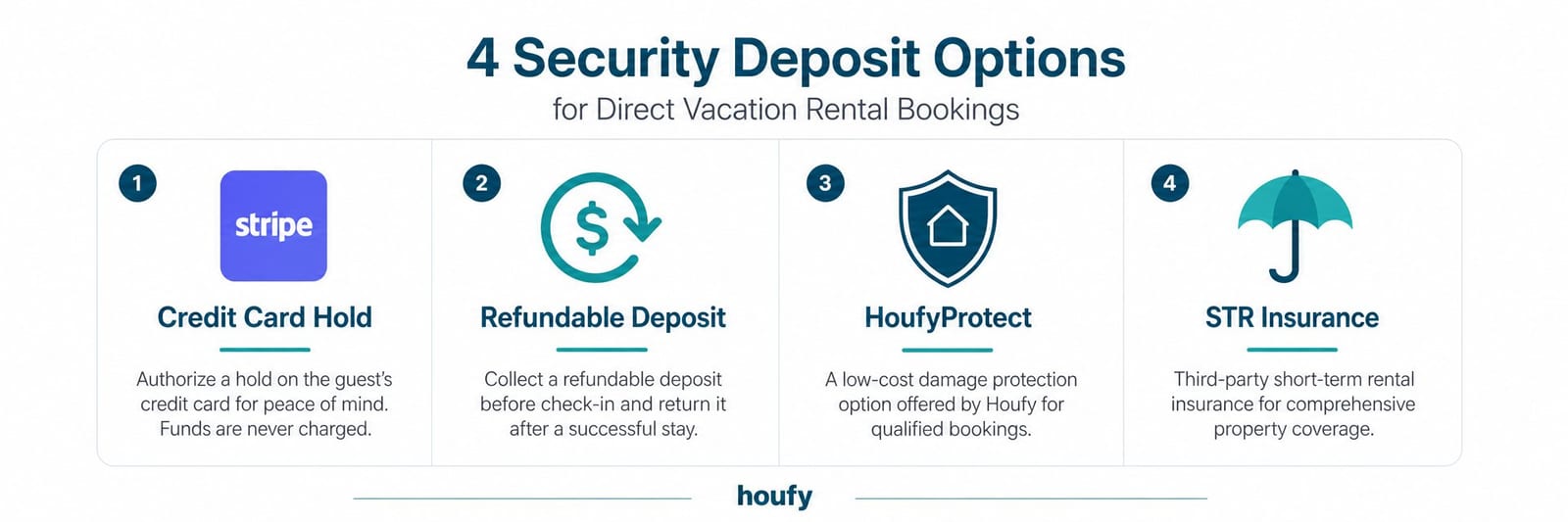

Managing a vacation rental damage deposit is one of the first real operational decisions a direct booking host faces. Unlike OTA-managed bookings, direct reservations put you in charge of collecting, holding, and releasing the deposit — and how you handle it shapes both your protection and your guest experience. This guide covers every option available to direct booking hosts in 2026, from Stripe authorization holds to HoufyProtect, so you can choose the approach that fits your property, your guests, and your workflow.
Key Takeaways
On direct bookings, you — not Airbnb — are responsible for damage protection. That means having a documented deposit process before your first booking arrives.
A credit card authorization hold via Stripe is the cleanest option for most hosts. Guests see no actual charge unless damage occurs.
HoufyProtect removes the deposit conversation entirely by providing built-in coverage for accidental damage and cancellations.
Deposit amounts should scale to property size: $200–$400 for studios, $400–$700 for 2–3 bedrooms, $700–$1,500 for larger properties.
Time-stamped photos taken within 2–3 hours of checkout are your primary evidence in any damage dispute.
STR-specific insurance (not a deposit) is the right backstop for high-value damage a deposit cannot cover.
Why Damage Deposits Work Differently for Direct Bookings
When a guest books through Airbnb, AirCover provides a degree of damage protection backstop. Airbnb arbitrates disputes, holds payment, and makes the call. When a guest books direct, that backstop does not exist — but neither does Airbnb's 15.5% commission.
The trade-off is a fair one. Direct booking hosts keep the fee. In return, they take responsibility for their own damage protection.
This is more control — and more responsibility. The hosts who do it well have a documented process in place before the first direct booking arrives. The hosts who do it poorly either charge too little and absorb losses, or charge awkwardly and create guest friction.
Here is the documented process.
Option 1: Credit Card Authorization Hold (Stripe)
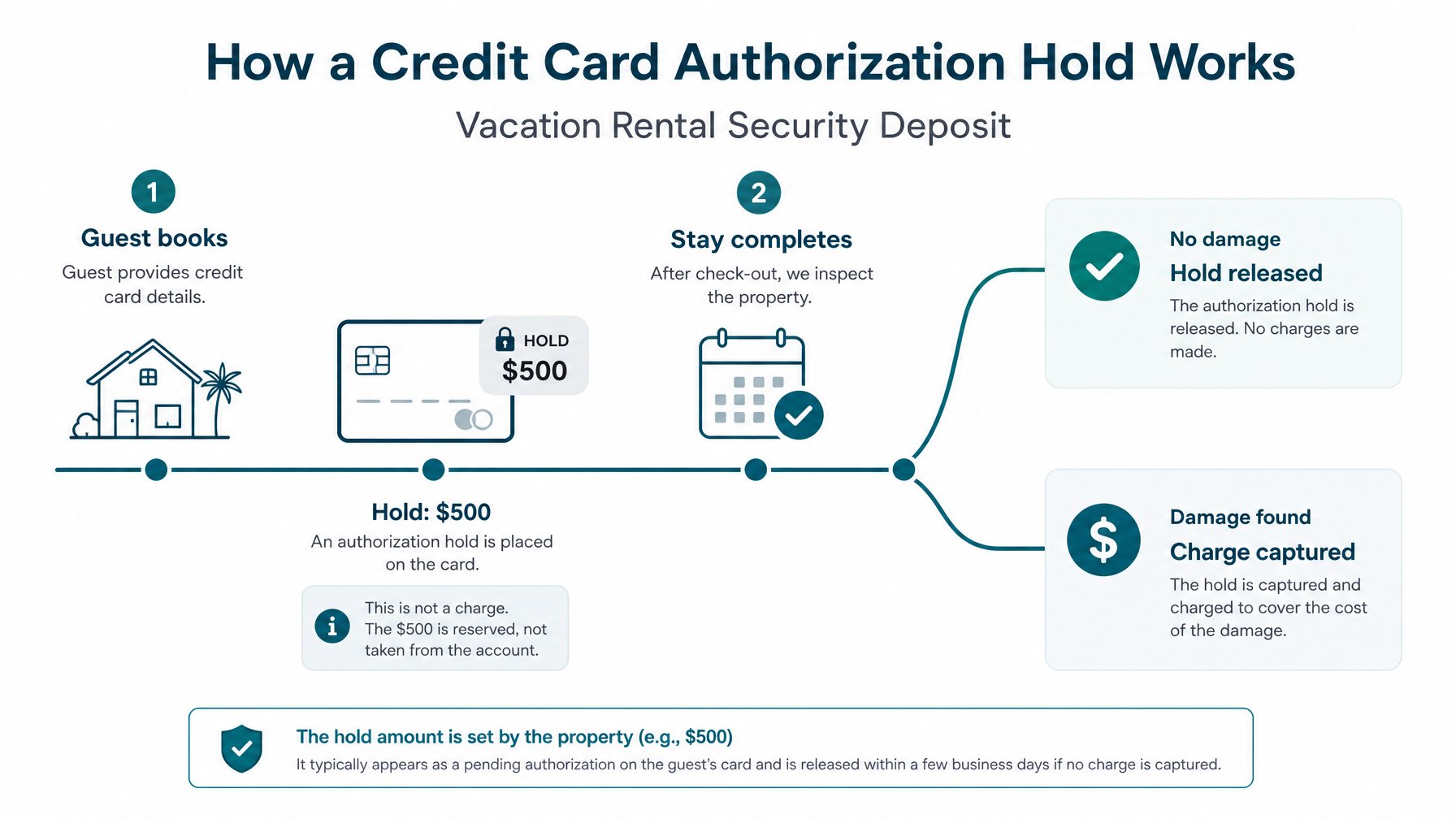
How it works: At the time of booking, you authorize a hold on the guest's credit card for the security deposit amount. The hold reserves the funds without actually charging the card. After checkout, if there is no damage, you release the hold and it disappears from the guest's statement within a few days. If there is damage, you capture the hold — converting it to an actual charge — and communicate an itemized damage claim to the guest.
Why it works: The guest experiences no actual charge unless damage occurs. This reduces friction and guest resistance compared to a hard charge up front. It is also how hotel security deposits work — guests are familiar and comfortable with the model.
How to set it up on Houfy: Houfy's Stripe integration supports security deposit holds. When creating your listing or booking flow, you specify the deposit amount and it is authorized at booking confirmation. You release or capture it post-checkout.
Recommended deposit amounts by property size:
Studio / 1-bedroom: $200 to $400
2 to 3 bedroom: $400 to $700
4+ bedroom / luxury: $700 to $1,500
These ranges reflect what guests expect to see on a direct booking and what covers the most common damage categories — broken furniture, stained linens, cleaning beyond standard. They are not designed to cover catastrophic property damage. That is what short-term rental insurance is for.
Option 2: Refundable Deposit Charged at Booking
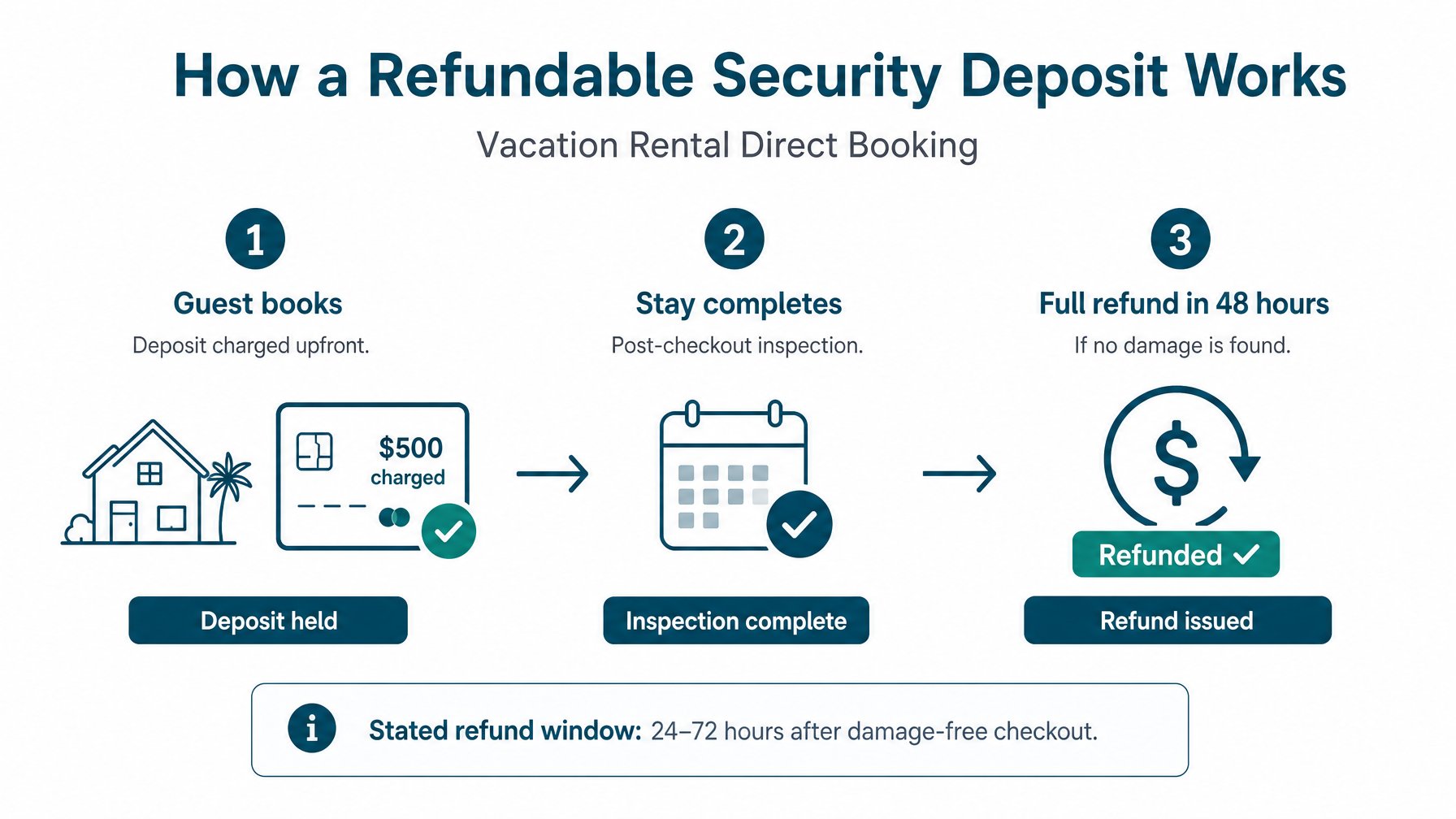
How it works: You charge the security deposit as a separate transaction at the time of booking. The guest pays it upfront alongside the nightly rate and cleaning fee. After a damage-free checkout, you refund the full amount within a defined window — typically 24 to 72 hours.
Why some hosts use it: Simpler to administer than a hold. You are charging and refunding rather than authorizing and capturing. There is no risk of the hold failing to capture if damage is discovered late.
Drawback: Guests see a higher upfront total at booking. This increases friction and can reduce conversion on a booking page compared to an authorization hold. Guests who see "$600 security deposit" on top of their booking total sometimes hesitate in a way they would not with a card hold.
Best for: Hosts with higher-value properties where a larger deposit is standard, or hosts who prefer operational simplicity over conversion optimization.
Refund timing: Always state the refund timeline explicitly in your booking terms — "Deposits are refunded within 48 hours of a damage-free checkout" — and meet it. Late refunds are one of the most common sources of negative direct booking reviews.
Option 3: HoufyProtect
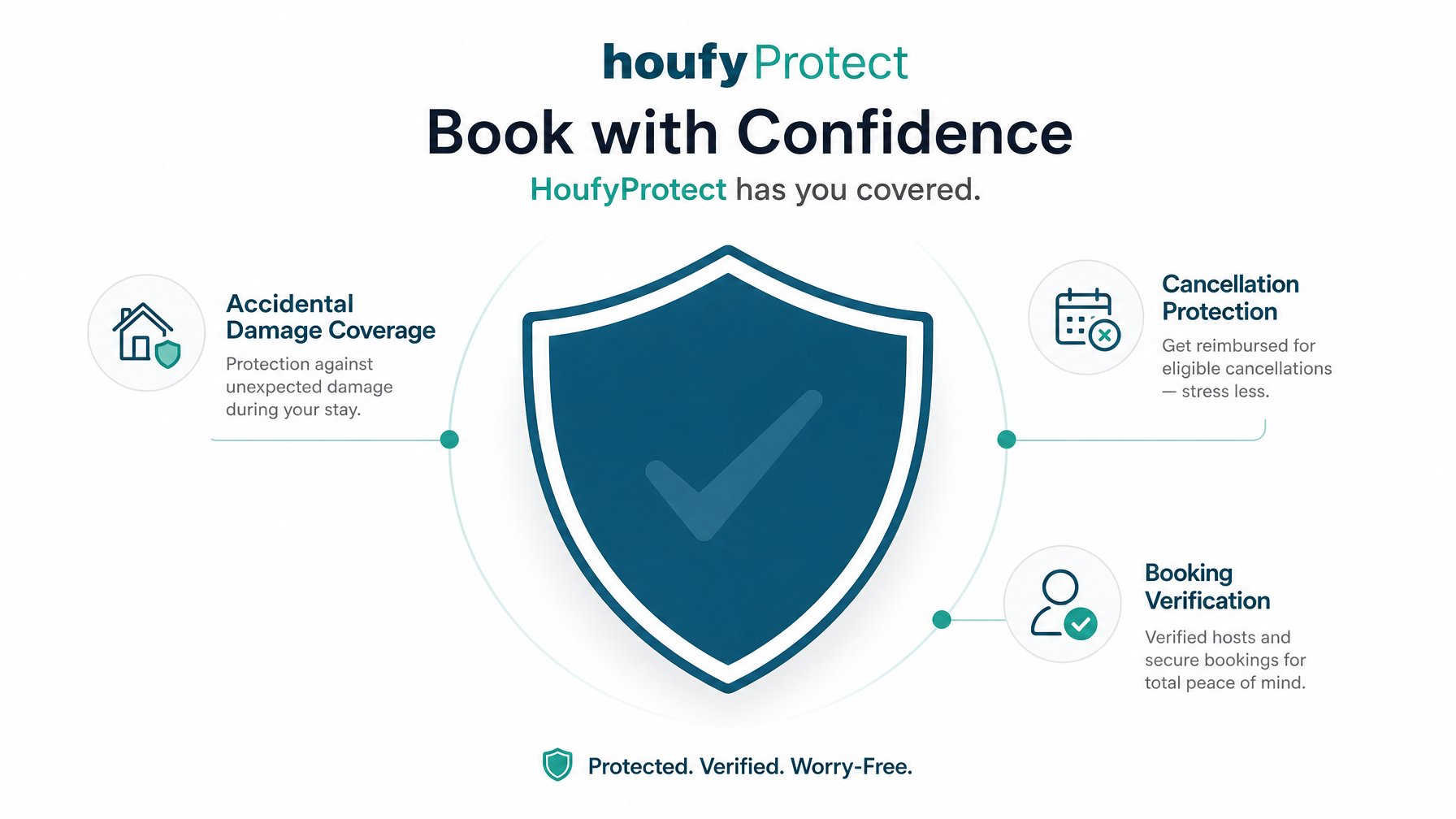
How it works: HoufyProtect is Houfy's built-in booking protection layer for direct bookings made through the platform. Rather than requiring guests to pay a large upfront deposit, HoufyProtect provides coverage for damage and cancellation risk through a model integrated directly into the booking flow.
What it covers:
Accidental damage to the property
Cancellation protection for confirmed bookings
Booking verification and trust layer for guests
Why it matters: For many hosts, HoufyProtect removes the friction of the security deposit conversation entirely. Guests book through a trusted, covered channel. Hosts have a documented protection layer. Neither party needs to navigate a deposit hold or refund process.
Cost: HoufyProtect is available as part of Houfy's booking options. Check your listing settings for current availability and pricing in your market.
For hosts who find that a large upfront deposit creates hesitation — particularly for mid-term or international bookings where the guest is less familiar with the host — HoufyProtect is often the cleaner solution. You can create your listing and configure HoufyProtect here.
Option 4: Waive the Deposit and Rely on Insurance
Some experienced hosts with strong repeat guest bases and STR-specific insurance policies choose to waive the security deposit entirely.
The logic: a $500 deposit rarely covers real property damage (a broken TV, a stained couch, a damaged appliance). STR insurance from providers like Proper Insurance or CBIZ covers the scenarios the deposit cannot. If the insurance covers it anyway, collecting and managing a deposit is administrative friction with limited protective value.
When this works:
Your property caters to a repeat, verified guest base
You carry robust STR-specific insurance
The deposit amount you would realistically charge is too small to meaningfully deter damage
When it does not work:
You are taking a high volume of first-time, unknown direct booking guests
Your property has high-value furnishings or features worth protecting
You do not yet carry STR-specific insurance
For most hosts building a direct booking channel from scratch, a deposit or HoufyProtect is the right starting point. Waiving the deposit is an option that makes more sense once the guest base is established and trusted. Houfy's software partners — including PMS tools like OwnerRez and Hostaway — also integrate with insurance providers that can streamline coverage across your listings.
Damage Assessment: What to Do When Something Goes Wrong
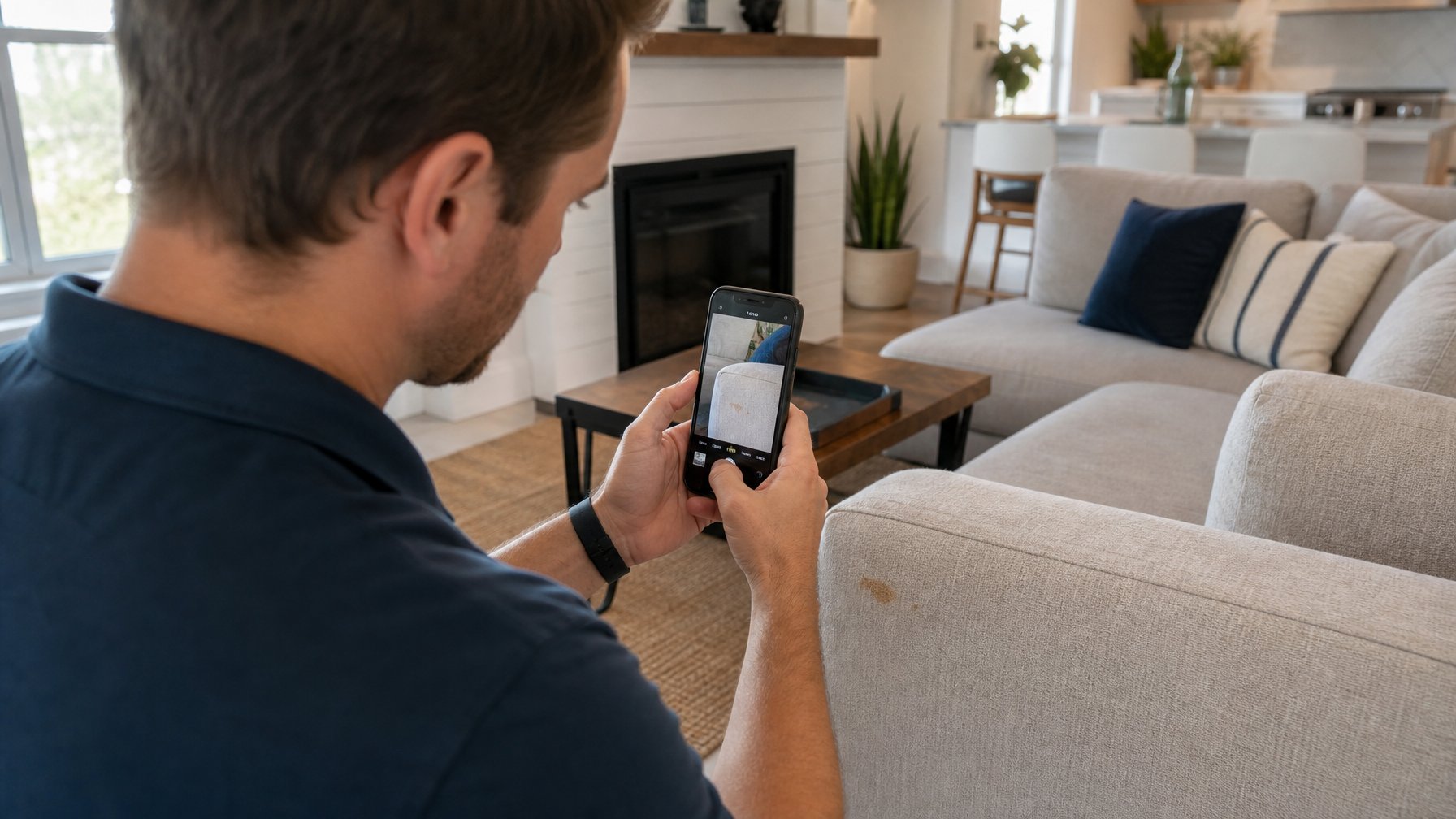
Even with a perfect deposit process, damage will eventually occur. The hosts who handle it well have a protocol ready before it happens.
Step 1: Document Before Checkout
Walk through the property immediately after each checkout. Use a consistent room-by-room checklist — the vacation rental cleaning checklist covers this step by step. Photograph any damage before it is cleaned or repaired.
Time-stamped photographs taken within 2 to 3 hours of checkout are your primary evidence in any damage dispute. Without them, most damage claims are difficult to prove.
Step 2: Notify the Guest Promptly
Contact the guest within 24 hours of discovering damage. Your message should:
Describe the damage specifically
Include photos
State the cost you are claiming (repair estimate or replacement cost)
Reference the guest agreement section that authorizes the charge
Give them 24 to 48 hours to respond before you process the claim
This is not adversarial. It is professional. Most guests respond cooperatively to a clear, documented, reasonable claim.
Communication template:
"Hi [Name], thank you again for your stay at [Property Name]. During our post-checkout inspection, we found [specific damage: broken lamp in the bedroom / stain on the sofa / missing TV remote]. I've attached photos taken at [time] on [date].
Based on the [repair estimate / replacement cost], the damage comes to $[amount]. Per our rental agreement, this will be deducted from your security deposit [or charged to the authorization hold]. Please let me know if you have any questions — I'm happy to discuss this directly."
Step 3: Process the Charge
If the guest acknowledges the damage, process the charge promptly. If they dispute it, present your documentation — timestamped photos, a signed guest agreement, any communication acknowledging the issue during the stay — and proceed based on your stated policy.
For disputes that cannot be resolved directly, HoufyProtect bookings have access to a dispute framework within the platform. For non-HoufyProtect direct bookings, small claims court is the escalation path for unresolved disputes — though this is rarely necessary when documentation is thorough.
Communication Templates for the Deposit Process
At booking confirmation:
"Your booking is confirmed for [dates]. A security deposit of $[amount] will be [held on your card / charged] at booking to cover any potential damage during your stay. The deposit is [fully refundable within 48 hours of a damage-free checkout / released automatically if no damage is reported]. You will receive a notification when the hold is released."
After checkout — no damage:
"Hi [Name], thank you for taking care of [Property Name] during your stay. Your security deposit of $[amount] has been [released / refunded] — you should see it reflected within 2 to 5 business days depending on your bank. We hope to host you again soon."
After checkout — damage found:
See the template in Step 2 above.
Frequently Asked Questions
How much should I charge for a vacation rental security deposit?
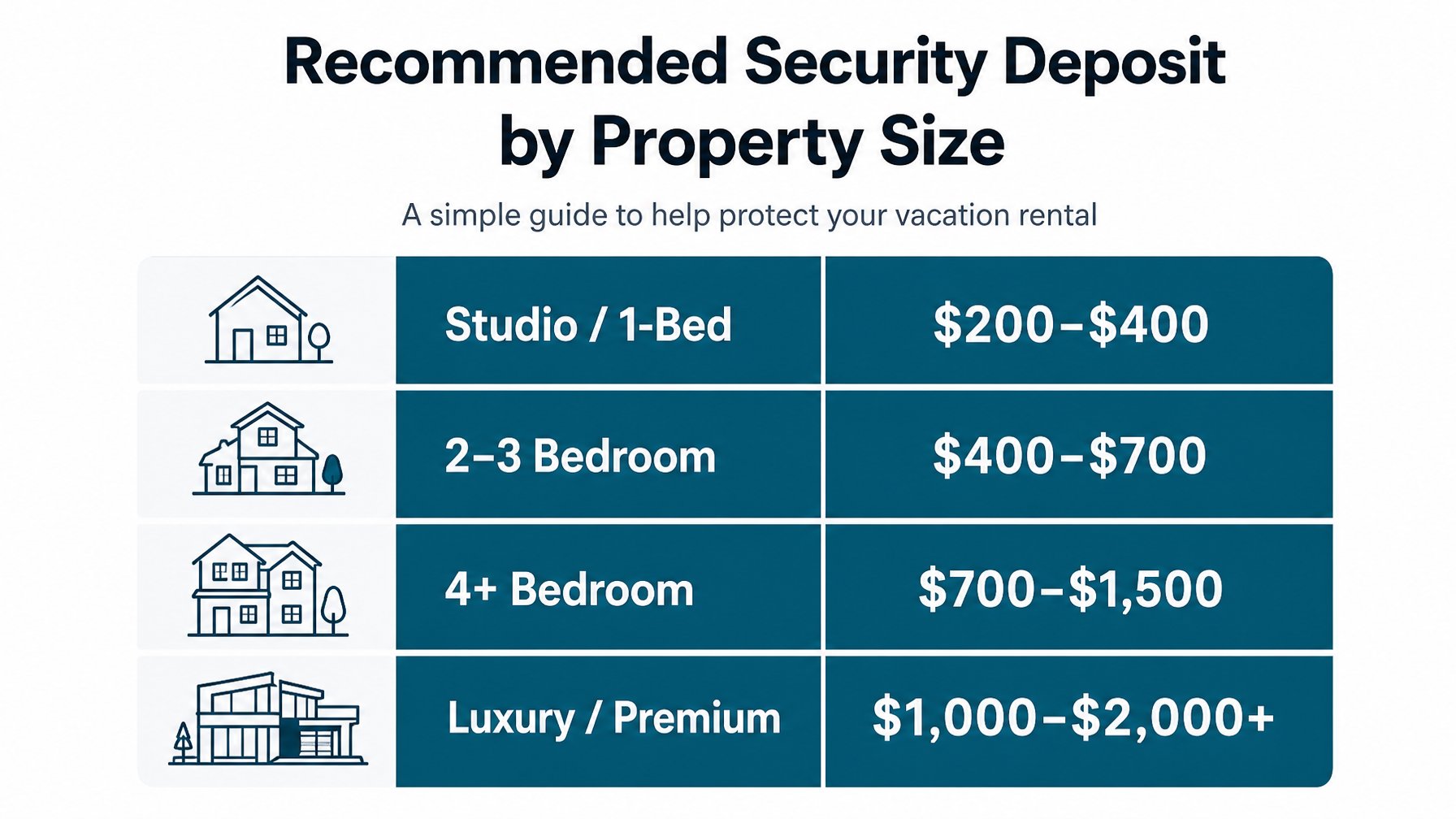
A reasonable range for most vacation rentals is $200 to $700, scaled to property size and furnishing value. Studios and smaller apartments typically fall in the $200 to $400 range. Larger properties, those with pools or premium furnishings, or those with a history of damage-related bookings may warrant $500 to $1,000. The deposit should be large enough to cover common damage categories (broken items, excessive cleaning, stained linens) but not so large that it creates booking friction.
Can I charge a security deposit for Houfy bookings?
Yes. Houfy's platform supports security deposit holds through Stripe, which is the cleanest method for a direct booking channel. Alternatively, HoufyProtect provides built-in coverage that eliminates the need for a traditional deposit entirely. Both options are available within the Houfy booking flow.
What happens if a guest refuses to pay for damage?
If the guest disputes the claim and communication breaks down, your recourse options are: (1) capture the authorization hold — the guest can then dispute the charge with their card issuer, at which point your documentation is your defense; (2) HoufyProtect dispute resolution, if the booking is covered; or (3) small claims court for amounts that justify the filing cost. Thorough documentation — timestamped photos, a signed guest agreement, and a written communication trail — is your most important asset in any disputed damage claim.
Should I use HoufyProtect or a security deposit?
For hosts who are new to direct bookings and want a clean, low-friction process, HoufyProtect is often the better starting point. It removes the administrative burden of holding, releasing, and potentially disputing a security deposit. For hosts who prefer full control over the deposit process, a Stripe credit card authorization hold is the most flexible option. Many experienced hosts use HoufyProtect as their primary protection and reserve a security deposit for bookings with specific risk factors — larger groups, pets, longer stays.
What if damage exceeds the security deposit?
Your guest agreement should include language stating that the guest is liable for damage costs exceeding the deposit amount. In practice, recovery above the deposit through small claims or legal action is slow and uncertain. This is why STR-specific insurance from providers like Proper Insurance is the right backstop for high-value damage scenarios that a deposit cannot cover.
Do I need a written guest agreement for direct bookings?
Yes — always. A signed rental agreement is the foundation of every damage claim and every dispute resolution. Without one, you have limited legal standing to enforce any charge, regardless of your deposit model. Houfy's booking flow supports a rental agreement as part of the direct booking confirmation process.
Start Protecting Your Direct Bookings
Houfy direct bookings include access to HoufyProtect — booking coverage that handles damage and cancellation risk without requiring you to manage a traditional deposit process. Create your listing here and configure your protection layer before your first booking arrives.
Source Citations
Airbnb. "AirCover for Hosts." airbnb.com/help/article/2889. Accessed June 2026.
Stripe Documentation. "Place a Hold on a Payment Method." stripe.com/docs/payments/place-a-hold-on-a-payment-method. Accessed June 2026.
Proper Insurance. "Short-Term Rental Insurance." properinsurance.com. Accessed June 2026.
Houfy. "HoufyProtect Booking Coverage." houfy.com/houfy-protect. Accessed June 2026.
VRMA (Vacation Rental Management Association). "Best Practices for Security Deposits in Short-Term Rentals." vrma.org. Accessed June 2026.