
Why This Matters for Direct Booking Hosts
WhatsApp is the world's most-used messaging app with over 2 billion active users — and for direct booking hosts, it is one of the most underused tools in vacation rental guest communication. International travelers from Europe, Latin America, the Middle East, and Asia rely on WhatsApp as their primary way to coordinate accommodation, ask questions, and stay in touch before and during a trip. This guide walks through exactly how to set it up, which templates save time on every booking, and how to make WhatsApp a core part of your direct booking strategy on Houfy.
Key Takeaways
WhatsApp Business is free and adds hosting-specific features: automated greetings, away messages, quick reply templates, and contact labels.
Seven ready-to-send templates cover every stage from booking confirmation to post-stay repeat booking outreach.
Broadcast lists let you message up to 256 past guests simultaneously — no newsletter tool required.
WhatsApp is the primary messaging app for international travelers, making it essential for hosts targeting Copa América, World Cup, and other international event audiences.
For bookings confirmed through Airbnb or VRBO, stay-related WhatsApp communication is permitted — soliciting off-platform payment or future bookings during an active OTA booking is not.
Houfy gives hosts direct access to guest contact details from the moment a booking is confirmed, with no platform filter.
Why WhatsApp Outperforms OTA Messaging for Direct Bookings
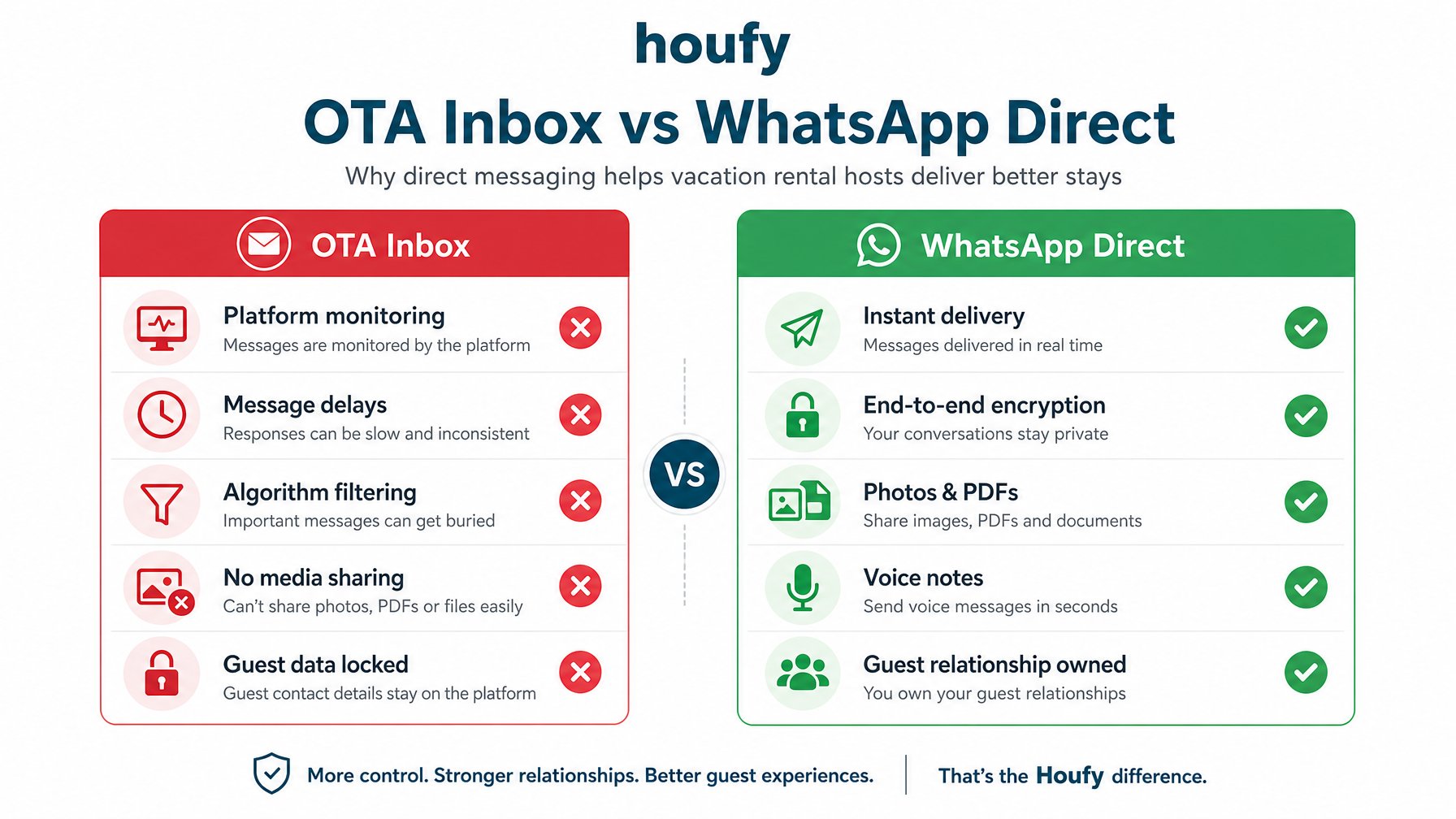
OTA messaging threads — Airbnb's inbox, VRBO's messaging system — exist for the platform's benefit as much as the host's. They allow the platform to monitor conversations, enforce their terms, and maintain control over the relationship. Direct booking guests communicating through WhatsApp bypass all of that.
Speed. WhatsApp messages arrive instantly with push notifications. A guest who needs their lockbox code at 11 PM gets it immediately rather than waiting for you to check the Airbnb app.
Personality. A WhatsApp conversation feels like communicating with a real person. The same message that reads as professional in Airbnb's formatted inbox feels warm and personal in WhatsApp.
Continuity. Guest relationships built over WhatsApp survive after the stay. A guest can reach back out months later to book again — directly, with no platform involvement.
Files and media. WhatsApp handles photos, PDFs, voice notes, and location pins, all useful for check-in instructions, property walkthroughs, and local recommendations.
Setting Up WhatsApp Business for Hosting
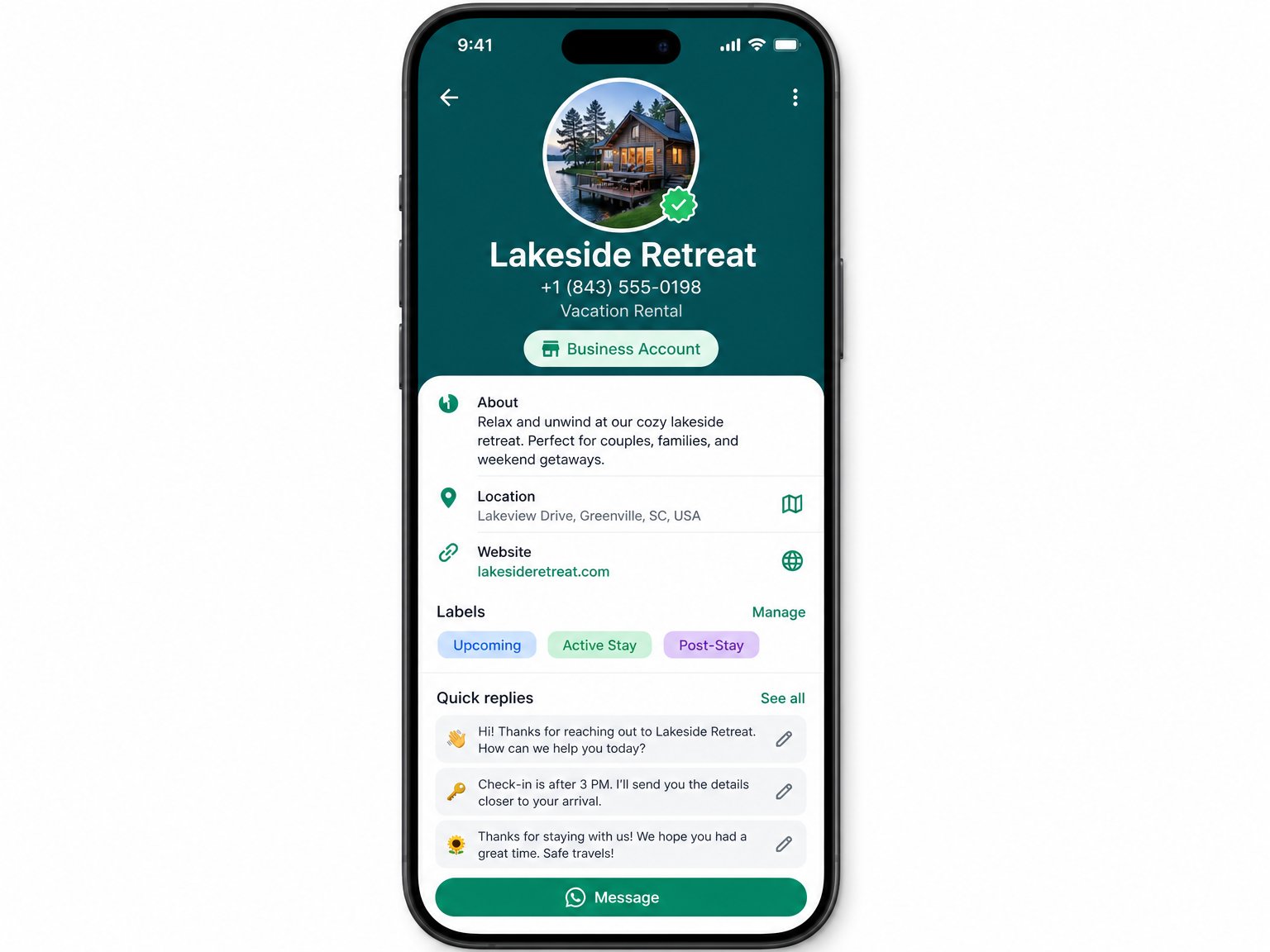
WhatsApp Business is the free version designed for small business communication. It adds features that matter for hosts:
Business profile with your property name, location, and a direct link to your Houfy listing
Away messages that auto-reply when you are offline
Greeting messages sent automatically to guests who message you for the first time
Quick replies — saved message templates triggered by a keyword shortcut
Labels to organize conversations by booking status: Upcoming, Active Stay, Post-Stay
Download WhatsApp Business from the official WhatsApp Business page (available on iOS and Android). Set up with a dedicated phone number — either a second SIM or a Google Voice number — so your hosting communications stay separate from personal messaging.
Alt text: WhatsApp Business app profile setup screen for a vacation rental property showing Labels (Upcoming, Active Stay, Post-Stay) and Quick Replies features.
The 7 WhatsApp Templates Every Host Needs
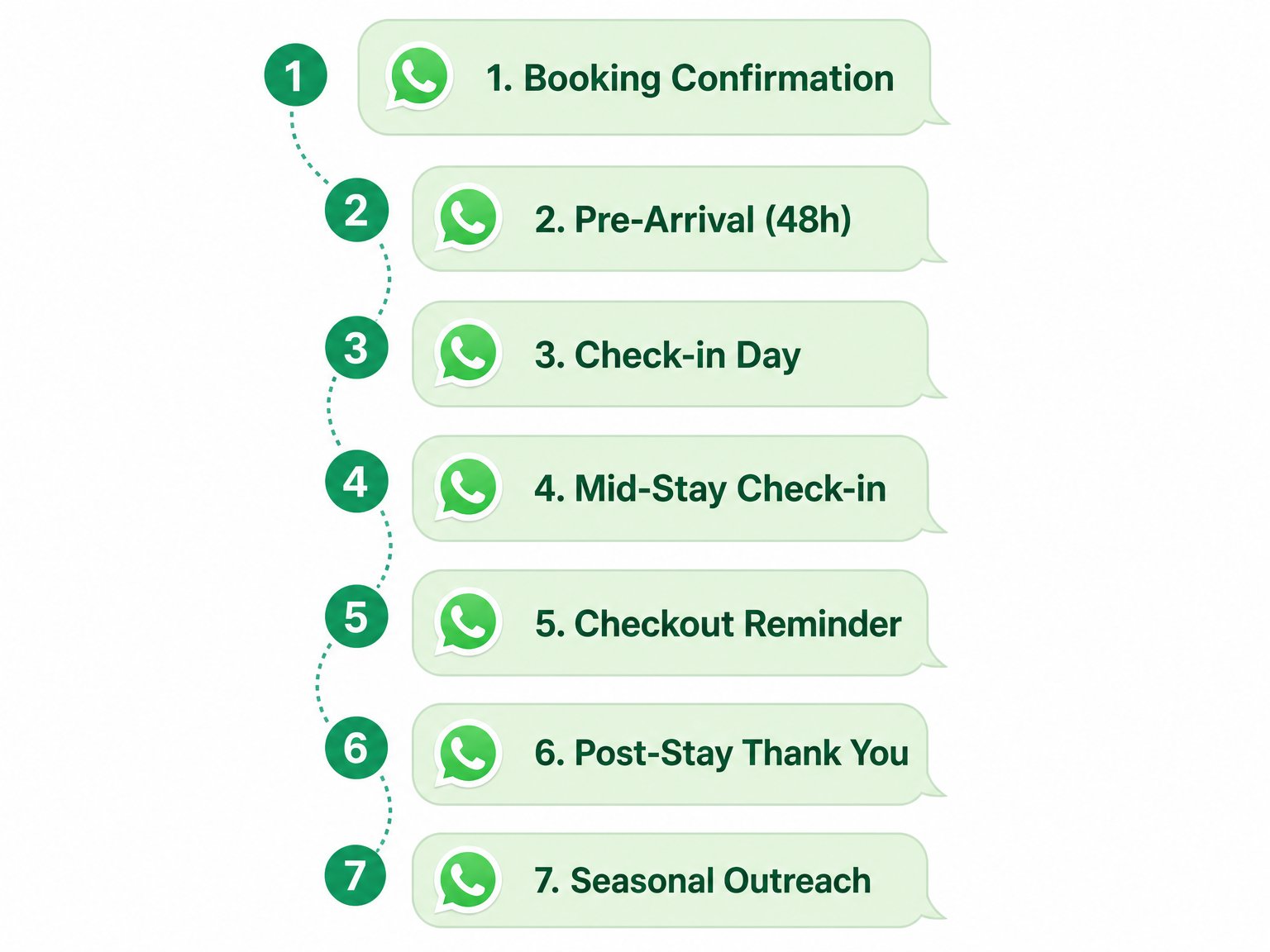
Copy these directly. Personalize the bracketed fields for each booking.
Alt text: Infographic of 7 WhatsApp template cards for vacation rental hosts: Booking Confirmation, Pre-Arrival, Check-in Day, Mid-Stay, Checkout Reminder, Post-Stay Thank You, and Seasonal Outreach.
Template 1: Booking Confirmation
Sent immediately after a direct booking is confirmed through Houfy.
"Hi [Name], your booking at [Property Name] is confirmed for [Check-in Date] to [Check-out Date]. I'll send full check-in instructions about 48 hours before your arrival. In the meantime, feel free to message me here with any questions. Looking forward to having you!"
Template 2: Pre-Arrival Instructions (48 Hours Before)
"Hi [Name], just a few days away! Here's everything you'll need for a smooth arrival at [Property Name]:
Check-in time: [Time] Address: [Full address] Access: [Lockbox code / Smart lock instructions] Parking: [Details] WiFi: [Network name and password]
Full house guide and local recommendations: [Link to digital welcome book]
Safe travels — I'm on WhatsApp if anything comes up."
Template 3: Check-In Day Welcome
Sent on the morning of check-in day.
"Good morning [Name]! Today's the day. A quick reminder: check-in is from [Time]. Everything should be ready for your arrival. If you have any trouble with access, message me here immediately and I'll sort it right away. Enjoy your stay!"
Template 4: Mid-Stay Check-In (Day 2 or 3)
"Hi [Name], hope the first couple of days have been great! Just checking in — is everything comfortable at [Property Name]? Any questions or anything I can help with, I'm right here."
This message generates review-worthy goodwill and catches problems before they become checkout complaints.
Template 5: Checkout Reminder (Night Before)
"Hi [Name], hope you've had a wonderful stay! A quick reminder that checkout is tomorrow by [Time]. Checkout steps: [Brief list — leave dishes in sink, lock up, etc.]. Safe travels, and I'd really appreciate a moment to leave a review on your Houfy profile — it means a lot. Thank you!"
Template 6: Post-Stay Thank You and Repeat Booking Invitation
Sent 24 to 48 hours after checkout.
"Hi [Name], it was a pleasure hosting you at [Property Name]. I hope the trip was everything you needed. If you ever find yourselves back in [Area], you can always book directly with me at [Houfy link] — no service fees, same property. Hope to see you again!"
Template 7: Seasonal Availability Outreach
Sent to past guests 6 to 8 weeks before your next peak season.
"Hi [Name], summer is approaching and [Property Name] is filling up quickly. As a past guest, I wanted to give you first access to any remaining dates before I open them publicly. [Houfy link] has real-time availability. Let me know if you'd like me to hold dates for you!"
Using WhatsApp Broadcast Lists for Past Guests
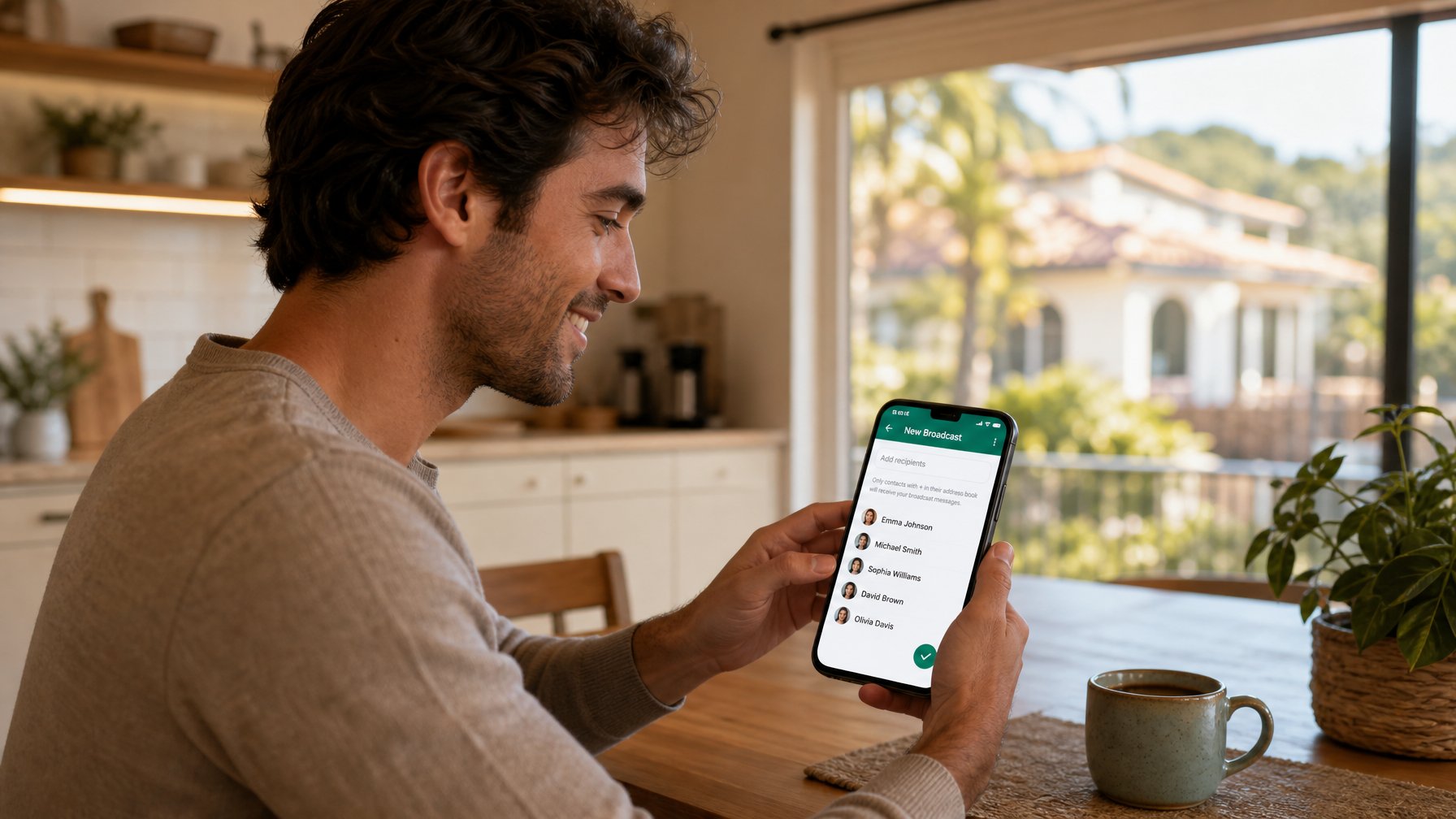
A WhatsApp Broadcast List lets you send the same message to up to 256 contacts simultaneously, but each recipient receives it as an individual message — not a group chat. They reply privately to you. It functions like a personal outreach campaign without a newsletter tool.
Build a broadcast list of past guests who have opted in to your messaging (collected through WiFi capture, checkout forms, or earlier conversations). Use it for:
Seasonal availability announcements
Last-minute openings
New amenity announcements (new pool, hot tub added, renovation complete)
Loyalty discounts for return stays
Broadcast lists are the most direct marketing channel available to vacation rental hosts. No open-rate algorithm, no spam filter, no unsubscribe friction. A message from a trusted host about a property the guest already loved gets read.
Tip: Pair your Broadcast List strategy with the software integrations available on Houfy — tools like Hospitable and Host Tools can help automate portions of your messaging workflow while keeping your guest communication personal.
WhatsApp for International Guests
For Copa América and World Cup guests traveling from South America, Europe, or elsewhere, WhatsApp is often the only messaging app they check reliably during travel. SMS reaches them at international rates. Email may go unchecked. WhatsApp is ubiquitous, free, and immediately accessible on any smartphone.

A host who lists their WhatsApp number prominently on their Houfy profile — "Message me directly at [number]" — removes a barrier that prevents international guests from booking. Many travelers from Latin America, Europe, and the Middle East are accustomed to communicating with accommodation providers through WhatsApp. According to Statista's global messaging app data, WhatsApp reaches over 2 billion monthly active users across more than 180 countries — a reach no OTA inbox can replicate.
Managing Multiple Properties With WhatsApp Web
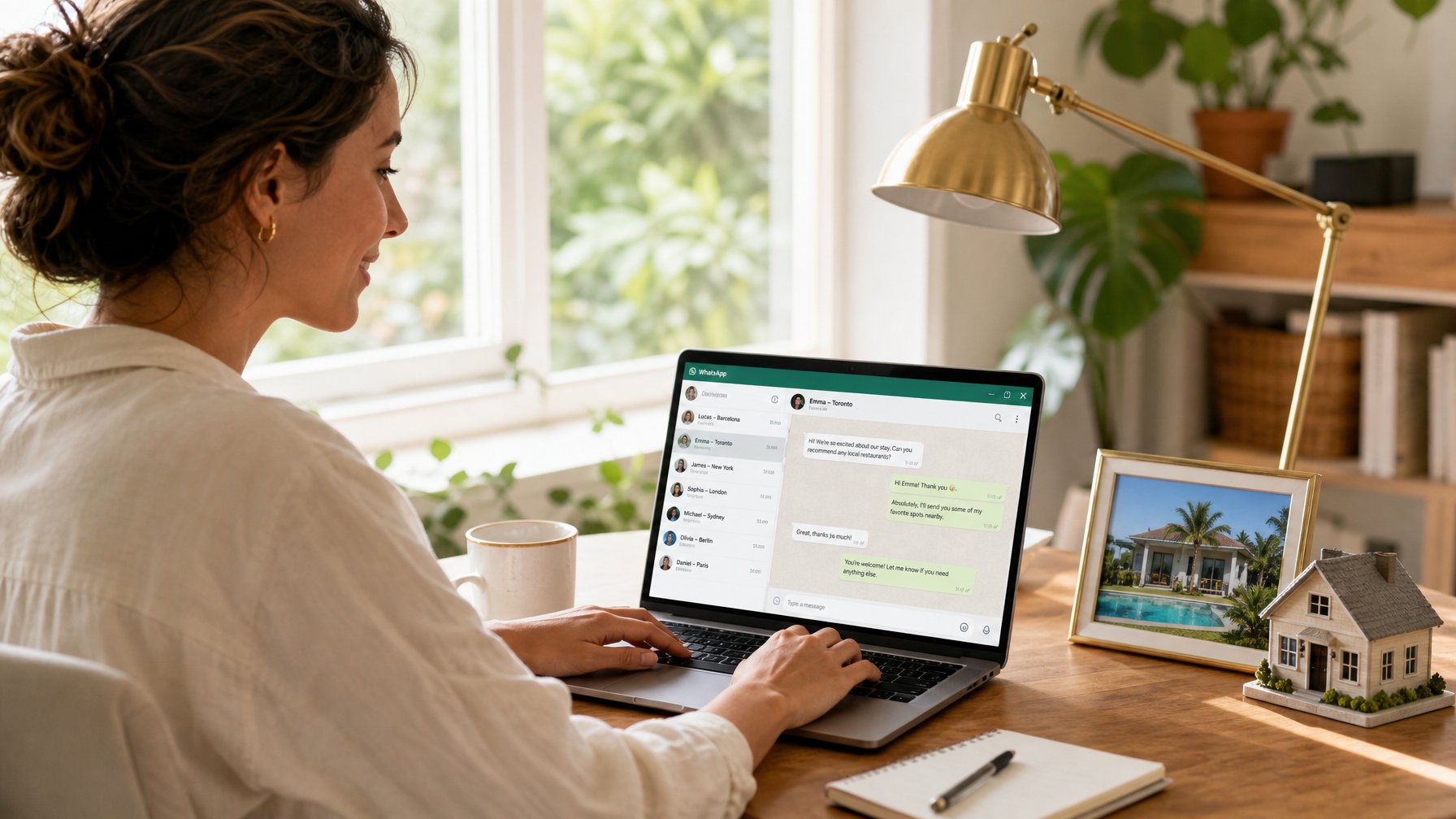
WhatsApp Web lets you manage guest conversations from a laptop or desktop browser, mirroring your phone. For hosts with multiple properties or high booking volume, this is significantly more efficient than managing conversations on a small screen.
WhatsApp Business on desktop also supports quick replies, so your saved templates are a keyboard shortcut away even when working at a computer. Use the label system (Upcoming / Active Stay / Post-Stay) consistently so you always know where each guest relationship stands.
For hosts scaling toward professional property management, pairing WhatsApp with a PMS tool that connects to your Houfy direct booking listing keeps communication organized without losing the personal touch that drives repeat bookings.
Staying Compliant With OTA Terms
For OTA bookings: use the platform's own messaging for all booking-related communication during the stay. After the stay is complete, the relationship is yours — you can share your WhatsApp number in your post-stay message and invite direct contact for future stays.
For direct bookings through Houfy, there is no restriction. WhatsApp is your primary communication channel from confirmation through checkout and beyond. With 97,000+ live listings across 50+ countries, Houfy hosts who communicate via WhatsApp consistently report stronger guest retention and higher repeat booking rates than those relying on OTA messaging alone.
Frequently Asked Questions
Can I use WhatsApp to communicate with Airbnb guests?
Yes, for general stay communication. Once a booking is confirmed, you and the Airbnb guest can communicate through any channel you both agree on — including WhatsApp — for non-booking-related topics like directions, check-in questions, and local recommendations. Soliciting off-platform future bookings or payment through WhatsApp during an active booking violates Airbnb's terms of service.
What is WhatsApp Business and is it different from regular WhatsApp?
WhatsApp Business is a free app from Meta designed for small business communication. It adds a business profile, automated greeting and away messages, quick reply templates, and contact labels. For vacation rental hosts managing guest communication across multiple bookings, the Business version is the right choice over personal WhatsApp.
How do I collect guest WhatsApp numbers?
The most natural approach: mention WhatsApp in your booking confirmation or welcome message on Houfy, and ask guests to confirm arrival details via WhatsApp for a more seamless experience. Most guests who prefer WhatsApp will respond immediately. You can also include your WhatsApp number in your digital welcome book or on your Houfy listing profile.
Is WhatsApp safe for sharing lockbox codes and access details?
WhatsApp uses end-to-end encryption for all messages and calls. For additional access code security: send the lockbox code in two parts (or split it between a message and the welcome book link), change lockbox codes between each guest stay, and consider a smart lock with unique per-guest codes where possible.
Do I need a separate phone number for WhatsApp Business?
Using a dedicated number is strongly recommended. A second SIM or a free Google Voice number keeps your hosting communications separate from personal messaging, makes it easy to set professional business hours for away messages, and ensures you do not lose access to your hosting contacts if you ever change your personal number.
Can I automate WhatsApp messages for vacation rentals?
WhatsApp Business supports saved Quick Replies that can be sent in a few taps, but fully automated scheduling requires the WhatsApp Business API — which is available through third-party integrations. Many property management tools that integrate with Houfy (see the Houfy software partners page) offer WhatsApp automation at scale. For most independent hosts, manual Quick Replies combined with a consistent template routine covers all seven guest touchpoints efficiently.
Start Building Guest Relationships That Outlast the Checkout
Houfy gives hosts direct access to guest contact information from the moment a booking is confirmed — no platform filter, no message delay. Pair that with a structured WhatsApp communication workflow and you have a direct booking channel that compounds with every stay.
List your property on Houfy and start building guest relationships that last beyond the checkout.
Source Citations
WhatsApp Business official product page — whatsapp.com/business
Statista — WhatsApp: global messaging reach, monthly active users across 180+ countries
Houfy — Software Partners and PMS Integration Directory — houfy.com/software-partners
Houfy — List Your Property (Direct Booking) — houfy.com/new/listing
Last updated: June 6, 2026 · Houfy currently has 97,000+ live listings across 50+ countries.