
Why Every Host Needs a Direct Booking Presence
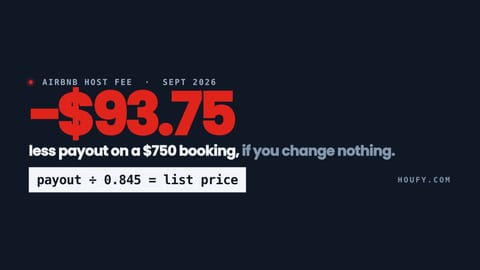
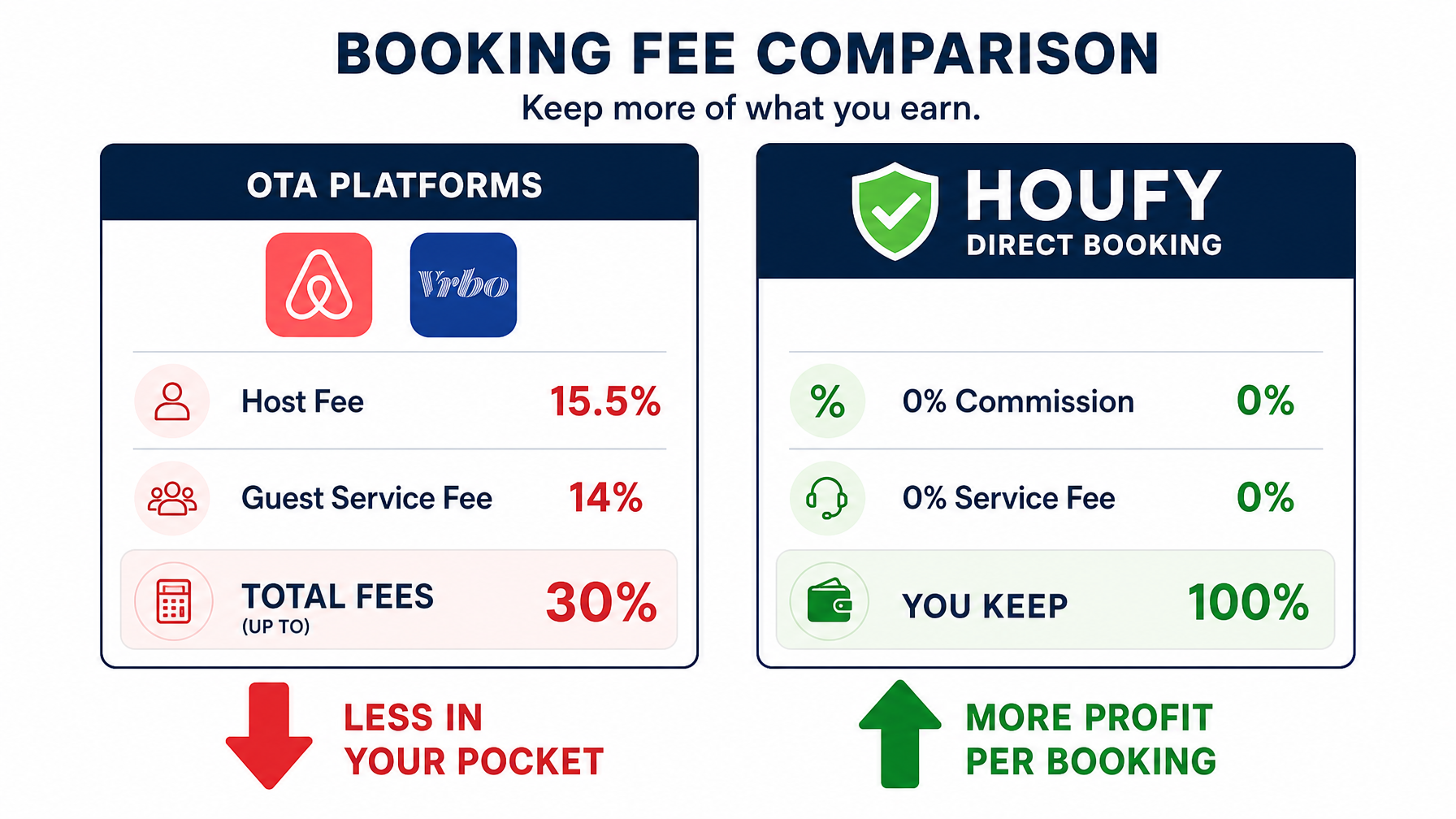
Every booking processed through Airbnb, VRBO, or Booking.com carries a fee. Airbnb's host-only fee structure charges up to 15.5% of the booking subtotal. VRBO charges hosts a 5% commission plus a 3% payment processing fee on every reservation. On a $3,000 booking, that is $240 to $465 gone before you factor in cleaning costs, mortgage, or property maintenance.
Platform dependency creates a second risk beyond the fees. Algorithm changes can reduce your listing visibility overnight. Policy updates can restrict your pricing freedom. Account issues can freeze your income without warning.
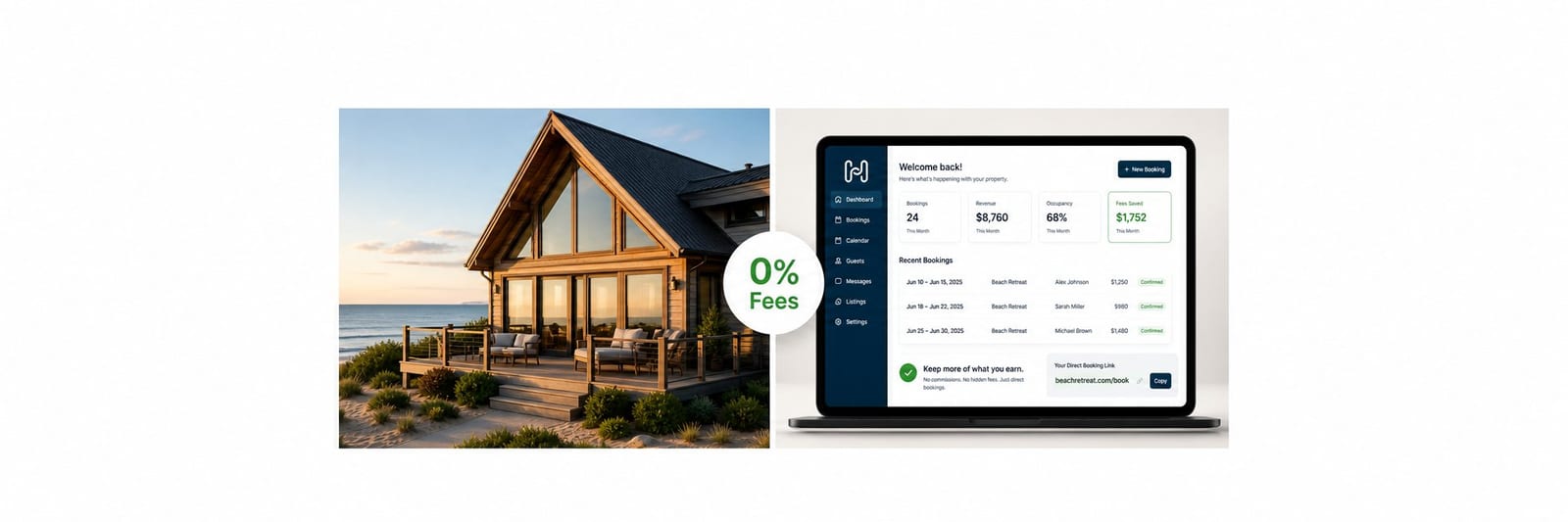
A direct booking vacation rental website gives you a channel that belongs to you. No commission. No algorithm deciding whether guests see your property. Your pricing, your rules, your relationship with your guests.
The global vacation rental market is projected to exceed $120 billion by 2027. Hosts who own their direct booking channel capture a larger share of that growth. Hosts who stay entirely on OTAs hand a percentage of every reservation back to a platform indefinitely.
Step 1: Choose Your Platform
Three main paths lead to a direct booking presence.
Option A: A standalone booking website builder
Tools like Lodgify, Hostfully, and OwnerRez let you build a branded website with a built-in booking engine. These suit hosts who want full design control, but monthly fees run from $30 to $150+, and they bring no built-in audience. You drive all traffic yourself.
Option B: A fee-free marketplace with a direct booking profile
Platforms like Houfy provide a public listing page, a direct booking URL, and a built-in audience of fee-conscious travelers, all at no commission. Your Houfy listing page functions as your direct booking presence. Guests find you through the marketplace and book without any service fees added on top.
Option C: A custom-built website
Full custom development gives maximum control but requires a developer and significant time investment. This option suits multi-property managers or hospitality brands. For most individual hosts in 2026, it is unnecessary overhead.
For hosts who want to be live and accepting direct bookings within the same day, Option B is the fastest path.
Step 2: Set Up Your Listing
A strong listing is the foundation of every direct booking strategy. Here is what converts browsers into bookers.
Photos come first. Professional-quality photos are the single biggest factor in booking conversion. At minimum, shoot every room, the exterior, the view, and any standout amenities. Natural light, horizontal framing, and uncluttered spaces are the basics. Research consistently shows that listings with professional photos earn significantly higher revenue per year than those with smartphone snapshots.
Write a title that sells the outcome, not just the property. "3BR Beachfront Home, Private Pool, Sleeps 8" tells a guest exactly what they get. "Cozy place near the beach" does not.
Descriptions should answer the three questions every guest has:
What makes this place special?
What is nearby?
Who is this property ideal for?
Amenities matter more than ever. High-speed Wi-Fi, dedicated workspace, EV charging, and keyless entry are now baseline expectations for many traveler segments. List them explicitly. Many guests filter by amenity before they read a single word of your description.
Pricing. Set a base nightly rate, then configure minimum stays, weekend premiums, and seasonal adjustments. On Houfy, you control all of this directly with no platform restrictions on your own pricing decisions.
Step 3: Connect a Custom Domain
A custom domain such as yourpropertyname.com makes your listing look professional and builds guest trust. It also contributes to SEO over time as your property name builds search visibility.
Domain registration costs roughly $10 to $15 per year through providers like Namecheap or Google Domains. Most booking site builders walk you through pointing the domain to your listing in under 15 minutes.
If you are on Houfy, your listing URL is already shareable and public. You can add a custom domain that forwards to your Houfy profile, which gives you a clean branded link to share on social media, in email signatures, and on printed materials.
Step 4: Sync Your Calendar
The critical rule when using multiple booking channels is zero double bookings. The standard tool for this is iCal sync, a universal calendar format supported by Airbnb, VRBO, Booking.com, Google Calendar, and most booking platforms including Houfy.
How iCal sync works:
Each platform generates a unique calendar URL ending in .ics that broadcasts your current availability. You import that URL into every other platform, and each reads the others' blocked dates automatically.
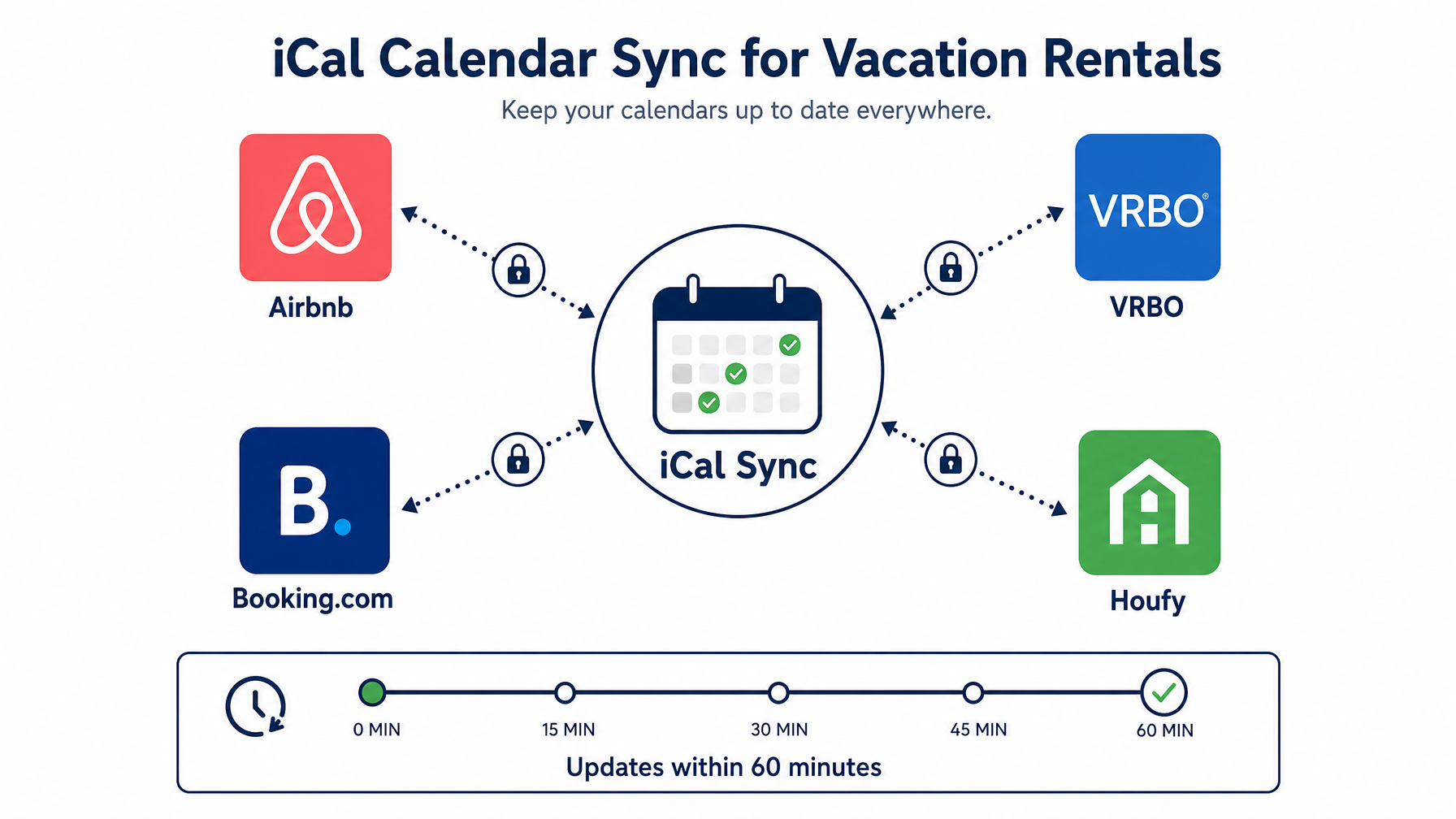
On Houfy, calendar sync is built in. Go to your listing dashboard, open Calendar Sync, and paste in the iCal URLs from any other platforms you list on. Houfy exports your own iCal link that you paste into those platforms in return.
One important note: iCal sync can take up to one hour to update across platforms. If a booking comes in on Airbnb, your other channels may still show those dates as available for up to 60 minutes. For high-demand periods, log in and manually block dates immediately after receiving a booking to eliminate that window.
Step 5: Set Up Payments
For a true direct booking, you need a way to accept payment without routing through an OTA's checkout.
On Houfy, hosts connect Square or Stripe to accept payment directly from guests. You set your pricing; the guest pays you. No service fee on top, no commission taken from your payout. Houfy's optional PMS integration supports a 5% guest API charge for high-volume operators using channel managers, but for direct bookings through the platform itself, the fee structure is 0%. See full details on the Houfy pricing page.
For standalone booking websites, Stripe is the most widely used processor (2.9% + $0.30 per transaction), which you can pass to the guest as a processing fee or absorb into your nightly rate. Other builders may support additional processors depending on their platform.
Always collect a security deposit or require damage protection at the time of booking. Most booking platforms and payment processors support holding a security deposit that releases automatically after checkout.
Step 6: Add Trust Signals
Guest hesitation is the primary reason direct booking conversions run below OTA conversions. Guests trust Airbnb and VRBO because of brand familiarity. Your direct booking page needs to earn that trust explicitly.
Trust signals that move the needle:
Verified reviews. Collect reviews from every completed stay and display them prominently. Houfy hosts accumulate verified reviews directly on their profile pages. According to BrightLocal, 93% of consumers say online reviews influence their purchase decisions.
Host photo and bio. A face and a personal story build connection. Guests book people as much as they book properties.
Clear cancellation policy. State your policy in plain language, not platform-speak.
Secure payment badge. If you accept payments through a recognized processor, display its logo near your booking button.
Response time commitment. "I respond within one hour" is a trust signal that OTA-trained guests recognize and value.
Step 7: Drive Traffic to Your Direct Booking Page
A direct booking website is only as valuable as the traffic it receives. These are the highest-return channels for vacation rental hosts.
Past guests. If you have their email address, send a message before your peak season with a link to your direct booking page and a small incentive for booking direct: a discount, early check-in, or welcome gift.
Your OTA listing. Use your listing bio, photo descriptions, and house manual to reference your direct booking presence. Note: Airbnb prohibits sharing direct contact information in pre-booking messages, but you can reference your website in appropriate listing fields.
Google. A Houfy listing appears in Google Vacation Rentals, giving your property organic search visibility at no additional cost. This is one of the most underused free traffic channels available to independent hosts today.
Social media. Instagram, Facebook, and Pinterest are strong channels for vacation rental visual content. Every post should carry a link to your direct booking page in your bio.
SEO. If your property targets a specific location, optimize your listing title and description with the destination name and property type. "Beachfront vacation rental Tulum" ranks for travelers who already know where they want to go and are actively looking to book.
The Fastest Path: Houfy
For hosts who want to be live with a direct booking vacation rental website today, Houfy is the fastest no-cost path.
Create an account, complete your listing, verify your identity for a one-time $5.99 fee, and your direct booking page is live. No monthly platform fee on the free plan. Zero commission on bookings. Built-in iCal sync. Optional paid plans, Lite at $7.99/month or Premium at $11.99/month per listing, add advanced features including enhanced search placement and analytics.
Your Houfy listing is publicly searchable, shows in Google Vacation Rentals, and comes with a shareable URL you can use everywhere from Instagram to your email signature.
The only cost of staying on OTAs indefinitely is compounding. Every booking processed through a platform with a 15%+ fee is income that could stay with you. A direct booking presence is a one-time investment that pays back on every reservation from that point forward.
Ready to start? Create your free Houfy listing and take your first direct booking today.
Frequently Asked Questions
Do I need my own website to accept direct vacation rental bookings?
No. A marketplace platform like Houfy gives you a public listing URL that functions as your direct booking page. Guests find you through search, click your listing, and book without any OTA service fees attached. A custom domain adds branding polish but is not required to accept direct bookings.
How much does it cost to set up a direct booking vacation rental website?
Costs vary by platform. A custom-built site typically costs $2,000 to $10,000+ in development. Standalone booking website builders like Lodgify charge $30 to $150+ per month. Houfy's free plan requires only a one-time $5.99 host verification fee, with paid plans available at $7.99 or $11.99 per listing per month for additional features.
How do I prevent double bookings when listing on multiple platforms?
iCal sync is the standard solution. Each platform generates a unique .ics calendar URL that other platforms import. When a booking is confirmed on one platform, those dates are broadcast as unavailable to all others. On Houfy, iCal sync is built into the listing dashboard. Since iCal updates can take up to 60 minutes, manually blocking dates immediately after a high-demand booking is best practice.
Is Houfy free for vacation rental hosts?
Houfy's free plan is available with a one-time $5.99 host verification fee. The free plan includes a public listing, direct booking URL, iCal sync, and Google Vacation Rentals visibility. There are no monthly fees and no booking commissions. Upgraded plans add enhanced search placement and advanced analytics. Full details are on the Houfy pricing page.
How do I get guests to book directly instead of through Airbnb?
Three strategies consistently produce results. First, offer a small incentive for direct booking: a rate discount, flexible check-in, or welcome amenity. Second, build your direct booking presence on Houfy so guests who search on Google find a fee-free option. Third, use post-stay follow-up to invite repeat guests to book direct next time.
Can I accept credit card payments on a direct booking site?
Yes. On Houfy, hosts connect Square or Stripe to accept payments directly from guests, with no commission or service fee deducted. For standalone booking sites, Stripe (2.9% + $0.30 per transaction) is the most common processor. You can pass the processing fee to guests as a line item or absorb it into your nightly rate.
What is the difference between a fee-free marketplace and a custom vacation rental website?
A fee-free marketplace like Houfy provides a ready-made listing page, a built-in audience of travelers, and search discovery at zero commission. A custom website gives full design control and your own branded domain, but all traffic comes from your own marketing efforts. For most independent hosts, a marketplace is the faster and more cost-effective starting point, with a custom domain easily added later as a forwarding alias.
Last updated: May 2026