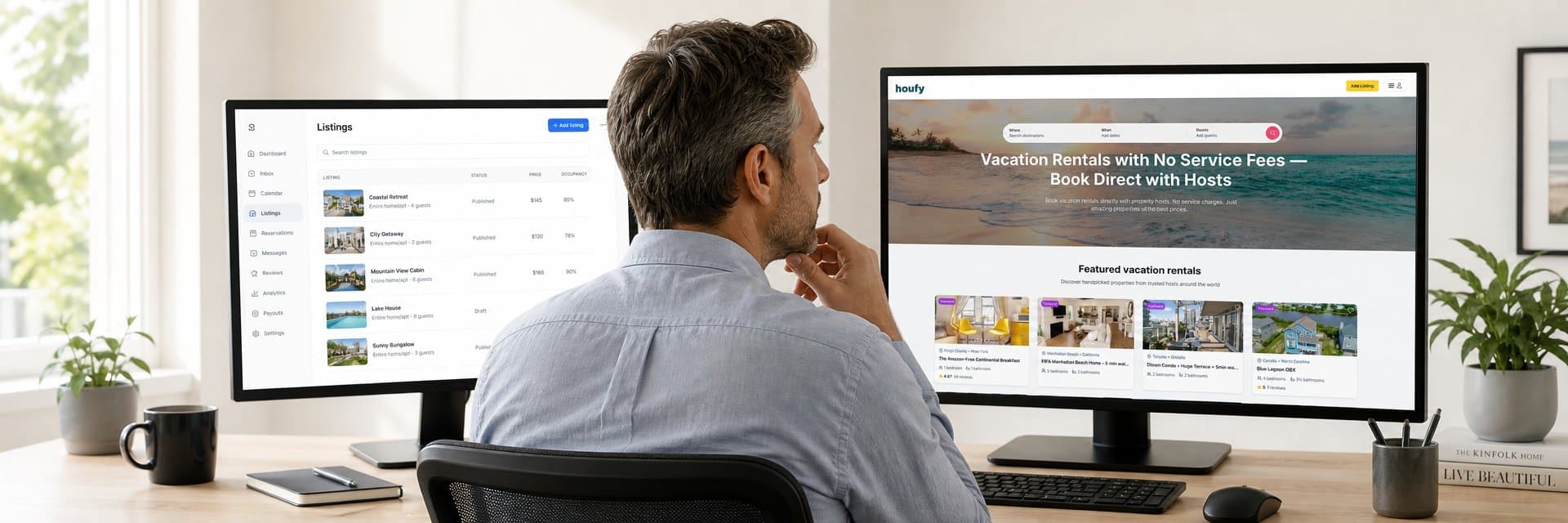

Building a vacation rental website used to mean hiring a developer, buying a template, and spending weeks on setup before a single guest could book. With Houfy AI, hosts can learn how to build a vacation rental website in under 10 minutes — describe your property in plain English and the AI generates a fully designed, bookable direct booking site from scratch, with a booking engine, calendar, and payment processing built in and 0% commission charged on every booking it generates.
Quick Answer: To build a vacation rental website with Houfy AI: (1) create a listing by importing your Airbnb/VRBO URL or entering property details from scratch, (2) describe your property and brand to the AI in plain English, (3) review the generated site and make edits by prompt or by hand, (4) connect a custom domain, (5) optionally sync your PMS, (6) publish. The entire process takes under 10 minutes and is free. Houfy charges 0% commission on all direct bookings generated by the site.
Key Takeaways
Houfy AI builds a complete, bookable vacation rental website from a plain-language property description — no design or coding skills required
The fastest path is importing an existing Airbnb or VRBO listing — photos, amenities, and reviews transfer automatically in seconds
After the AI generates your site, you can edit any section with a plain-English prompt or fine-tune individual elements by hand
Custom domain setup is included at no extra cost — your brand name, not Houfy's, appears in guests' browsers
Connecting a PMS (Hostaway, Lodgify, OwnerRez, Guesty, and 10+ others) keeps your calendar and pricing in sync automatically
The entire build, publish, and launch process is free — Houfy charges 0% commission on every direct booking your site generates
Hosts who launch a direct booking site convert previous OTA guests into fee-free repeat bookings, eliminating the 14–16% Airbnb service fee on every return stay
Step 1 — Create Your Houfy Listing
Before the AI can build your site, it needs your actual property to work from. Houfy gives you three paths to get your listing live:
Import from Airbnb or VRBO (fastest). Paste your existing listing URL into the Houfy builder. Houfy automatically imports all your photos, property details, amenities, and guest reviews — typically in under 30 seconds. This is the recommended starting point if you are already on an OTA. Everything transfers and nothing needs to be retyped.
Build from scratch. Not on an OTA yet, or prefer to start fresh? Enter your property details and upload your photos directly. The Houfy listing setup walks you through each required field: property type, location, bedroom/bathroom count, amenities, nightly rate, and availability.
Connect via a PMS. On OwnerRez, Hostaway, Guesty, Lodgify, or Hostfully? Connect your property management software once and your listing details, availability calendar, and pricing sync directly to Houfy. Full integration details at houfy.com/software-partners.
Once your listing is live on the Houfy marketplace, the AI website build begins.
Get started and create your listing at houfy.com/new/listing.
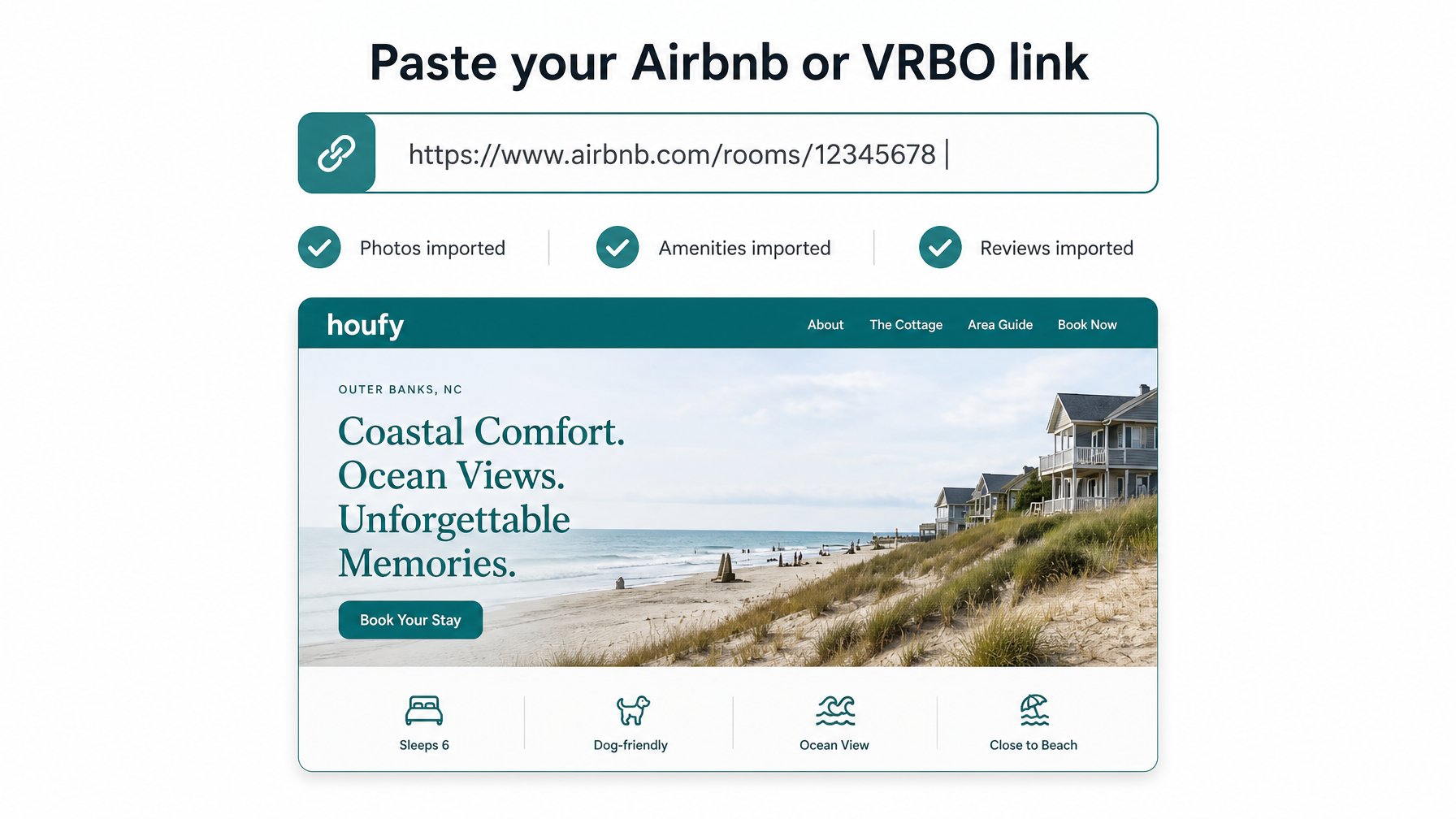
Step 2 — Describe Your Property to the AI
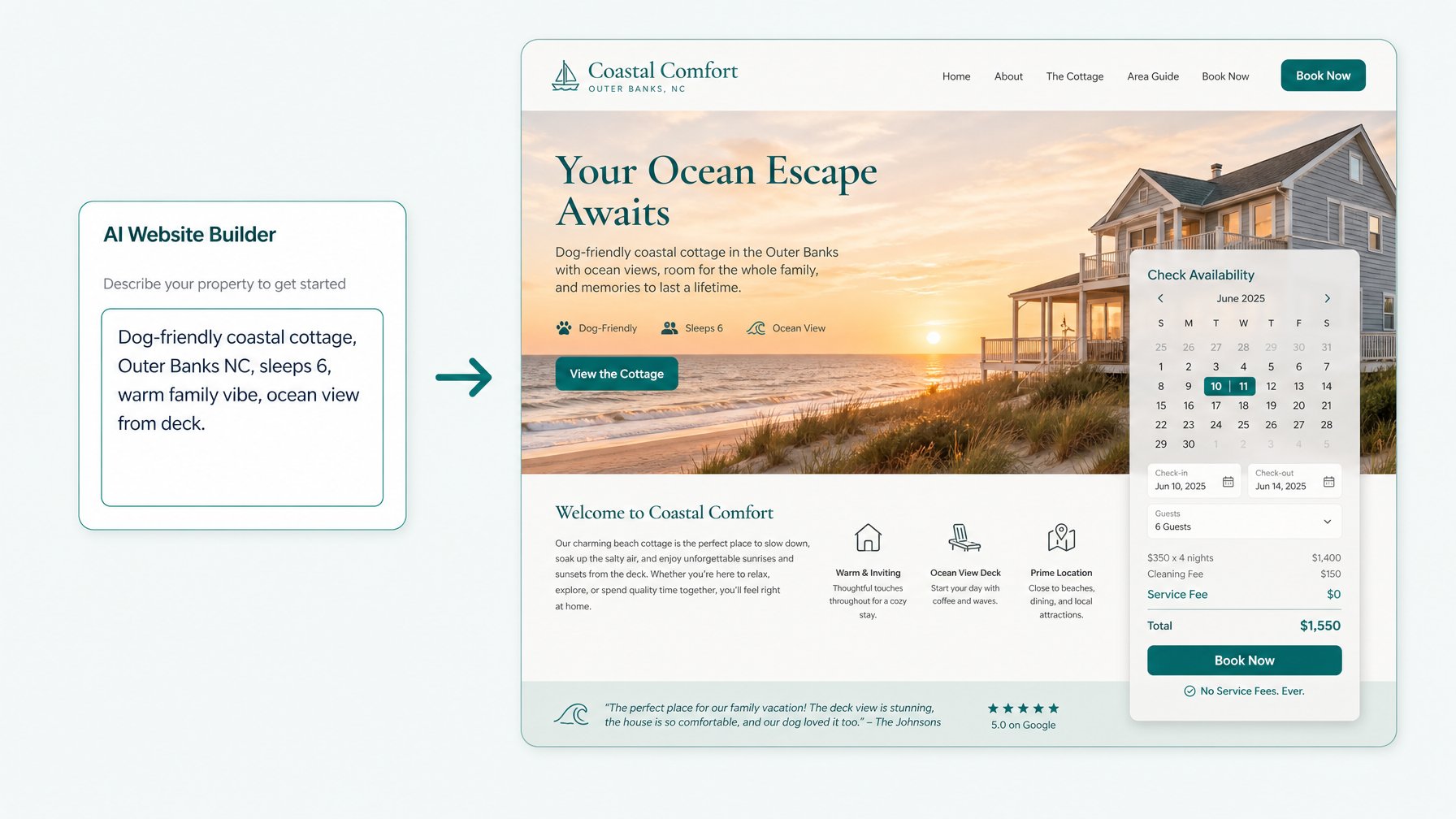
Once your listing exists, the AI website builder is ready. This is where Houfy differs from every other vacation rental website builder: instead of picking a template from a gallery, you type a description of your property and brand in plain English.
The description can be as brief or detailed as you like. A simple prompt works: "Oceanfront cottage, Outer Banks NC, sleeps 6, dog-friendly, relaxed coastal vibe, great for families." A more detailed prompt gives the AI more to work with — include the neighbourhood feel, the type of guests you want to attract, your property's standout feature, and the mood you want the site to convey.
You can also tell the AI about the visual direction: "warm and earthy tones," "modern and minimal," or "bold and bright." The AI uses all of this to design your site's typography, colour palette, section layout, copy, and overall feel. None of it will look like any other Houfy site, because none of them started from the same prompt.
Step 3 — Review and Customise Your Site
After the AI generates your site — which typically takes a matter of seconds — you review the result and make it entirely yours.
Houfy's editing interface lets you work at any level of detail:
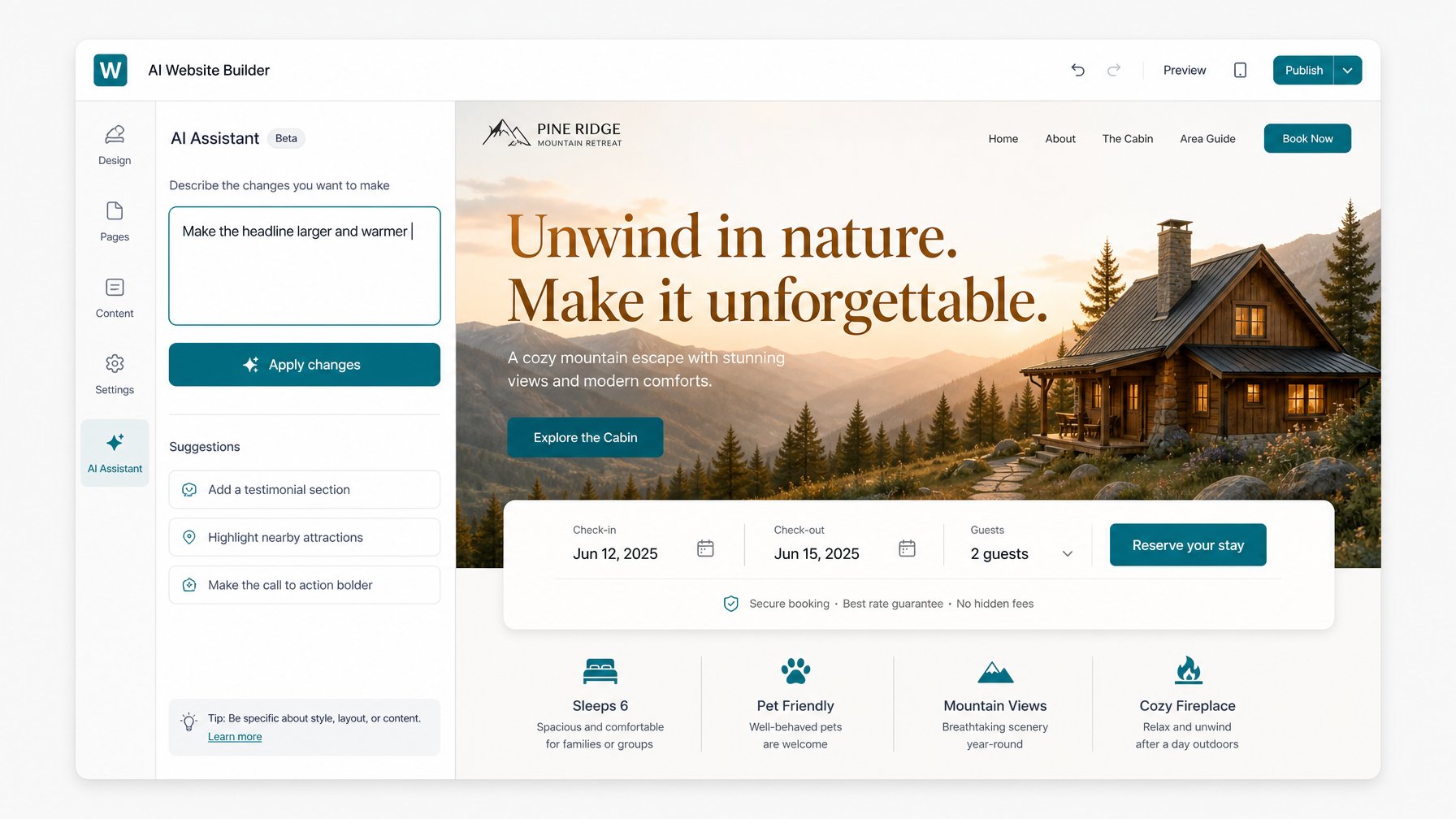
Full-section edits by prompt. Type "make the hero section warmer and more inviting" or "add a section about the rooftop terrace" and the AI rewrites or creates the section accordingly. No drag-and-drop required.
Fine-tune individual elements. Click into any text block, image, button, or colour to adjust it directly. Every element on the page is editable by hand — down to a single word, a font size, or a button colour.
Add or remove sections. Your site can include any combination of: hero, property overview, amenities, location/map, photo gallery, reviews, booking widget, host bio, house rules, and local area guide. Add what fits your property; remove what doesn't.
The result should feel unmistakably like your property — not a generic rental site. For context on why hosting your own direct booking page outperforms staying OTA-only long term, see the full comparison of Houfy vs Booking.com — what hosts really give up.
> Start building yours now — houfy.com/website-builder — free, no templates, under 10 minutes.
Step 4 — Add Your Custom Domain
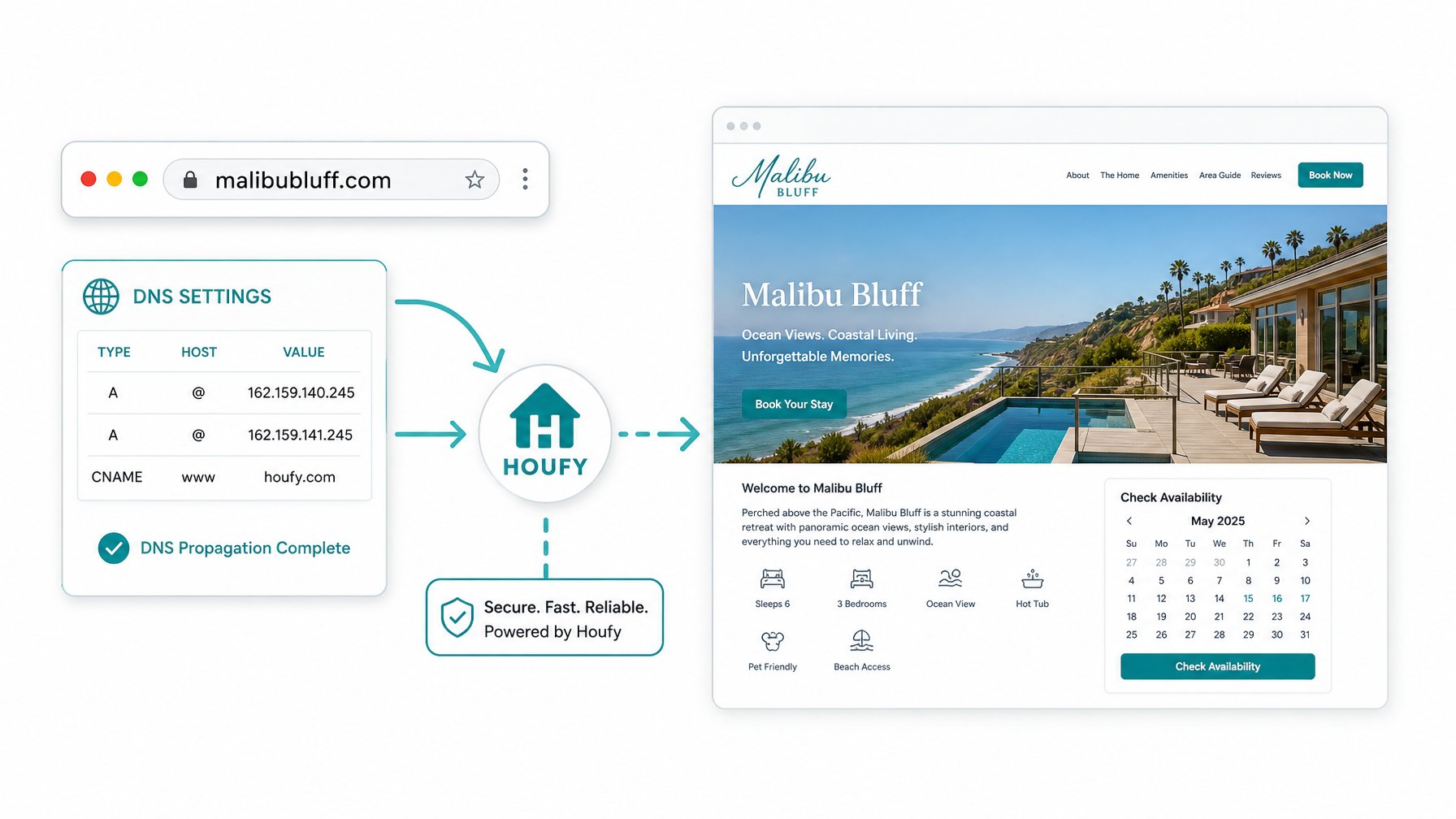
Your Houfy site launches on a houfy.site subdomain by default. To make guests land on your brand name, connect a custom domain.
Custom domain setup is included with every Houfy site at no additional cost. The process works one of two ways:
Use a domain you already own. If you purchased a domain (e.g., via GoDaddy, Namecheap, Cloudflare, or Google Domains), point it to Houfy by updating your DNS settings. Houfy's setup guide walks you through the specific records to add — typically a CNAME update that takes effect within minutes.
Purchase a new domain. If you don't yet have a domain, purchase one through any registrar and connect it using the same DNS process. A straightforward .com domain for a vacation rental property typically costs $10–$15/year.
Once connected, guests type your domain and arrive directly on your branded Houfy site. Your listing still exists on the Houfy marketplace, but your site sits at your own address — creating the foundation of a direct booking brand that guests can find and remember independently of any OTA.
Step 5 — Connect Your PMS (Optional but Recommended)
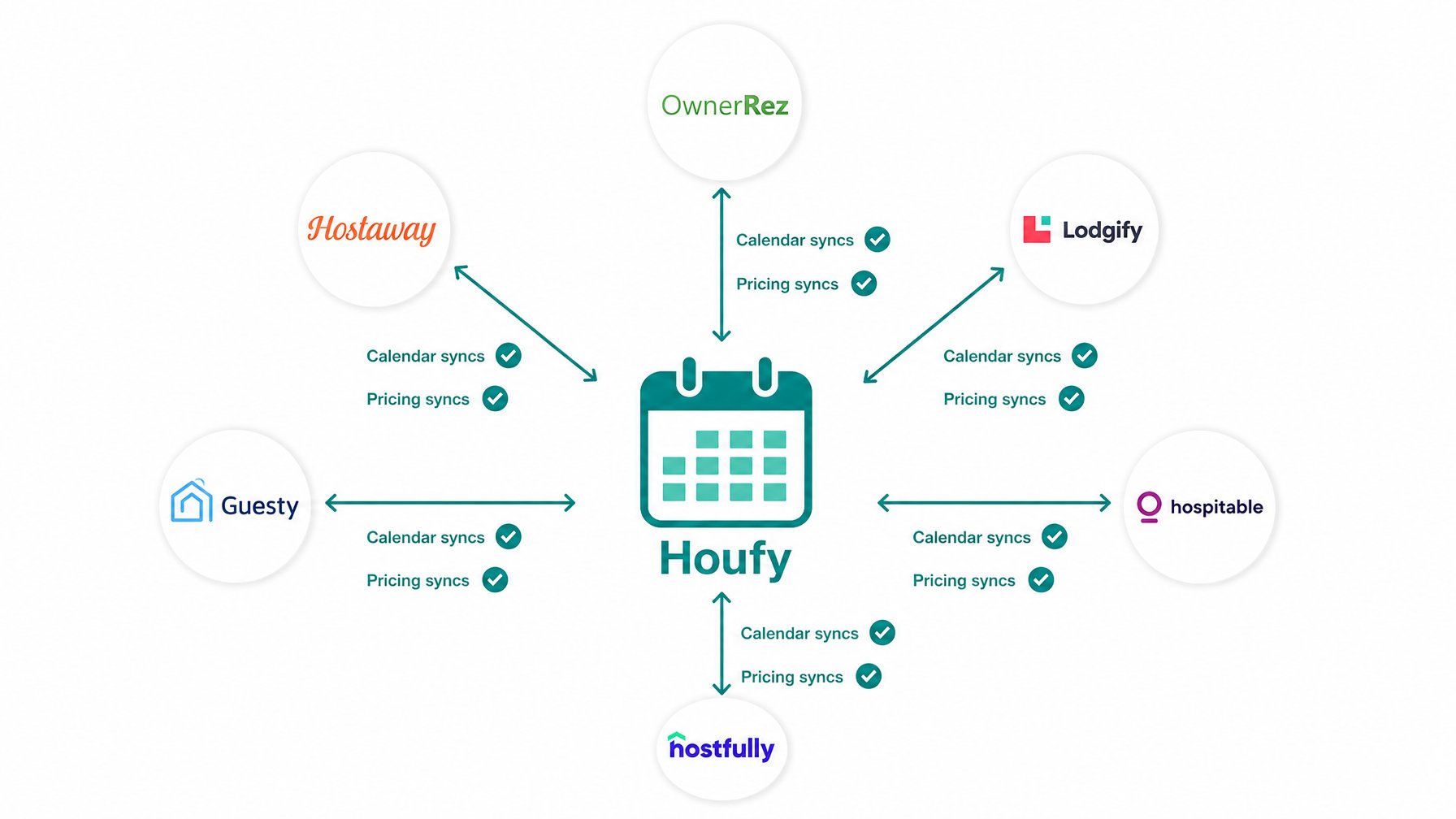
If you use a property management system to run your operations, connect it to Houfy before you start taking bookings. Houfy integrates with 14+ PMS platforms:
OwnerRez
Hostaway
Hospitable
Hostfully
Lodgify
Rentals United
Guesty
HostTools
Hostex
PriceLabs
Cleanster
Jervis Systems
Truvi
Protect Group
A connected PMS means your Houfy calendar, pricing, and availability update automatically whenever a booking is made on any channel. Guests checking your site always see accurate, real-time availability — not a calendar you have to update manually.
For multi-property hosts, PMS connection is essential. For single-property hosts managing their own calendar, Houfy's built-in calendar management is sufficient without a PMS.
Step 6 — Publish and Start Taking Direct Bookings
Once you have reviewed your site, added your custom domain, and connected any relevant integrations, you publish. Your site goes live immediately.
From that point, every guest who books through your site:
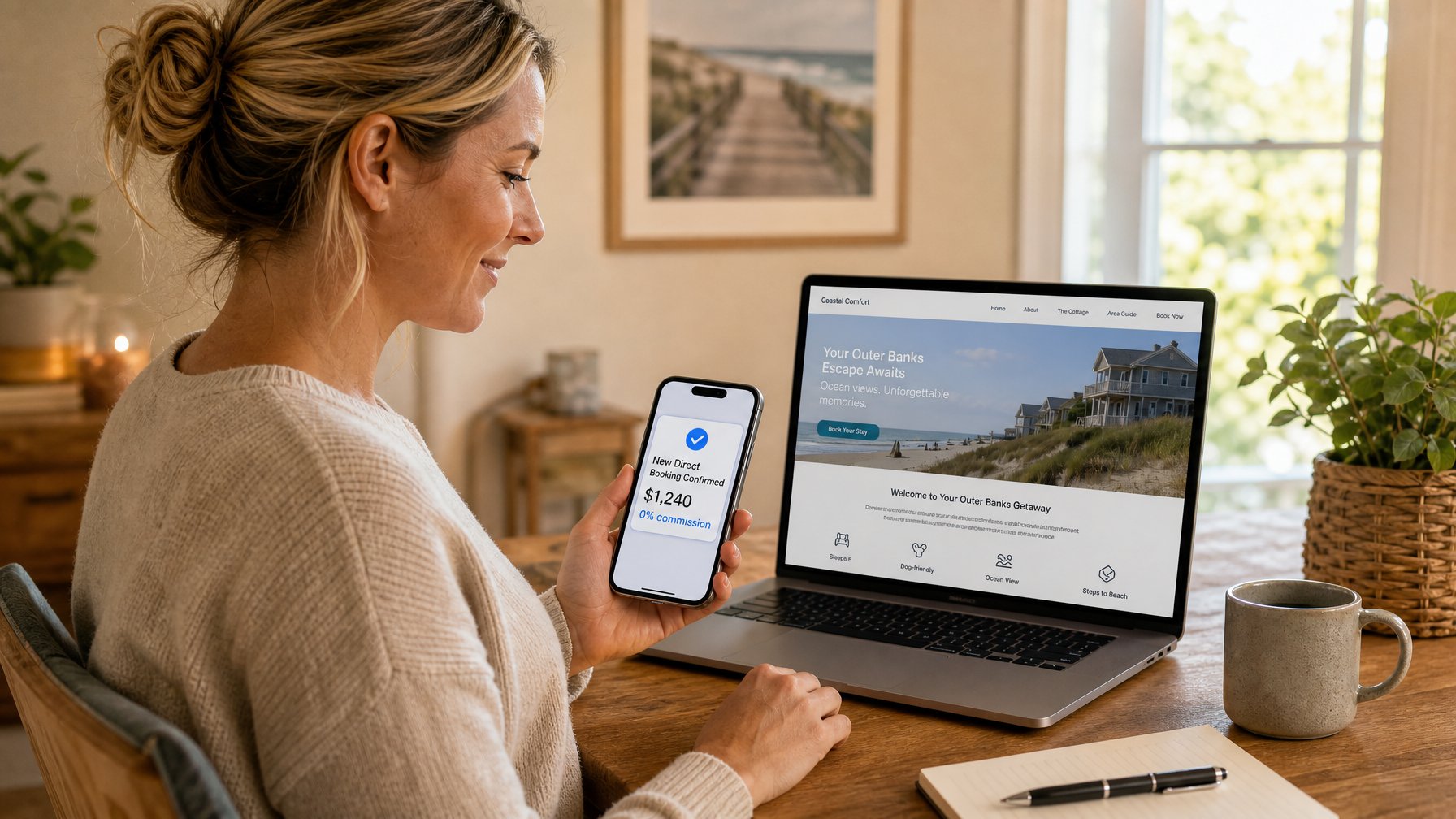
Pays the price you set — no service fee added on top
Communicates directly with you through the built-in messaging system
Receives a transparent pricing breakdown at checkout (Houfy service fee: $0)
Can leave a verified review that displays directly on your site
Your Houfy listing also remains active on the Houfy marketplace, so the site and the marketplace listing work together — the marketplace drives discovery, the site drives your brand and direct repeat bookings.
Guests who book through your OTA listing and have a great stay can be directed to your Houfy site for their next booking. Over time, this converts your OTA guests into direct guests, eliminating the 14–16% Airbnb service fee on every return stay. Here is the full guide to moving past Airbnb guests to direct booking.
> Your site is six steps and 10 minutes away — start building free at houfy.com/website-builder.
Frequently Asked Questions
How long does it take to build a vacation rental website with Houfy AI?
Most hosts go from first prompt to a published, bookable site in under 10 minutes. If you import an existing Airbnb or VRBO listing, the timeline shortens further because your photos, amenities, and reviews transfer automatically without manual re-entry.
Is the Houfy AI website builder really free?
Yes. Building and publishing your vacation rental website on Houfy costs nothing. There is no monthly subscription for the website itself. Houfy charges 0% commission on every direct booking made through your site. The only cost is the one-time $5.99 host verification fee required to go live on the Houfy marketplace.
Can I edit my site after it goes live?
Yes, at any time. Edit by typing a plain-English prompt ("add a section about the outdoor hot tub") or by clicking and adjusting individual elements directly. Changes publish instantly — no redeploy required.
What if I don't have a domain yet?
You can purchase any .com domain through a registrar like GoDaddy, Namecheap, or Cloudflare for $10–$15/year and connect it to your Houfy site. Houfy provides step-by-step DNS setup instructions. Until your custom domain is connected, your site is accessible at a houfy.site subdomain.
Does my Houfy site include a payment system?
Yes. Every Houfy site includes integrated payment processing — secure guest payments, deposit handling, and a transparent pricing breakdown at checkout. No third-party payment plugin is required.
Can I still list on Airbnb while having a Houfy site?
Yes. Your Houfy listing and site do not require you to leave any other platform. Hosts typically use Airbnb for discovery while directing returning guests to their Houfy site for future bookings — converting OTA guests into direct guests over time and eliminating the service fee on every return stay.
> Six steps, under 10 minutes, $0 commission on every booking — build your vacation rental website now at houfy.com/website-builder.
Source Citations
Airbnb Help Center — Guest service fee rates 2025 — https://www.airbnb.com/help/article/1857
Lodgify — Pricing and booking fee structure 2026 — https://www.lodgify.com/pricing/
Houfy Website Builder — Feature overview, integrations, and FAQ — https://www.houfy.com/website-builder
Houfy Software Partners — Full PMS integration list — https://www.houfy.com/software-partners
Category: Get Started on Houfy
Houfy currently has 98,000+ live listings across 100+ countries.
Last Updated: July 5, 2026
Check FAQ Pricing