
Quick answer: A good vacation rental pricing strategy sets more than one nightly rate. Start from a floor rate that covers your costs and a base rate set against comparable listings. Then add peak, shoulder and off-season rates, event premiums, a cleaning fee that fits short stays, weekly and monthly discounts, and paid add-ons such as early check-in.
Key Takeaways
Know your floor rate: the lowest nightly price that still covers your costs. Never price below it.
Set your base rate from 8–12 truly comparable listings, not from the cheapest one nearby.
Use at least three seasonal rates (peak, shoulder, off-season) and add premiums for specific event and holiday dates.
Check what a 2-night stay costs in total. A large cleaning fee makes short stays look expensive.
Weekly and monthly discounts fill quiet weeks with fewer turnovers.
Add-ons like early check-in and late checkout earn extra on bookings you already have.
Review your rates every season, or let a dynamic pricing tool do it within limits you set.
Your floor rate covers your costs
Before you set any price, work out the lowest nightly rate you can accept.
Add up your monthly costs: mortgage or rent, utilities, internet, insurance, supplies, maintenance, software, and your own time if you value it.
Divide by the number of nights you realistically expect to book that month.
Add a margin on top.
Example: costs of $3,000 a month and 20 expected booked nights give a breakeven of $150 a night. With a 20% margin, your floor rate is $180. Cleaning is usually charged separately, so leave it out here if you charge a cleaning fee.
Remember taxes. Some booking sites collect and remit occupancy taxes for you; on direct bookings you may have to do it yourself. Check your local rules.
Your base rate comes from real comparables
Your base rate is your normal price for a regular night outside peak season.
Pick 8–12 listings with the same bedroom count, similar amenities and a similar location. Compare like with like: a downtown condo is not a beachfront villa.
Note their prices for the same dates, and whether those dates are filling up.
Position yourself against the middle of that range: higher for a better view, a pool, better photos or more reviews; lower while you build reviews.
If similar listings charge more than you and still fill, raise your rate. If they are cutting prices and you are not booking, look again.
Re-check every quarter. Prices around you change, and so does your review count.
Seasonal rates follow demand
One rate all year means you are too cheap in peak weeks and too expensive in slow ones. Set at least three tiers for your market:
Season | Typical dates | How to price |
|---|---|---|
Peak | Summer for beach homes, ski season for mountain homes, big local events | Your highest rates; book early at strong prices |
Shoulder | The weeks either side of peak | Between peak and base; watch for local events |
Off-season | Low-demand months | At or near your floor; focus on longer stays |
Event and holiday premiums. Add a premium on top of your seasonal rate for specific dates: Thanksgiving, Christmas and New Year, July 4th, spring break in your region, festivals, big games, conferences and graduations. Apply it only to the nights with real demand. Charging event prices for the ordinary nights around an event leaves them empty.
Weekends. In most leisure markets, Friday and Saturday nights can carry a higher rate than weeknights.
A cleaning fee should not scare off short stays
Guests compare total prices. A large cleaning fee makes a 2-night stay look expensive even if your nightly rate is fair.
Example: at $180 a night with a $150 cleaning fee, a 2-night stay costs $510, or $255 a night. A 5-night stay costs $1,050, or $210 a night.
Three ways to keep short stays attractive without cutting your cleaning budget:
Set a minimum stay so the fee is spread over more nights. See our guide to minimum stay requirements.
Move part of the cleaning cost into the nightly rate and lower the fee.
Charge a lower fee for short stays if your setup allows different fees by length of stay.
For how to set the fee itself, read how much to charge for a vacation rental cleaning fee.
Long-stay discounts fill quiet weeks
A long stay means one check-in, one cleaning and no gaps between guests. Weekly and monthly discounts attract remote workers, snowbirds, families between homes and traveling professionals.
Example settings (adjust to your market):
7+ nights: 10%–15% off
28+ nights: 20%–30% off
Example math (a 30-night month): one 25-night stay at $120 earns $3,000 with one turnover. Short stays totaling 16 nights at $150 earn $2,400, with several turnovers and 14 empty nights. Long stays win when the alternative is an empty calendar.
To attract long-stay guests, say so in your listing: fast Wi-Fi with the speed, a real workspace, a full kitchen, a washer and dryer, and your monthly price.
Off-season needs a different pitch, not just a lower price
Off-season guests want different things from peak-season guests. Update your listing for them:
Lead with what fits the season: a fireplace, quiet, a hot tub, nearby restaurants and indoor attractions.
Put the long-stay and work-from-home details near the top.
Swap your first photo for one that matches the season.
Gap nights are worth filling
Short gaps between bookings rarely fill at full price. Ways to fill them:
Lower the rate on gaps of 1–3 nights once they are inside two weeks.
Relax your minimum stay for that gap only.
Offer a return-stay discount to recent guests. On direct bookings you can contact them yourself.
Add-ons earn more from each booking
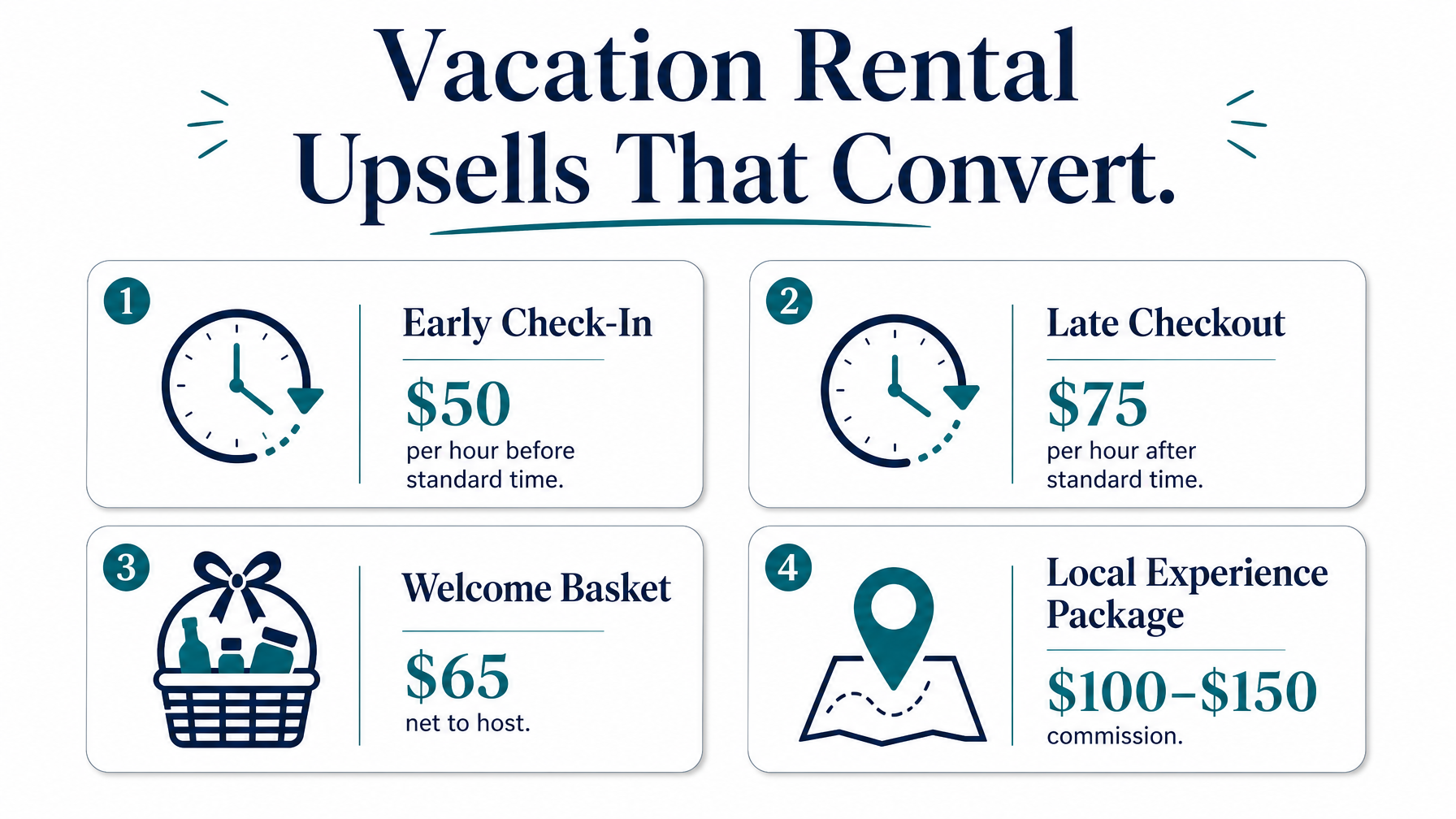
Add-ons cost little when the home is ready anyway:
Early check-in and late checkout when the calendar allows.
Welcome basket with local food or drinks, priced above your cost.
Extras such as firewood, bike or kayak rental, mid-stay cleaning, or a crib.
Local experiences: recommend guides, tours or classes you trust. If you earn a referral fee, tell guests.
Offer them before arrival, with clear prices.
Dynamic pricing tools do the daily work
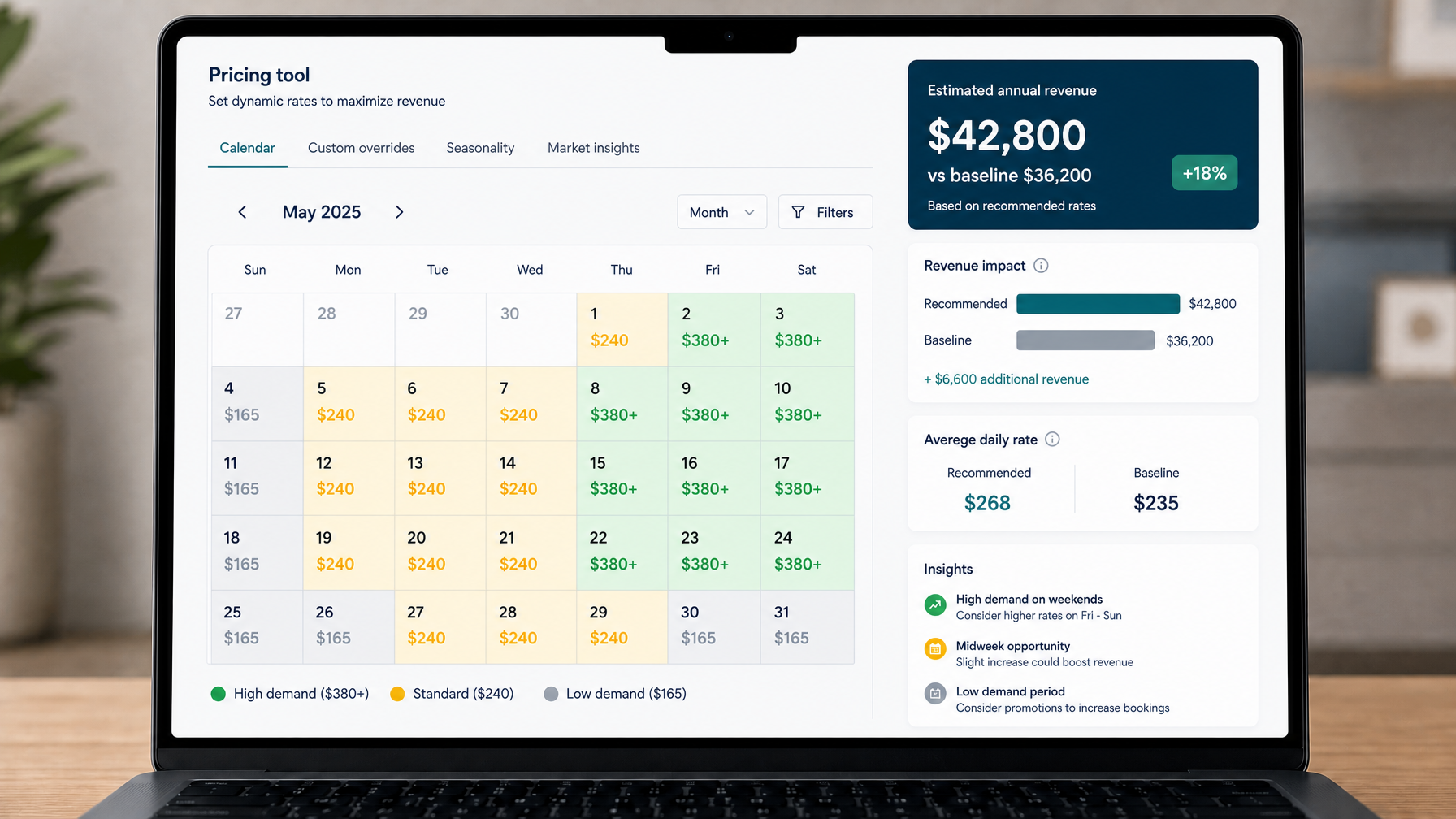
Dynamic pricing tools such as PriceLabs, Wheelhouse and Beyond adjust your nightly rates using local demand, competitor prices and your booking pace. You set the limits: your floor rate, your maximum, and your minimum stays. They help most if you have several listings or little time. Review what they do every month. PriceLabs connects to Houfy, so its rates and minimum stays can update your Houfy calendar; see PriceLabs with Houfy.
How fees change what guests pay
Since September 2026 (October in the EU), Airbnb has moved most hosts to a single host-paid fee of about 15.5%, so guests see the price the host sets. Vrbo charges pay-per-booking hosts a 12% commission from 29 October 2026, and guests pay a Vrbo service fee on top. On direct bookings, the rate you set is the rate you earn, before payment processing and taxes.
Frequently Asked Questions
How do I calculate a floor rate for my vacation rental?
Add up your monthly costs, divide by the nights you expect to book, and add a margin. For example, $3,000 in costs over 20 nights is $150 breakeven; with a 20% margin, the floor is $180.
How much should I raise prices for peak season and events?
There is no single percentage. Check what comparable listings charge for the same dates and how fast they book. Raise rates on specific high-demand nights, not on whole months.
How much should I discount weekly and monthly stays?
Many hosts start around 10%–15% for a week and 20%–30% for a month, then adjust based on bookings. Make sure the discounted rate stays above your floor.
How high should my cleaning fee be?
High enough to cover a turnover, but check the total price of a 2-night stay. If short stays look expensive, use a minimum stay or move part of the fee into the nightly rate.
Should I use a dynamic pricing tool?
It helps if you have several listings or don't have time to adjust rates often. Set a floor and a maximum, and check its prices monthly.
How often should I review my prices?
At least every season, and whenever a big local event is announced.
Ready to set your own rates? Add your listing on Houfy, or build your own booking site with the vacation rental website builder.
Sources
Houfy has 100,000+ live listings in over 100 countries.