
You've added your listing to Houfy, you are now a member of the Houfy Community a collective taking on the OTAs The Power of the Houfy Community is in your hands and in the hands of every Houfy Host. Instead of burning $7M on a Super Bowl ad like Booking.meh Houfy's power is fueld by every Houfy promoting their listing.
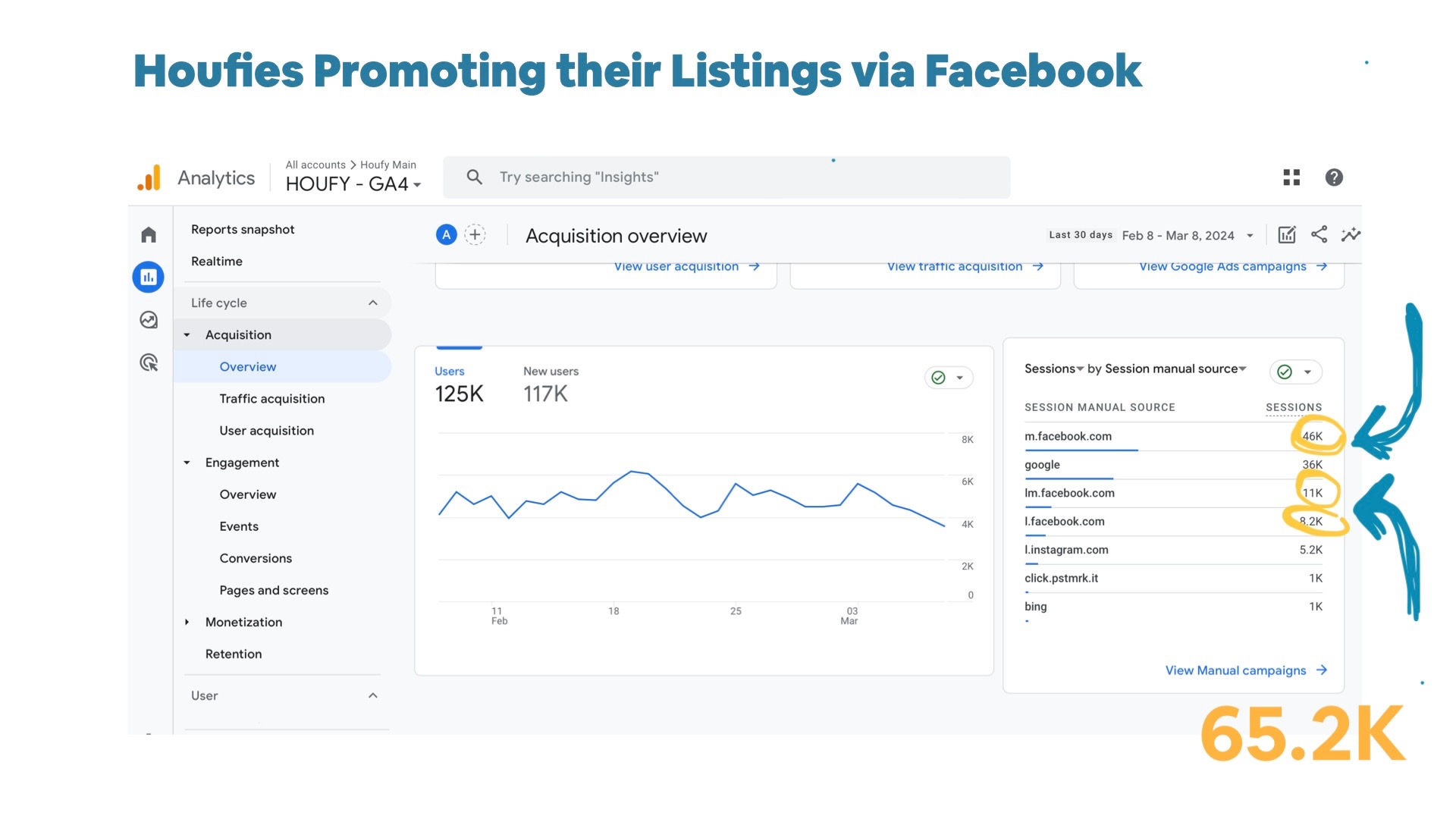
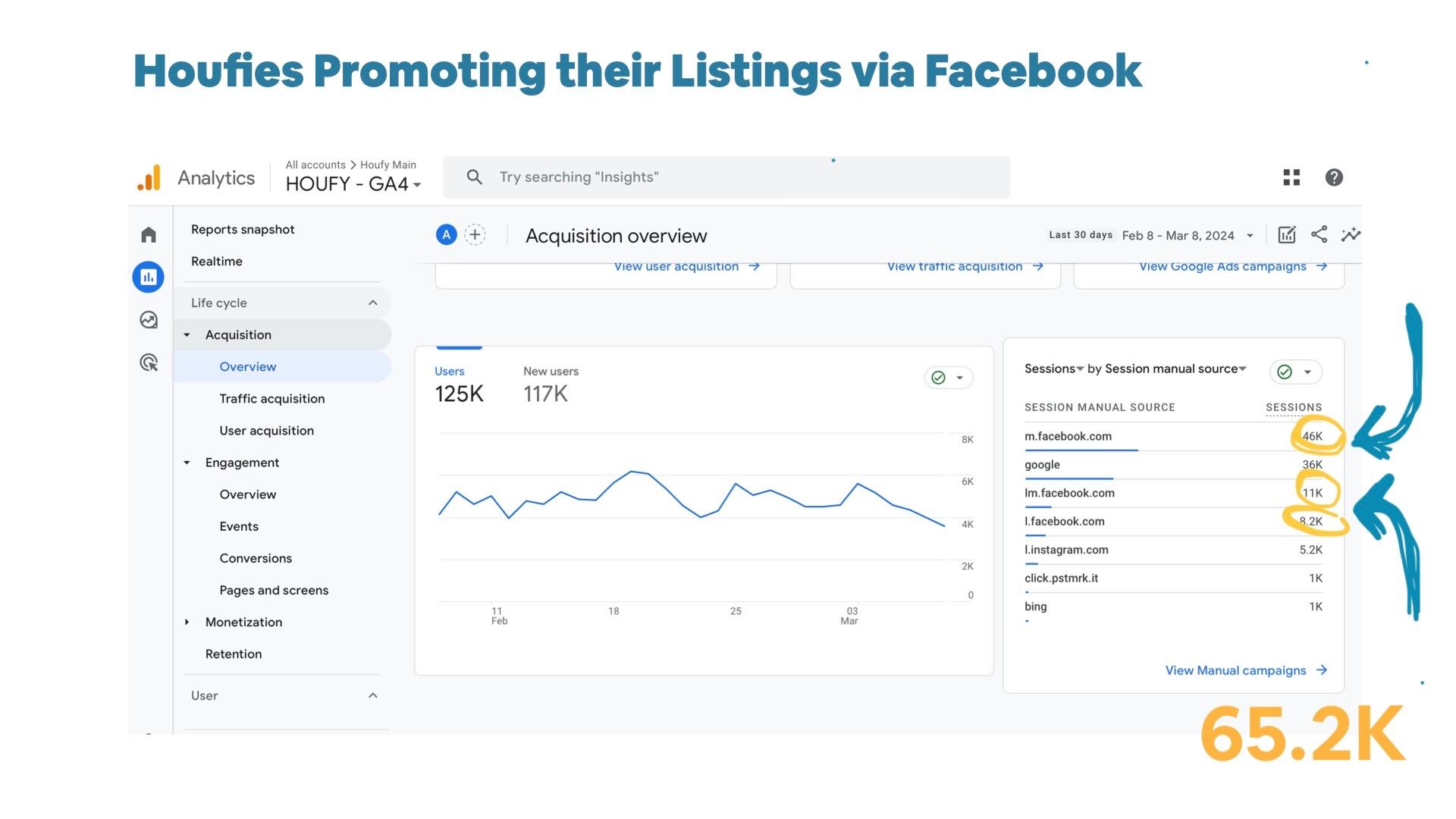
How does one measure the Power of the Houfy Community? Simple! Here's a screenshot of the traffic from Facebook to Houfy listings for a single month, 65.2K user sessions. Try that on your own, that's the power of community.
Where to begin? Start promoting your listing on Facebook with offical Houfy created images (download for your use). And, we're providing copy, language, used by other Houfies. Please note, the copy was designed specifically for mobile! Short, sweet and impactful. Facebook Post Copy (copy/paste) Find my short-term rental on Houfy. > Houfy.com/102733 Book Direct & Save $0 platform service fee Instructions: Find my short-term rental on Houfy. {hard return} > Houfy.com/102733{short, shows up unbroken on mobile on a single line}{hard return} {blank line}{hard return} Book Direct & Save $0 platform service fee